How to protect email opt-in forms from spam and bots
Spam and bot submissions are a common problem for email opt-in forms and popups. Fake signups don’t just clutter your contact list — they reduce engagement, hurt deliverability, and make it harder to understand real audience behavior.
Getsitecontrol includes two built-in Anti-Spam tools that help you protect your forms and keep your email list clean. You can use either one or both depending on how much protection your forms need.
Double opt-in emails and Google reCAPTCHA.
What are Anti-Spam tools for?
Anti-Spam tools help ensure that form submissions come from real people and that email addresses are valid and intentional. They protect your forms at different stages of the signup process, blocking automated bots before submission and verifying email ownership after submission.
| Tools | What you get |
|---|---|
| Double opt-in | Only real users submit your forms |
| Email addresses are genuine and intentional | |
| Google reCAPTCHA | Spam is blocked before it enters your contact base |
In Getsitecontrol, Anti-Spam tools are configured at the widget level. By linking a widget to a double opt-in email and activating Google reCAPTCHA, you can gain complete control over the security of every form or popup.
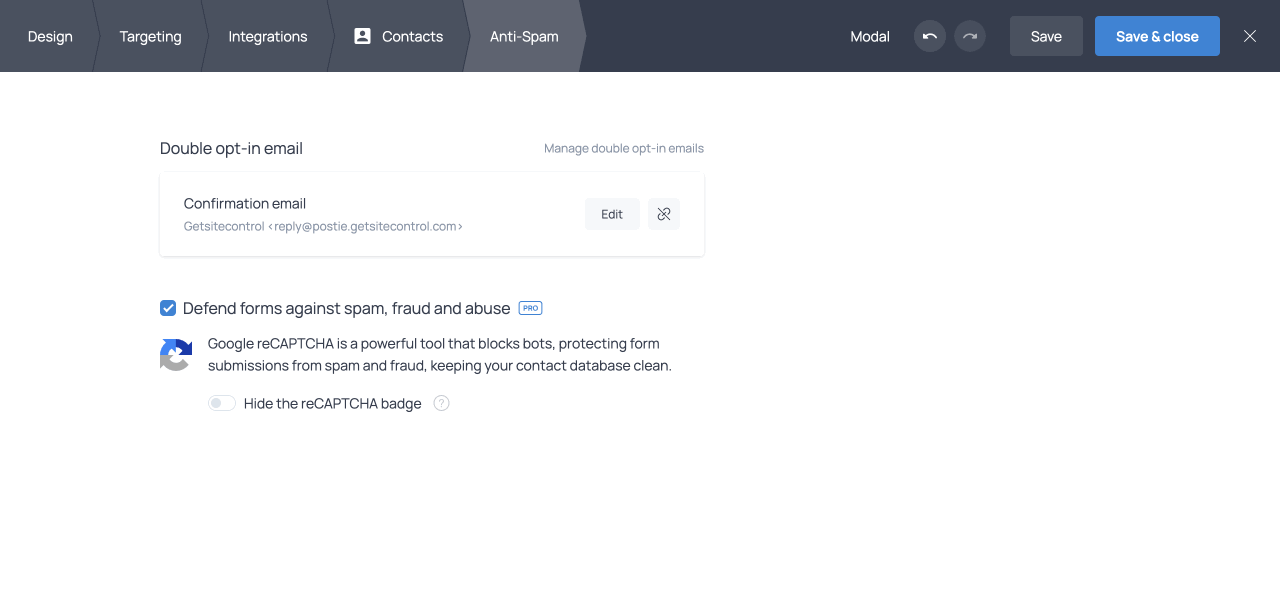
Anti-Spam settings in the widget editor
Double opt-in emails: verify real subscribers
What is Double opt-in?
Double opt-in is a subscription confirmation process where users must confirm their email address after submitting a form. When someone enters their email, they receive a confirmation email with a verification link. Only after clicking that link is the subscription completed.
In Getsitecontrol, only respondents who confirm their email address become contacts and are added to your contact base. Unconfirmed submissions are automatically excluded, so mistyped, fake, or bot-generated emails never reach your contact list.
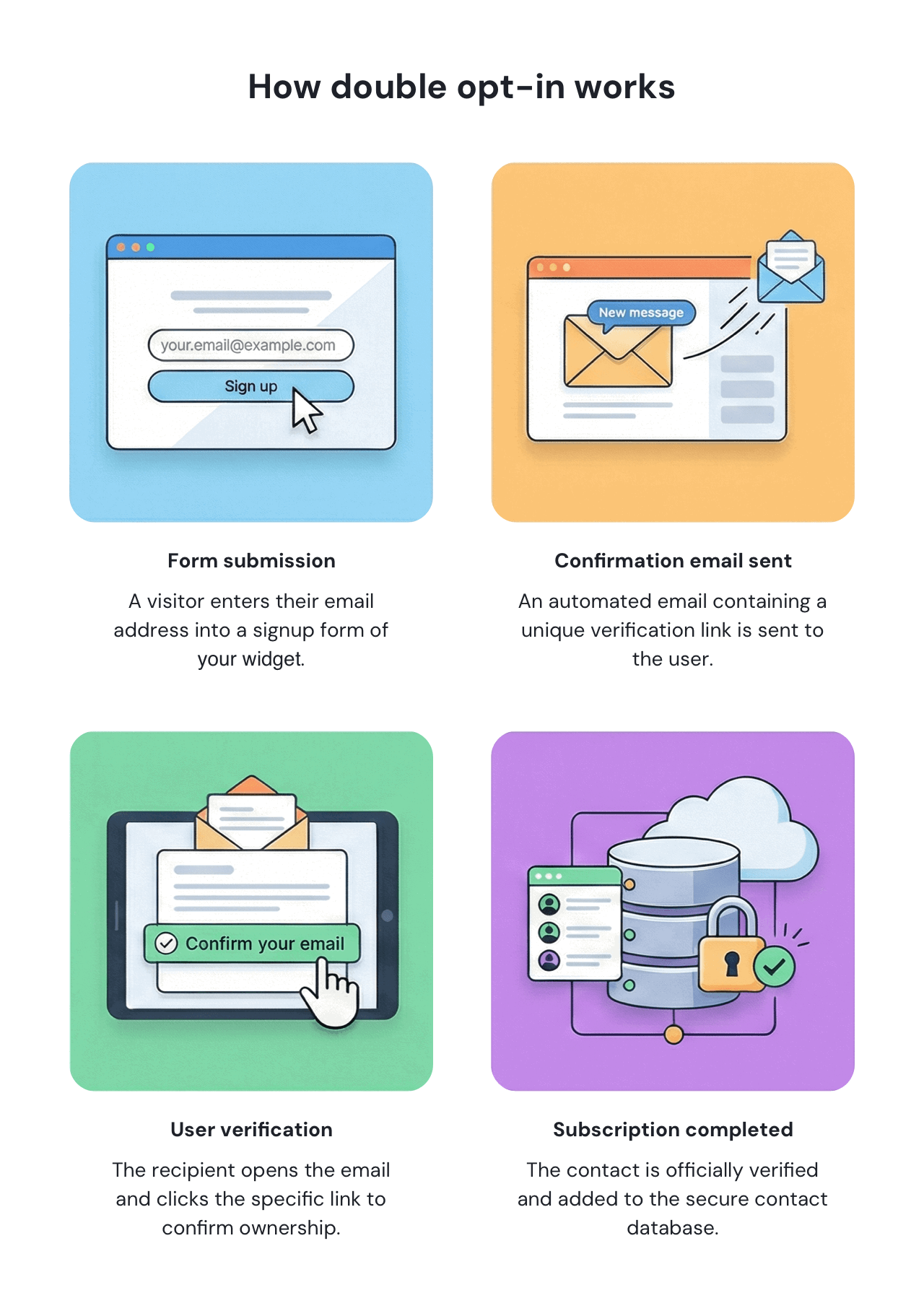
Why use Double opt-in?
Instead of focusing only on volume, double opt-in helps you build a list of confirmed, interested subscribers. It helps protect your list from invalid or malicious signups and ensures that subscribers genuinely want to hear from you. Confirmed subscribers are more engaged, more likely to open and click your emails, and less likely to mark messages as spam.
A clean email list is essential for successful email marketing. Verified contacts help keep bounce rates low, improve engagement, and protect your sender reputation. A strong sender reputation leads to better inbox placement and can significantly reduce email delivery costs over time.
| What double opt-in gives you | What it improves |
|---|---|
| Verified email addresses | Lower bounce rates |
| Strong sender reputation | |
| Confirmed subscribers | Higher open and click rates |
| Fewer spam complaints | |
| Clean, verified list | Better inbox placement |
| More accurate campaign performance | |
| Lower email delivery costs | |
| Intentional signups | More accurate widget performance |
How Double opt-in works in Getsitecontrol
Built-in double opt-in system
Getsitecontrol includes a built-in Double opt-in system that gives you full control over the confirmation process without relying on external email services. When a form is connected to a Double opt-in email, every submission triggers a confirmation email sent on your behalf.
Custom or shared sender domain
You can send confirmation emails from a shared Getsitecontrol domain or from your own custom sender domain. Using your own domain helps build trust with subscribers and improves deliverability.
Fully customizable confirmation email
The confirmation email itself is fully customizable, allowing you to edit the subject line, message content, sender name, and sender domain to match your brand.
Built-in or custom confirmation page
After a subscriber confirms their email address, you decide what happens next. You can show a built-in confirmation success page or redirect users to your own landing page.
One double opt-in email for multiple widgets
A single confirmation email can be connected to multiple widgets. The email settings page allows you to easily view which widgets are currently using it. You have the flexibility to create as many double opt-in emails as needed (for instance, for different languages or specific use cases) and link them to the relevant widgets.
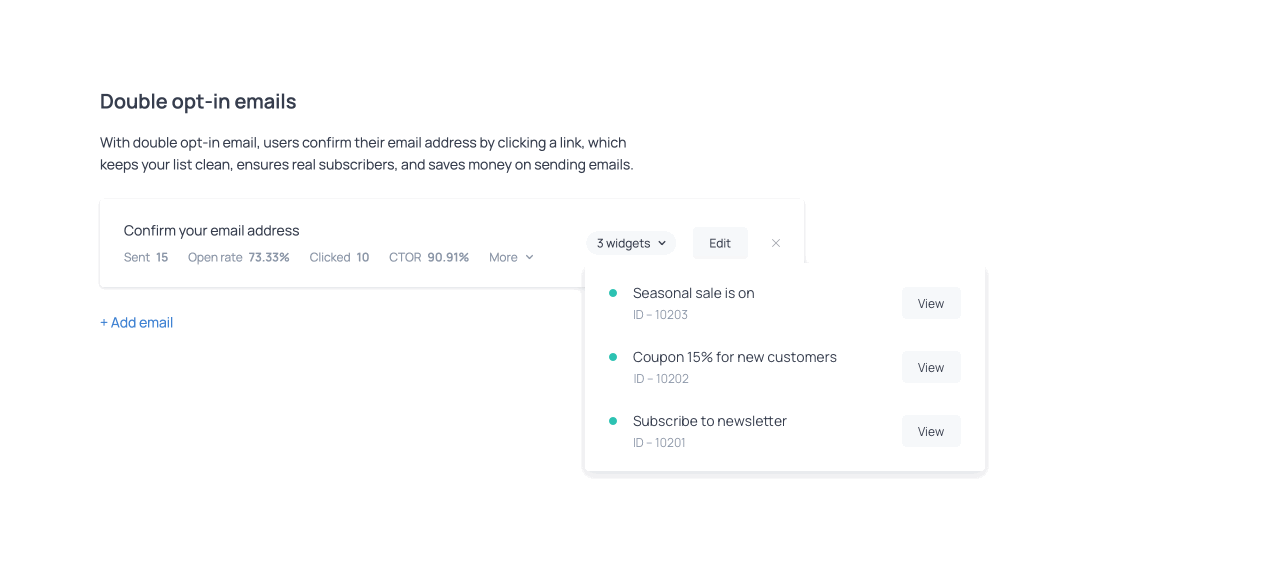
Double opt-in email configuration featuring linked widgets
Google reCAPTCHA: block bots automatically
What is Google reCAPTCHA?
Google reCAPTCHA is a security system that protects forms from automated abuse. Getsitecontrol uses reCAPTCHA v3, which works invisibly in the background by analyzing visitor behavior and identifying suspicious activity without interrupting real users.
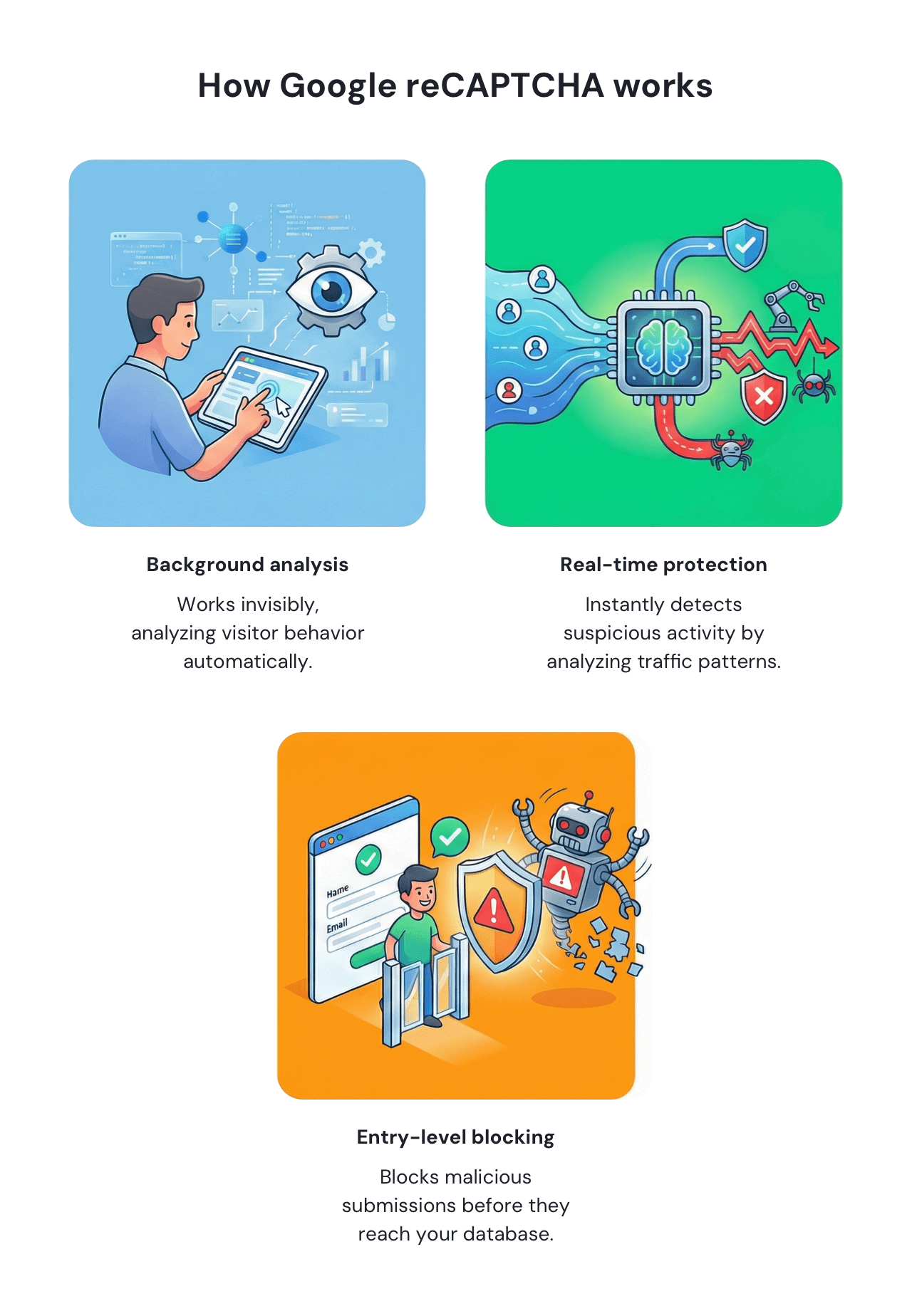
Why use reCAPTCHA on opt-in forms?
Automated bots can submit opt-in forms at scale, filling your contact base with fake or malicious email addresses. These submissions don’t just distort your analytics — they can trigger unnecessary follow-up emails, including Double opt-in confirmation messages, sent to invalid or non-existent addresses.
Sending emails to fake addresses increases bounce rates, wastes email-sending resources, and can negatively affect your sender reputation. Over time, this can lead to poorer inbox placement and higher email delivery costs.
Google reCAPTCHA helps prevent this by blocking automated submissions before the form is sent. By stopping bots at the entry point, reCAPTCHA reduces unnecessary confirmation emails, protects your sender reputation, and ensures that your Double opt-in emails are sent only to real users.
Because reCAPTCHA v3 works invisibly in the background, it adds this protection without introducing friction or disrupting the signup experience for genuine visitors.
By blocking bots before submission, reCAPTCHA not only keeps your contact database clean but also helps you avoid sending unnecessary emails and protects your sender reputation.
How reCAPTCHA works in Getsitecontrol
One-click setup
In Getsitecontrol, reCAPTCHA is designed to be simple and effective. There’s no need to create a Google account or configure API keys — you can enable or disable reCAPTCHA with a single toggle.
Invisible protection
reCAPTCHA is available for widgets that contain an email field and works automatically in the background. It evaluates traffic patterns and blocks suspicious submissions before the form is sent, helping prevent bots from entering your contact base.
Which Anti-Spam tool should you use?
You can use one or both Anti-Spam tools depending on your goals and the level of protection you need. Using both tools together provides the strongest protection. Bots are blocked before submission, and only confirmed respondents become contacts.
| Your goal | Recommended option |
|---|---|
| Block automated bots | Google reCAPTCHA |
| Verify email ownership | Double opt-in |
| Improve list quality | Double opt-in |
| Protect public forms | Google reCAPTCHA |
| Build a strong sender reputation | Double opt-in |
| Reduce email delivery costs | Double opt-in |
| Protect high-traffic or high-value forms | Double opt-in + reCAPTCHA |
| Maximum protection | Double opt-in + reCAPTCHA |
Visibility and control at all times
Getsitecontrol gives you clear visibility into how your widgets are protected. You can see which widgets have Anti-Spam tools enabled, change protection settings at any time, and track confirmation events directly in the contact timeline. This flexibility allows you to adjust protection as your traffic grows or changes, while keeping full control over your forms and email list.
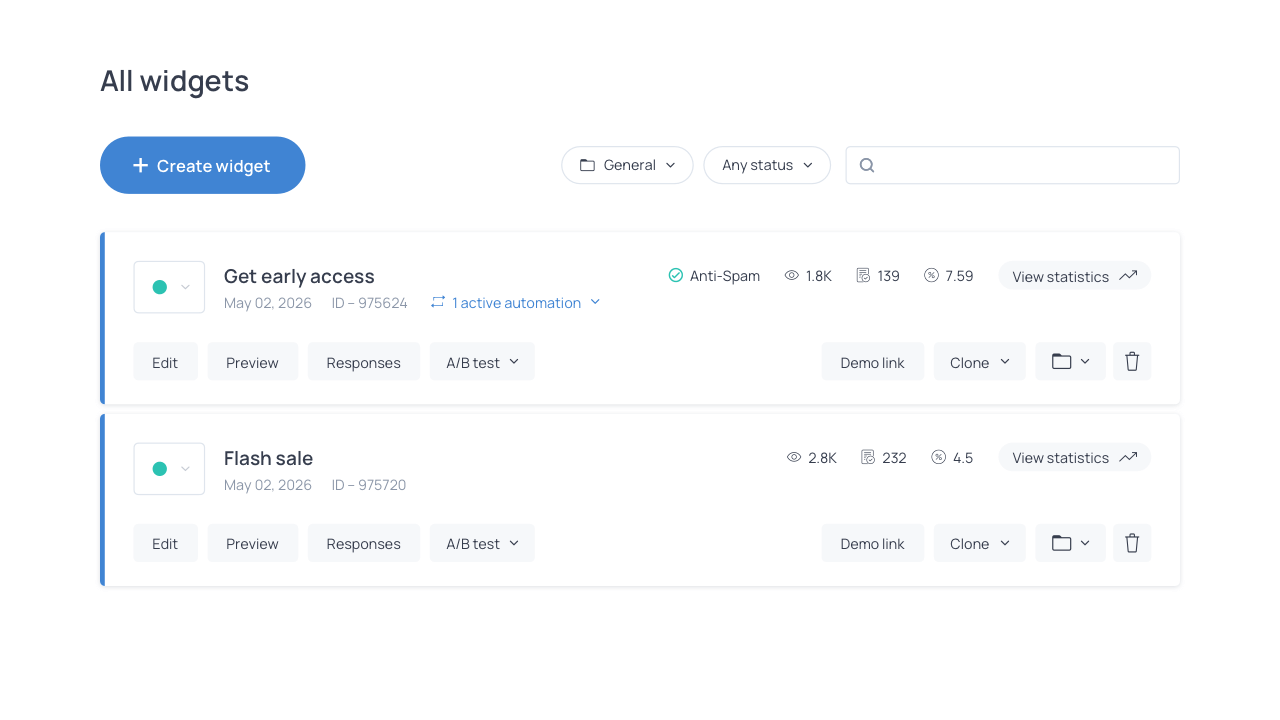
Anti-Spam indication for opt-in form widget
Summary
Spam and bot submissions are a common problem for email opt-in forms and popups. Fake signups don’t just clutter your contact list — they increase bounce rates, damage sender reputation, and lead to unnecessary email delivery costs. By protecting your forms from bots and fake addresses, you can keep your email list clean, improve engagement, and get better results from every campaign.
With Getsitecontrol’s Anti-Spam tools, you can block automated submissions with reCAPTCHA, verify real subscribers with Double opt-in, and ensure that only confirmed respondents become contacts. This helps maintain a clean email list, protect your sender reputation, and get better results from every email campaign.