Create your Valentine’s campaign
Choose an email design, add your gift selection or offer, and plan the follow-ups around your audience and ordering deadlines.

A good Valentine's Day email gives someone a reason to choose: a gift that suits the recipient, an evening they can share, or an ordering deadline they still have time to meet. Hearts and a discount can decorate the campaign, but they cannot do that work on their own.
Start with what your store can offer for February 14, then build the emails around the decisions shoppers need to make. This guide covers ten campaign ideas, editable email and popup designs, subject lines, and ready-to-adapt copy. There is a separate Shopify section for dynamic product recommendations and discount codes.
Put your production, personalization, and shipping cutoffs on the calendar first. An engraved necklace may need an earlier order than a stocked candle; a class voucher has different delivery requirements from a box of food. Plan by the destination and service you can actually offer.
The schedule below is a starting point, not a requirement to email every day. Choose the messages that give your customers useful new information, and adjust the timing to your products and usual sending cadence.
| Planning window | Message | What to confirm first |
|---|---|---|
| Three to four weeks before February 14 | Introduce the gift edit or invite early interest | Collection availability and personalization lead times |
| Around two weeks before | Show a focused selection, shared experience, or offer | Pricing, eligibility, and enough time to fulfill |
| Before each ordering cutoff | Explain the deadline and eligible products | Region, service, date, time, and time zone |
| After physical-gift cutoffs | Offer available pickup, digital gifts, or bookings | Actual delivery or redemption process |
| On the day, if appropriate | Send a useful final option or a short appreciation note | Whether the message still fits the recipient |
For a small campaign, a gift edit, a useful follow-up, and an accurate deadline reminder may be enough. If you sell made-to-order pieces, start earlier. If you sell digital experiences, the decision window may extend closer to the day. Let the offer determine the schedule.
Build the selection around a recognizable interest or use: everyday jewelry, a slow Sunday morning, a favorite hobby, or a dinner at home. “For someone who wears silver every day” is a more helpful introduction than “Something for everyone.”
The VRAI design focuses on earrings, with large photographs, a selection of styles, and an option to ask for guidance. Adapt it into a Valentine's edit by explaining the differences between the pieces: metal, dimensions, fastening, and whether the style suits everyday wear.
For higher-consideration gifts, add a route to sizing or selection advice. Keep prices and availability easy to find on the destination page. Our gift guide email examples cover budget and interest-based layouts in more detail; this campaign can use one focused edit rather than every format at once.
If your products belong in a shared experience, show the experience. A table setting, a cooking kit, or a candlelit dinner gives the buyer a picture of what they can do together. Explain what the set contains and what they need to add themselves.
The ALESSI design uses a styled dining scene to introduce coordinated tableware. Its calm colors and large image can support a Valentine's dinner email without turning the whole message pink. Replace the sample collection copy with your own setting, product details, and buying options.
The copy should answer concrete questions: does the set serve two, does it arrive in one box, and are the objects sold together or separately? “Set the table for two” is a useful promise only when the linked selection makes it straightforward.
Classes, tastings, workshops, and local experiences can be gifts in their own right. In the email, state whether the customer is booking a fixed date or buying a voucher. Include the number of participants, location or online format, and any important restrictions.
Continue the same offer on the website. This cooking-class popup presents several experiences with thumbnail images and starting prices. Adapt it to the sessions you actually sell, then connect its action to your booking or voucher page.
Do not leave customers to work out whether “from $20” means per person or per booking. State the applicable price and make availability easy to check. The popup introduces the choices; your booking system handles dates and reservations.
A friendship gift or a treat for yourself can be a positive campaign idea, not an apology for being outside a couples campaign. Choose a product and a reason: cookies for a shared break, a small thank-you for a friend, or something for a personal ritual.
The LASTCRUMB design puts one cookie box at the center, then gives the product a close-up and a concise story. It is a useful starting point for a small gift that does not need a complicated selection process. Adapt the tone and photography to your own range.
For food gifts, provide the relevant ingredients, allergen information, storage advice, and delivery scope on the product page. Let readers choose the friendship or self-gifting angle through the offer itself; do not infer relationship status from shopping activity.
A Valentine's offer can support the gift rather than become the whole story. Choose a defined benefit: a saving on a collection, gift wrapping, a bundle price, or complimentary personalization. Explain what qualifies and when it ends.
The coupon-and-countdown template gives the code a distinct block and includes a deadline object. Adapt it with your own offer and a real closing time. Its neutral design can work without a Shopify product feed.
Keep the code separate from the shopping button, with a short paragraph explaining what the buyer can choose. If the promotion applies only to selected products, link to that range. State whether the code can be combined with other discounts; the customer should not discover the exception at checkout.
If you offer engraving, embroidery, initials, or a message card, show the result. A photograph of the finished detail helps the buyer understand what they are ordering. Explain character limits, available styles, and the production deadline on the product page.
A before-and-after GIF can reveal a plain pendant becoming engraved or a standard box becoming a personalized gift. Use aligned photos of the same object so the change is clear. Keep a still image and the essential ordering details in the email too.
For a sample initials design on a gift tag, a monogram maker lets you compare letter arrangements. Use the graphic to illustrate a real option your store provides. If personalization closes earlier than shipping, give it its own reminder rather than combining the two deadlines.

A gift set needs a clear reason for the combination. Pair products that belong together: tea and a cup, a candle and a holder, or a simple skincare routine. Show the contents and the finished packaging, and explain whether customers choose the items or receive a fixed set.
A short slideshow GIF can move from the complete set to the individual pieces. Keep each frame focused and the first frame useful on its own. The product list, price, and shopping action should remain readable without the animation.
If the set represents a saving, explain the comparison accurately. If its value is presentation or convenience, say so. You do not need a percentage discount to explain why the items work well together.
A delivery email should make the remaining choice simpler. State the ordering cutoff, eligible products, destination, shipping service, and the accurate delivery estimate or commitment. Link to the selection that can meet those conditions.
The shipping-update template gives the announcement a large heading and an animated text strip. Replace its sample shipping-improvement copy with the actual Valentine's ordering window. Keep the critical date in ordinary text even if you repeat it in the graphic.
After the cutoff, update the landing page and stop sends that still promise the earlier window. If express service remains available, explain its conditions rather than quietly leaving a general “Order now” message in place.
A gift card or an experience voucher can be useful for a late buyer or someone unsure about size or taste. Explain the amounts, delivery method, recipient options, and redemption process. If buyers can schedule delivery or add a message, show where to do it.
Keep the landing page consistent with the email. “Send a gift today” should not lead to a product that needs manual processing over several days. If delivery is not immediate, state the actual timeframe before the shopping action.
The copy examples below include a gift-card email. You can build it around one clear image and one button; adding unrelated physical gifts would distract from the last-minute promise.
A short note can thank customers for choosing your store, share a thoughtful detail about the collection, or explain how to care for a gift. Send it when the message fits the audience. Someone who just ordered may appreciate order-specific information more than another general offer.
If the note is from a founder or maker, use their name in text. A small graphic from a signature generator can add a personal visual detail beneath the message. Keep the typed name and role as well, so the sign-off still makes sense when images are unavailable.
A subscriber who clicks a jewelry collection has shown an interest in that selection. A person who chooses “Gifts for friends” on a form has told you something useful. Neither signal tells you their relationship status, and neither means they want every email in the campaign.
In Getsitecontrol, use contact fields, tags, and email activity to build recipient segments. A broad gift edit can introduce the range; a later email can focus on the category someone explored. Include a sensible general version for subscribers whose preferences you do not know.
You can use a signup popup on the Valentine's collection page to invite relevant subscribers. This design offers a discount in exchange for an email address. Change its copy to the actual incentive, then deliver that promise in the welcome email.
For a focused next step, use an email click follow-up tied to a relevant collection link. For the shared launch and ordering cutoffs, use scheduled broadcasts. Exclude completed purchases when a message assumes the person is still shopping, and respect any campaign preferences you have collected.
Email opens alone are an imperfect indicator of interest. Use them with care rather than treating every open as a buying signal. Review your audience and Contact Quality filters before sending, especially when reusing a list that has not received campaigns recently.
A connected Shopify catalog lets you turn the campaign into a more specific shopping experience. Getsitecontrol can fill product cards and slideshows with products from your store, including a selected collection, bestsellers, and recommendation sources. Choose the source to match the email's promise.
This Shopify template combines a slideshow with bestselling product cards. For a Valentine's edit, configure the relevant product sources and use a suitable collection where appropriate. Preview it with your store's actual products; the generic preview placeholders are not the gifts customers will receive.
For an offer, the email coupon element supports Shopify Discount codes, including a selected shareable code or a unique single-use code. Set the eligible products, conditions, and expiry to match the message. A unique code is useful for a personal signup incentive; a shared campaign code may be simpler when everyone receives the same public promotion.
Use a checkout recovery sequence for a shopper who starts checkout and leaves. Its products and return link belong to that checkout, while a broadcast gift guide is a campaign for a selected audience. Keep expired Valentine's offers out of follow-ups that may continue running after February 14.
Give the product room before adding seasonal decoration. A restrained color accent, one handwritten phrase, or a photograph of the gift in use can carry the occasion. Keep your normal brand typography for product names, prices, and shopping actions.
A calligraphy text generator can create a short “For someone special” or “Made for you” image for the hero or a gift-card mockup. Use it as an accent, with meaningful alt text, rather than turning every paragraph into an image.
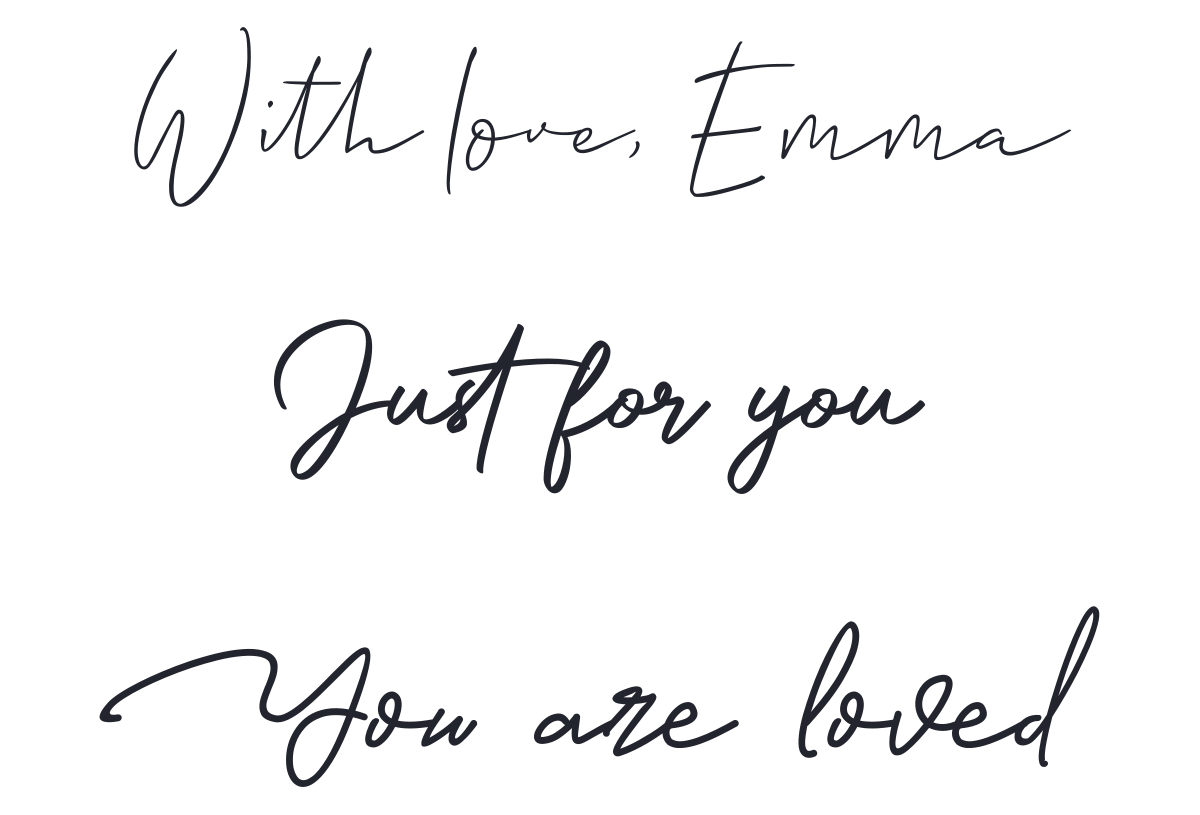
For a sale announcement, an animated text generator can emphasize a short offer such as “Gift sets, 15% off.” Put the same offer and conditions in readable text. Avoid making shoppers wait through several animated slides to discover the code or deadline.
An email countdown belongs only where time changes the buying decision. Configure the built-in countdown for the actual offer expiry and retain the date, time, and time zone in the copy. A countdown timer GIF can work as a decorative gift reveal, but an exported GIF repeats a fixed sequence rather than counting toward the customer's live deadline. The countdown duration guide explains how to choose that animation length.
Finally, check the message on a phone. Keep the subject, offer, gift, and main action understandable without zooming. Use the GIF compressor when an animation is too heavy, and keep the essential message useful when the animation does not play.
Write the subject after deciding what the email helps the reader do. These pairs provide different angles without promising that every recipient has the same plans.
| Subject line | Preview text |
|---|---|
| Your Valentine’s gift shortlist | [Number] ideas, with the details that help you choose. |
| For the person who loves [interest] | A focused edit from our [collection]. |
| A dinner for two starts here | Explore [set or range] and plan your evening. |
| Give them something to look forward to | Choose a [class or experience] for [participants]. |
| A little thank-you for your favorite friend | Small gifts for a shared moment. |
| Something for you, too | Our [self-gifting theme] edit is ready. |
| Make it theirs: personalized [products] | Order by [date] for [accurate delivery scope]. |
| [Offer] on our Valentine’s collection | Use [code] through [deadline]. |
| Last orders for [service] close [date] | For [eligible gifts] delivered to [region]. |
| Let them pick their own favorite | Gift cards in [amounts], delivered by [method]. |
| One more look at [gift or collection] | [Useful detail] before the offer closes. |
| A note from [founder’s name] | Thank you for making our work part of your gifts. |
Use the subject line generator to explore variations, then check that each one matches the message. Testing a gift-led subject against an offer-led subject is useful when both describe the same email accurately.
Use these as starting points, replacing every bracketed detail with the offer, range, and fulfillment terms your store provides. The sample discount code is illustrative; create and test the actual code before sending.
A few good ideas for February 14
PreviewThoughtful gifts for [interest or recipient].
Choosing for someone else can be the hard part. We have put together [number] ideas for [recipient or interest], with a little detail about what makes each one a good fit.
Explore [item or category] for [reason], or choose [alternative] if they prefer [difference]. [Explain the gift-packaging or message option, if available.]
Open the edit to compare prices, options, and delivery details while there is still time to choose.
Explore the gift editThe [Store] team
[Offer] on gifts for February 14
PreviewChoose from [eligible collection] through [date].
Our Valentine’s offer is open: [precise benefit] on [eligible range] through [date, time, and time zone].
Enter the code below at checkout. [State minimum spend, exclusions, and combination rules.]
Start with [gift idea] for [reason], or browse the collection to find the piece that suits them.
Shop the Valentine’s collection With thanks,
[Store]
Order by [date] for [delivery promise]
PreviewThe cutoff for [eligible gifts], [region], and [service].
If you are choosing a gift for February 14, the ordering window for [service] closes at [time and time zone] on [date].
This applies to [eligible products and destination]. [State separate personalization terms or other material exceptions.]
We have gathered the eligible gifts in one place so you can check the options before ordering.
See gifts you can still order[Store]
A gift they can choose for themselves
PreviewSend a [Store] gift card with [available message option].
If they know exactly what they like, let them choose it. Our gift cards are available in [amounts] for use on [eligible products or services].
The card is delivered to [buyer or recipient] by [method] within [actual timeframe]. [Explain scheduling or personal-message options, if available.]
Choose an amount and check the delivery and redemption details before completing your order.
Choose a gift cardThe [Store] team
Read the email as someone who has never bought from your store. Can they tell what is offered, who it suits, what it costs, and whether it can arrive in time? Follow each product or booking link and complete a test of the relevant buying steps, including the discount code and delivery option.
Check the popup's signup promise against the welcome email. Review scheduled broadcasts and automations together so a new subscriber does not receive contradictory offers. Remove sample brand names, coupon codes, prices, claims, and links from any design you adapt.
After launch, use product and collection clicks to understand interest, then look at purchases, unsubscribes, and delivery results. A popular product link with few orders may point to availability, price, or delivery friction on the website. Give the next email a specific job based on what you learn.
For a broader seasonal program, our holiday newsletter guide covers additional campaign formats. Keep the Valentine's sequence focused on the gifts and options you can deliver for this occasion.
Plan backward from your production and shipping cutoffs. Three to four weeks before February 14 is a useful starting point for a gift edit, but made-to-order products may need more time and digital gifts may have a shorter window.
There is no fixed number. A gift edit, a useful follow-up, and a real deadline reminder can form a small campaign. Add messages only when they offer relevant new information, and consider recent purchases and your usual sending frequency.
Yes. Gift selection, a shared experience, personalization, packaging, or clear delivery guidance can provide the reason to shop. An offer should support your products and margins.
The editable designs and neutral announcement or coupon layouts can use your own images, copy, and links. Templates with dynamic Shopify product feeds require a connected Shopify store.
No. Use a countdown when a real deadline affects the offer or ordering decision. Keep the date and time in text, and distinguish a live email countdown from a fixed decorative GIF animation.
Jack Hayes covers onsite marketing, email campaigns, and ecommerce growth at Getsitecontrol. His guides connect popups, personalization, and automated emails into practical strategies for turning visitors into subscribers and customers into repeat buyers.
You’re reading Getsitecontrol blog where marketing experts share proven tactics to grow your online business. This article is a part of Email marketing section.
Try email marketing, free
Grow your list with free popups, send 2,000 emails for free.
Get started →Subscribe to get updates
Get beginner-friendly tips for growing your online business.