Create your email
Create fashion emails around a clear idea, with editable designs and product-focused layouts.

Fashion email marketing works best when the collection calendar and the customer journey make sense together. A subscriber discovering your label, a shopper comparing sizes, and someone who just bought a coat need different messages.
Build the strategy around those decisions. This guide covers audience segments, four lifecycle journeys, a sample month, and a way to judge results after discounts and returns. When you need the creative for an individual send, use the separate collection of fashion newsletter ideas and designs.
Start with the business problem. If first-time visitors do not understand the fit or price, more frequent sale emails will not explain it. If happy customers never hear about a relevant release, the problem may be the follow-up rather than the offer.
| Customer stage | Useful message | What to avoid |
|---|---|---|
| New subscriber | Deliver the signup benefit and introduce the range | A shopping grid before the promised resource |
| Considering a purchase | Fit, fabric, styling, and delivery information | Assuming every visitor can be identified |
| New customer | Order service and care for the purchased item | Another first-order discount |
| Returning customer | A relevant collection or complementary piece | Repeatedly selling the same durable item |
| Inactive subscriber | A specific reason to reconnect | Increasing frequency without a useful message |
Use the information your setup actually provides: signup source, declared interests, campaign interactions, and connected purchase data. A preference such as “menswear” or “petite fit” is more useful when the subscriber chooses it than when you infer it from a name.
Choose one priority for the next month. For example, a label with strong first-order demand but many fit-related returns could put sizing guidance ahead of another acquisition offer. A label with a new capsule and little awareness may prioritize a collection introduction for interested subscribers.
A good signup offer can be a discount, a styling guide, or early access. Make it clear on the form so the first email has a concrete job.
Deliver the benefit first. A later message can explain fit, introduce a hero product, or share the brand story. Stop first-order language once someone buys. Use the subscriber thank-you copy examples for the opening message and the personalized welcome sequence guide for a longer journey.
A useful reminder returns the shopper to the saved checkout and offers help with a real obstacle. Test the journey with unavailable sizes, expired links, and a completed purchase before enabling it.
Do not make a discount the automatic first response. If shipping costs or fit information caused the hesitation, answer that question. A reminder needs an identifiable contact and an appropriate audience; it cannot reach every anonymous cart. See the Shopify checkout recovery guide for the setup and suitable designs.
Keep order and shipping information clear, then add useful care or styling guidance for the purchased item. A wool jumper and a technical rain jacket need different advice.
Leave time for delivery and use before asking for a review. Treat a fulfillment event as a fulfillment event, not proof that the garment arrived. The post-purchase sequence guide covers the stages and their timing.
A new color, a compatible layer, or a useful fit guide can be a reason to reconnect. For a durable garment, a generic “time to restock” message may make little sense.
Check recent orders and unresolved service issues before a winback promotion. Compare the resulting purchases after discounts and returns. If you need a dedicated recovery sequence, use the customer winback guide.
Here is a sample month for one collection launch. It is a working plan, not a minimum send frequency. Leave empty slots when there is nothing useful to add, and account for the automated messages each segment receives.
| Week | Main campaign | Audience | Readiness check |
|---|---|---|---|
| 1 | Introduce the collection and its purpose | Subscribers interested in that category | Featured sizes available; collection page ready |
| 2 | Explain fit and fabric for a hero piece | Relevant nonbuyers and interested customers | Measurements and care advice confirmed |
| 3 | Show how the pieces work together | People likely to use the outfit | All essential pieces still available |
| 4 | Answer a recurring customer question | The segment that needs the answer | Support team agrees with the explanation |
Reserve an optional slot for real news: a returning size, a launch update, or an offer with a business purpose. Link a returning product to the restock email guide; use a new-arrival email when the product itself is new.
Coordinate campaign dates with merchandising and fulfillment. If the featured trousers sell out, change the selection or cancel the send. A calendar should help the team make that decision, not force an outdated message out the door.
Use the question customers are trying to answer. “How does it fit?” suggests measurements and a worn photograph. “Why this price?” suggests fabric or construction detail. “What goes with it?” suggests an outfit. “When can I get it?” suggests an availability or delivery update.
For the visual execution of those ideas, the fashion newsletter design collection shows editable layouts. Keep the strategy here simple: one audience, one useful answer, one main destination.
A fashion slideshow GIF can compare looks inside a campaign. A scrolling text GIF can introduce an announcement. Pick the format after deciding what the reader needs to understand, and keep dates, prices, and links outside the animation.
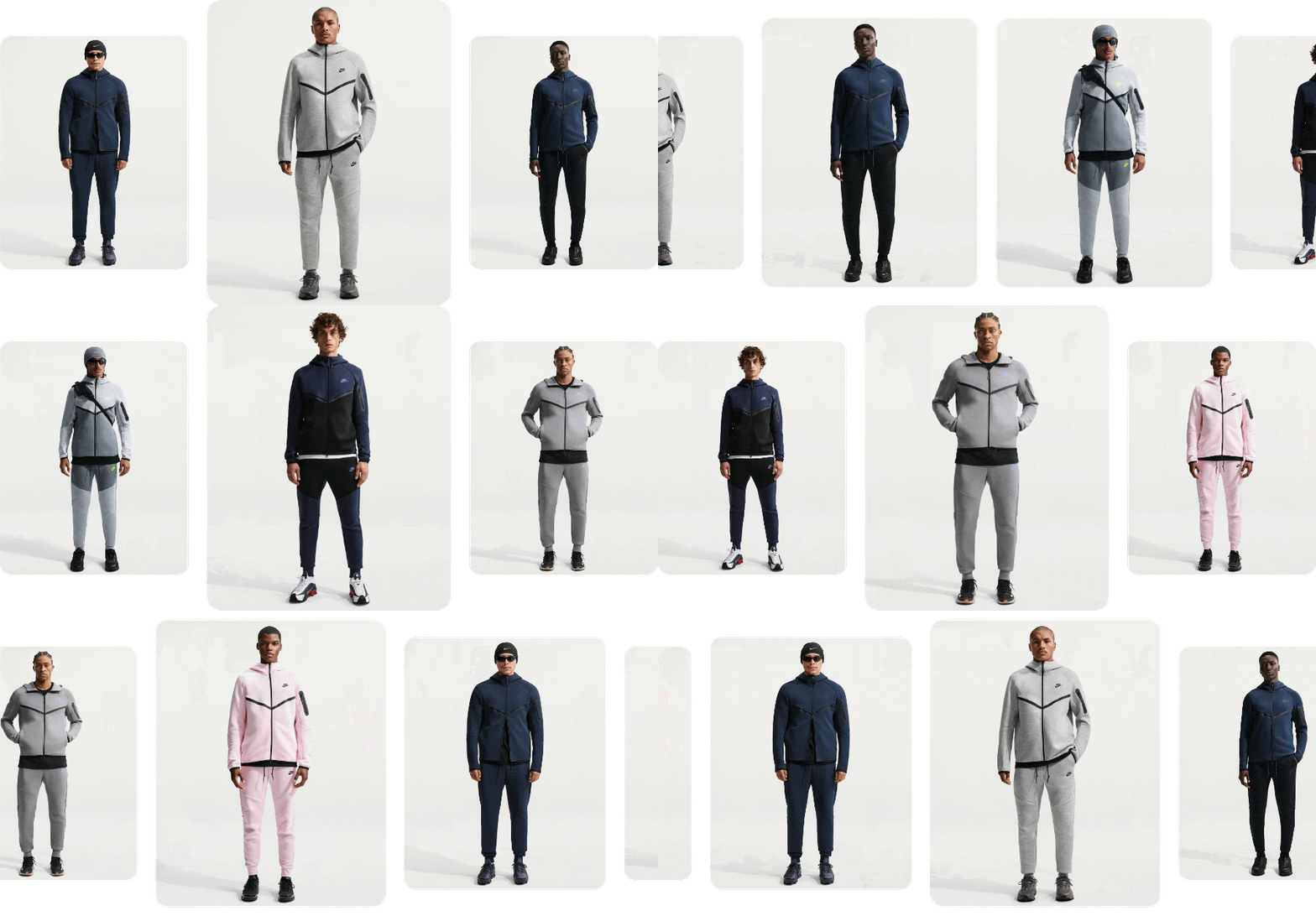
Use a connected product design when a campaign genuinely needs a product selection. Check which items feed each block and remove sections that do not help the campaign's main point.
The Sunspel design gives knitwear a coherent story through material and a coordinated assortment. In the calendar, this fits an explanation of why the collection deserves attention rather than another discount reminder.
Replace the sample claims, products, and introductory offer. Select pieces that support one material or use, then link to pages with the corresponding details.
The True Classic design divides a summer assortment into shopping situations. It suits a campaign where the reader needs help finding the relevant part of a larger range.
Use only categories with enough available choices to justify the links. Test the selection on a phone and make sure the welcome or seasonal offer applies to the products shown.
Consider a shopper who joins during a denim launch and buys jeans the next day. Move them out of the first-order promotion, give them the relevant fit and care information, and reserve a later outfit recommendation for an appropriate moment. The campaign calendar should account for that journey before adding another denim promotion.
Give the team a short brief with the audience, the question to answer, the collection or product destination, the required assets, and the condition that would stop the send. This prevents an attractive design from turning into a campaign with no clear purpose.
| Brief field | Example |
|---|---|
| Audience | Subscribers interested in lightweight outerwear |
| Message | A packable layer for a changeable commute |
| Evidence | Packed dimensions, fabric details, and a worn photograph |
| Destination | The jacket page with available sizes |
| Cancel or revise if | The featured sizes become unavailable |
| Measure | Product visits, purchases, and subsequent return reasons |
Keep drafts for individual campaigns in the appropriate guide: fashion newsletter copy for an editorial send or flash sale emails for a short promotion. That lets the strategy stay focused on how the messages work together.
Review campaigns and lifecycle messages separately. Record delivered emails, clicks to useful destinations, orders, discount use, returns, and unsubscribes. Compare similar audiences and offers rather than declaring every higher-revenue send a winner.
Fashion has a particular trap: orders can rise while poor fit information produces more returns. Review those reasons with customer support. The next improvement may be a size explanation or better photography rather than a stronger subject line.
Test one meaningful difference at a time: a worn image versus a product-only image, a fit-led introduction versus an occasion-led one, or a focused selection versus several categories. Keep enough of the audience and offer comparable to interpret what happened.
For acquisition outside email, use the broader clothing brand marketing plan. Search, creators, advertising, and email should lead shoppers into the same product story without all carrying identical content.
Start with a cadence the team can sustain with useful content and available products. Review it alongside welcome, checkout, and post-purchase messages so subscribers are not overloaded. Adjust using response and unsubscribe patterns rather than treating the calendar as a quota.
Begin with a welcome message that delivers the signup promise. Add relevant checkout recovery and product-specific post-purchase help as the necessary data and processes become available. Keep essential order notifications owned by one system.
Start with information that changes the message: declared interests, first-time versus returning customers, and relevant purchase history. Keep segments broad enough to maintain and test. Do not infer size or style preferences from a name or other unreliable clue.
Plan around fit, styling, fabric, care, and useful collection edits. Each send should answer a customer question or show a relevant product use. The fashion newsletter ideas guide covers individual creative directions.
Review who can receive the launch and a lifecycle message on the same day. Prioritize essential service information, then remove duplicate offers and introductions. Check that a recent buyer does not receive a first-order pitch for the item just purchased.
Look at relevant product visits, purchases, repeat orders, discounts, returns, and unsubscribes. Review campaigns and lifecycle messages separately. Fit-related returns may point to missing product information rather than a problem with the email subject.
Record the audience, customer question, featured range, required assets, destination, and conditions that would cancel the send. Include production time and stock checks. Leave space for service updates instead of filling every available date with a promotion.
Matteo Rinaldi is a retail and design writer covering online stores, fashion, and brand communication. He writes about both the visual and commercial sides of retail, from how a collection is presented to how a store communicates with its customers. He contributes guides and examples to the Getsitecontrol blog.
You’re reading Getsitecontrol blog where marketing experts share proven tactics to grow your online business. This article is a part of Email marketing section.
Try email marketing, free
Grow your list with free popups, send 2,000 emails for free.
Get started →Subscribe to get updates
Get beginner-friendly tips for growing your online business.