Build your Mother’s Day campaign
Create gift-guide popups and seasonal emails, choose your audience, and schedule each message around your offer.

A good Mother’s Day campaign helps someone choose a gift that feels personal. That might mean a useful shortlist, a set that arrives ready to give, or a clear answer about engraving and delivery. A discount can support the decision, but it does not have to be the whole campaign.
These 14 Mother’s Day marketing ideas connect your website, email, and product presentation. Choose one main offer and a few supporting messages, then build a shopping journey around them. Use the editable email and popup templates below to put your chosen ideas into practice.
For a jewelry store, our Mother’s Day jewelry email guide goes deeper into gift selection, personalization deadlines, and ready-to-adapt email copy.
Use the holiday date for each market you serve, then work backward from your own production and delivery deadlines. The stages below are planning prompts, not a rule that every subscriber needs every email.
| Stage | Website | |
|---|---|---|
| Before the promotion | Prepare collections, offer rules, and delivery details | Choose the audience and prepare the launch email |
| Gift selection opens | Promote the guide or new collection | Send the gift edit to the relevant audience |
| While shoppers decide | Show packaging, reviews, and personalization options | Answer one useful buying question |
| Before each cutoff | Update the notice for eligible products | Send the applicable ordering reminder |
| After shipping closes | Highlight available pickup or digital gifts | Offer a clear alternative or a personal note |
Start with the products you can deliver well and the questions shoppers are likely to ask. A skincare store might promote a ready-wrapped evening routine. A homeware store could build a breakfast-at-home collection. A jewelry brand may need to explain chain lengths and engraving lead times before an offer becomes persuasive.
| Customer question | Campaign idea | Useful next step |
|---|---|---|
| What would she actually use? | A gift edit organized by interest | Browse a short, relevant collection |
| Can I make it personal? | Engraving, a gift note, or a choice of items | See options and production times |
| Will it look like a complete gift? | A bundle with gift-ready packaging | View everything included |
| Will it arrive in time? | A delivery reminder or pickup selection | Check the eligible products and deadline |
“For the keen gardener,” “for someone who loves hosting,” and “small gifts under $40” give shoppers a place to start. Each category should lead to a different, considered selection. Add one sentence explaining why each product belongs, rather than presenting the same bestseller grid under several headings.
Promote the guide on relevant pages with a clear invitation. This seasonal popup has a main collection button and an option to continue shopping. Replace the sale image and copy with your gift-guide promise, and link directly to the collection.
Use a heading such as “A few gifts she’ll use long after Sunday” and show the actual selection behind the button. If the guide is available immediately, let visitors browse it; ask for an email when you are offering an additional benefit worth subscribing for. Our gift guide email examples cover ways to present those collections in an inbox.
A small campaign can include a gift edit, a useful product story, and a delivery reminder. A store with personalized products may need an earlier engraving message; a store offering pickup may have a worthwhile final reminder after shipping closes. The buying journey determines the sequence.
Send recommendations based on expressed interests and relevant shopping activity. A person’s gender does not tell you whether they are a mother, who they buy for, or whether they want these messages. Use the information subscribers choose to share and the preferences you can honor.
An announcement template works well for the opening email: introduce the collection, show a campaign photograph, and offer one clear route into the store. Replace the sample launch message with your Mother’s Day selection.
Plan shared dates as broadcasts. A welcome automation can deliver a guide after signup, but a fixed delivery cutoff belongs on the campaign calendar rather than at the same delay after every subscriber joins.
Work backward from your fulfillment process. An engraved item may need to be ordered before an in-stock gift set; international orders may need a different window from local ones. Put the relevant date next to the products it applies to, and include the time zone when the offer closes at a specific time.
Match the email, product page, and website notice. “Order by [date] using [service] for [region]” is more useful than an unexplained countdown. A reminder should take the reader to eligible gifts or delivery information, not a homepage where they must work out the conditions again.
After a cutoff, change the campaign to pickup or digital gifts if those options are available. Keep the actual deadline in text. If you add a countdown in the email editor, set it to the same deadline and check what appears after it expires.
An interview with a customer, maker, or member of the team can give the campaign a voice. Ask a concrete question: which everyday ritual do they value, what did they learn from a parent, or which object has a story behind it? One vivid answer usually does more than a page of generic tributes.
With the participant’s permission, pair a short quotation with a portrait or a photograph of the object. Let them review how they are represented. A story can stand alone, or lead naturally to the featured product when that connection is real.
For email, use a portrait and a short passage rather than a long collage of tiny text. If several photographs help tell the story, a slideshow can bring them together while the main message and action remain readable text.
A handwritten card, travel-size product, or useful accessory can make a qualifying order feel finished. Show the extra beside the purchase so shoppers understand the combination. “A travel pouch with every qualifying set” is easier to picture than “a special surprise.”
For a printed gift note, prepare a short “With love” heading with a calligraphy text generator, then leave space for the buyer’s personal message. Show a sample card in the campaign so shoppers can see what the extra looks like.
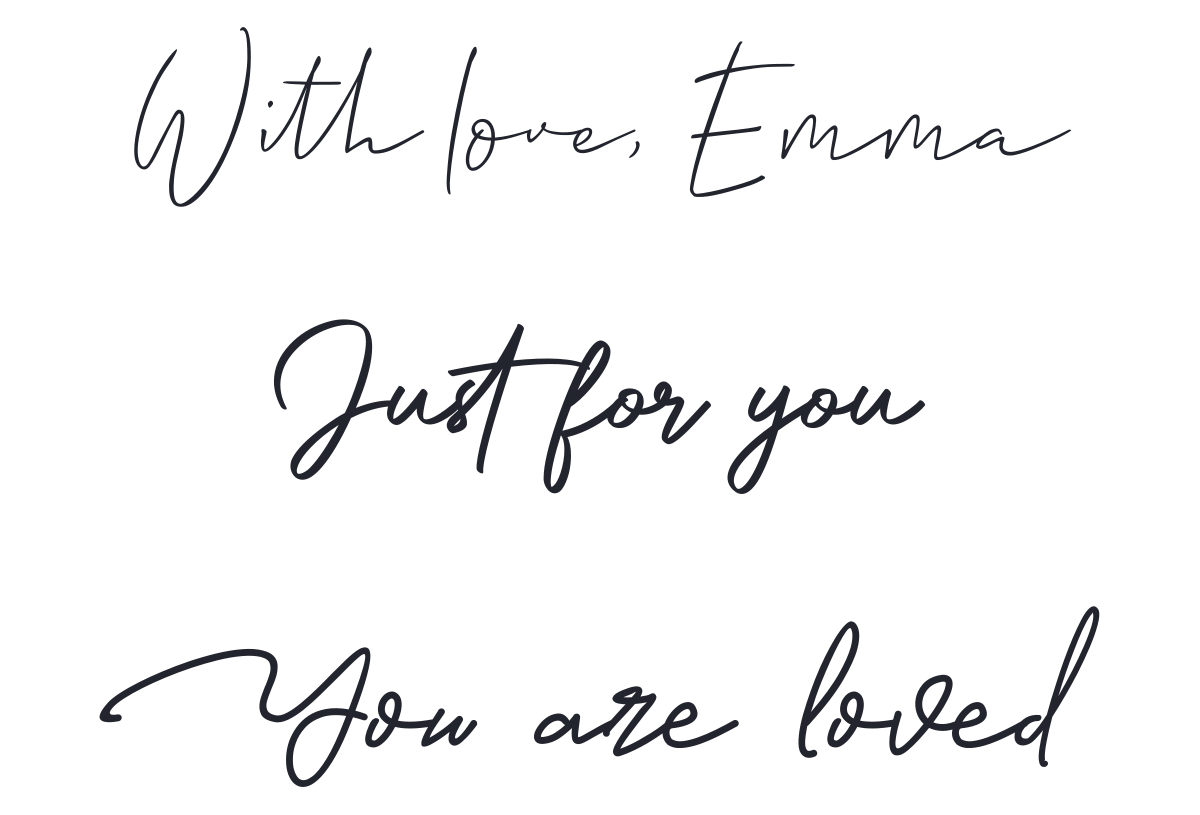
Choose the qualifying products or order value, account for the cost, and explain how the gift is added. If shoppers need to select it or enter a code, give those steps beside the offer. Stop promoting the extra when it is no longer available.
The same idea can support a website announcement and a follow-up email. Keep the eligibility wording consistent in both places so a shopper who clicks through encounters the offer they expected.
A buy-one-get-one promotion can suit two complementary pieces or matching adult and child products. Show the pair together, explain which combinations qualify, and display the total price. Specify whether the second item is free or discounted; those are different offers.
For accessories, a matching pair might mean two different sizes or finishes. Let the customer choose both instead of assuming identical products are the right fit. If a bundle gives you a clearer presentation and more predictable margin than BOGO, use the bundle.
A shipping offer is strongest when customers can tell immediately whether they qualify. State the minimum spend, eligible destinations, and service. If a shopper is close to the threshold, suggest a relevant addition rather than encouraging an arbitrary purchase.
This floating shipping notice gives the benefit a prominent place. Replace its broad sample promises with your actual terms, and make the action open delivery details or the relevant collection.
Free delivery and timely delivery answer different questions. Show the ordering deadline separately when the included service has an earlier cutoff than express delivery.
Build a set around something someone would enjoy doing: tea and a quiet morning, an evening bath, or planting herbs on a windowsill. Name the occasion and show everything included. Packaging matters here, so include a photograph of the gift as it will arrive.
A choose-your-own set offers a different kind of value. The Ayoh design introduces a four-item bundle, then gives each individual option a customer quote and a clear action. Adapt that structure to a tasting selection or a small hamper assembled in your store.
Keep the email focused on choosing the combination. Your store’s bundle page should handle selection and pricing; the email links take shoppers there. A fixed set can use the same visual approach with one action to buy the complete gift.
If a cause is part of your campaign, explain the contribution as clearly as the offer: the named organization, the amount or percentage, the qualifying purchases, and the campaign period. A customer should be able to understand what their purchase contributes without interpreting “a portion of proceeds.”
Choose a partner whose work fits the campaign and agree how to describe the relationship. Afterward, share the result in an update. Specific follow-through gives the story substance beyond a seasonal headline.
A gift finder does not need a long personality quiz. Start with a question that changes the recommendation: a budget, preferred product category, or whether the gift should be personalized. Three useful paths beat ten questions that all lead to the same products.
This signup form includes interest choices alongside contact details. Adapt the categories to your gift range, save the answers in a useful field or tag, and use them in the follow-up. It is a preference form to configure, not a ready-built gift recommendation engine.
Explain what the subscriber will receive, such as a short gift edit for the chosen category. For a browse-now experience, use collection links without requiring a signup. Keep the form as short as its purpose allows.
A new color, engraving option, or gift-ready edition can make the holiday relevant to an existing range. Show the difference: a close-up of the finish, the available initials, or the packaging. A new campaign name alone does not explain why a returning customer should look again.
For personalized gifts, let shoppers see an example before choosing. Put the ordering deadline near the personalization options. The new arrival email guide offers different layouts for introducing one hero product or a whole collection.
A live demonstration can answer questions that still images leave open: how a necklace sits, what fits inside a bag, or what arrives in a gift box. Plan the products and questions first, then announce a specific time and a useful reason to attend.
For the opening of a live gift demonstration, prepare a short “Starting soon” animation with TweenFrame’s countdown GIF generator. Play it as the session opens, with the event name visible. In the invitation email, give the actual start date, time, and time zone; an exported countdown GIF cannot recalculate the time left for each recipient.
Make the session easy to shop with a short collection page, and save a replay for people who cannot join. Turn the strongest answer into the next email: a sizing demonstration or packaging reveal gives that follow-up a distinct purpose.
Offer something closely connected to your products, such as a curated gift set or a workshop place. A broad cash prize may attract attention without helping people discover what your store does. Explain the prize, entry period, and selection process on one page.
Keep the entry and marketing-subscription choices clear, and plan who will handle the draw and winner contact. A form can collect entries, but it does not by itself run the selection process. If a guaranteed extra with purchase better serves the campaign, use that simpler offer instead.
When physical delivery closes, give digital gift cards their own campaign. Show the available amounts, a preview of the card, and how the recipient receives it. Explain whether the buyer can add a note or choose a delivery time. A gift card is also useful earlier in the season for shoppers who would rather let the recipient choose a size, fragrance, or finish.
Change the website announcement and email destination together. Send readers straight to the gift-card page, and remove delivery claims that apply only to physical products. For stores offering pickup, present it as a separate option with the location and collection hours.
For Shopify stores, make the gift collection the common destination for the popup and email. You can also use that collection as the source for dynamic email product cards or a slideshow, instead of rebuilding the product selection manually. Before a delivery cutoff, make sure the collection contains the items eligible for that message.
Use Shopify product and cart conditions to place a relevant offer while someone shops: a gift-wrapping message beside an eligible product, for example, or a matching accessory when the main item is already in the cart. Configure the underlying offer in the store and keep the message specific to that situation. Our widget targeting guide covers the available conditions.
For a worked email example, see the Shopify section of the Mother’s Day jewelry guide, including a live product-feed template and discount-code ideas. The same campaign structure can be adapted to other gift categories.
Start with expressed interests and relevant shopping activity. A repeat customer may appreciate a complementary gift; a new subscriber may need the introductory collection. After someone buys, switch from acquisition reminders to useful order information or product care rather than repeating the same offer.
If you offer a way to skip Mother’s Day messages, save that preference and exclude those contacts from the seasonal campaigns. Keep it optional and separate from unsubscribing from all marketing. Our contact-management guide explains the fields, tags, and segments you can use to organize recipients.
Follow the full journey before launch: the popup destination, signup confirmation, email link, selected product, offer, and checkout. Test a contact who has paused the topic as well as one who wants the campaign. Check the mobile version and replace expired shipping claims when the window closes.
Measure the action each message was built for. A gift guide should help people reach products; a preference form should collect usable choices; an offer should be assessed against orders and margin. Review clicks, purchases, unsubscribes, and delivery issues together before deciding what to repeat.
Keep a short record of what worked by audience and offer. ‘Gift-ready tea set for returning customers’ is a more useful lesson for next year than ‘the pink email got more opens.’
Start with a short gift collection, one gift-ready bundle or useful extra, and clear delivery information. Support them with a collection email and an appropriate reminder. Choose a campaign your stock and fulfillment process can support.
Work backward from the holiday in your market and your longest production or delivery lead time. Personalized products need an earlier message than ready-to-ship items. Leave time for customers to compare options before the ordering window closes.
No. Gift selection, wrapping, personalization, a ready-to-give set, or help choosing can provide value. A discount is useful when it fits the offer and margin, but it need not be the main reason to buy.
Provide a preference choice, save it to the contact, and exclude that audience from related messages. Explain the duration of the preference and test the exclusion before sending. Keep the normal unsubscribe option too.
No. The selected email examples use editable content rather than Shopify product feeds. Replace the sample images, copy, and links with your own campaign details.
Daniel Brooks writes about ecommerce, marketing, and customer experience. His work covers how businesses reach customers, sell online, and keep people coming back. For the Getsitecontrol blog, he turns these topics into practical guides, with examples that readers can adapt to their own stores.
You’re reading Getsitecontrol blog where marketing experts share proven tactics to grow your online business. This article is a part of Ecommerce marketing section.
Try email marketing, free
Grow your list with free popups, send 2,000 emails for free.
Get started →Subscribe to get updates
Get beginner-friendly tips for growing your online business.