Try Bricks on your store for free
Create the storefront you envision.
 Aug 25, 2026
—
5 min read
Aug 25, 2026
—
5 min read As a Shopify merchant, you want the freedom to build a storefront that reflects your brand. But as your business grows, you may find yourself working around the limitations of your theme instead of building what you envision. That’s exactly what inspired Bricks.
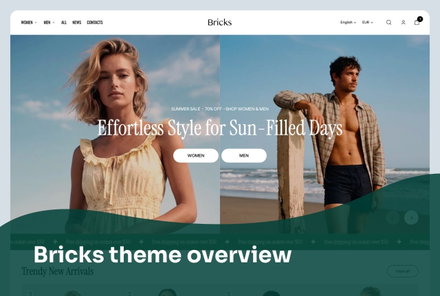
Bricks is our newest premium Shopify theme, designed to give you more freedom over how you customize your storefront. It combines Shopify’s latest theme block architecture with a collection of features that make it easy to showcase your products, tell your brand story, and guide customers toward a purchase.
Whether you’re launching a new brand or refreshing an existing one, Bricks gives you the flexibility to shape every part of your storefront while keeping customization intuitive.
Most Shopify themes offer predefined sections and layouts. You choose one that’s closest to what you need, customize a few settings, and work within those boundaries.
Bricks takes a different approach. Instead of starting with fixed layouts, it gives merchants a flexible foundation for building pages and sections from the ground up. Combined with Shopify’s latest AI capabilities, this makes creating and refining a storefront more intuitive than ever.
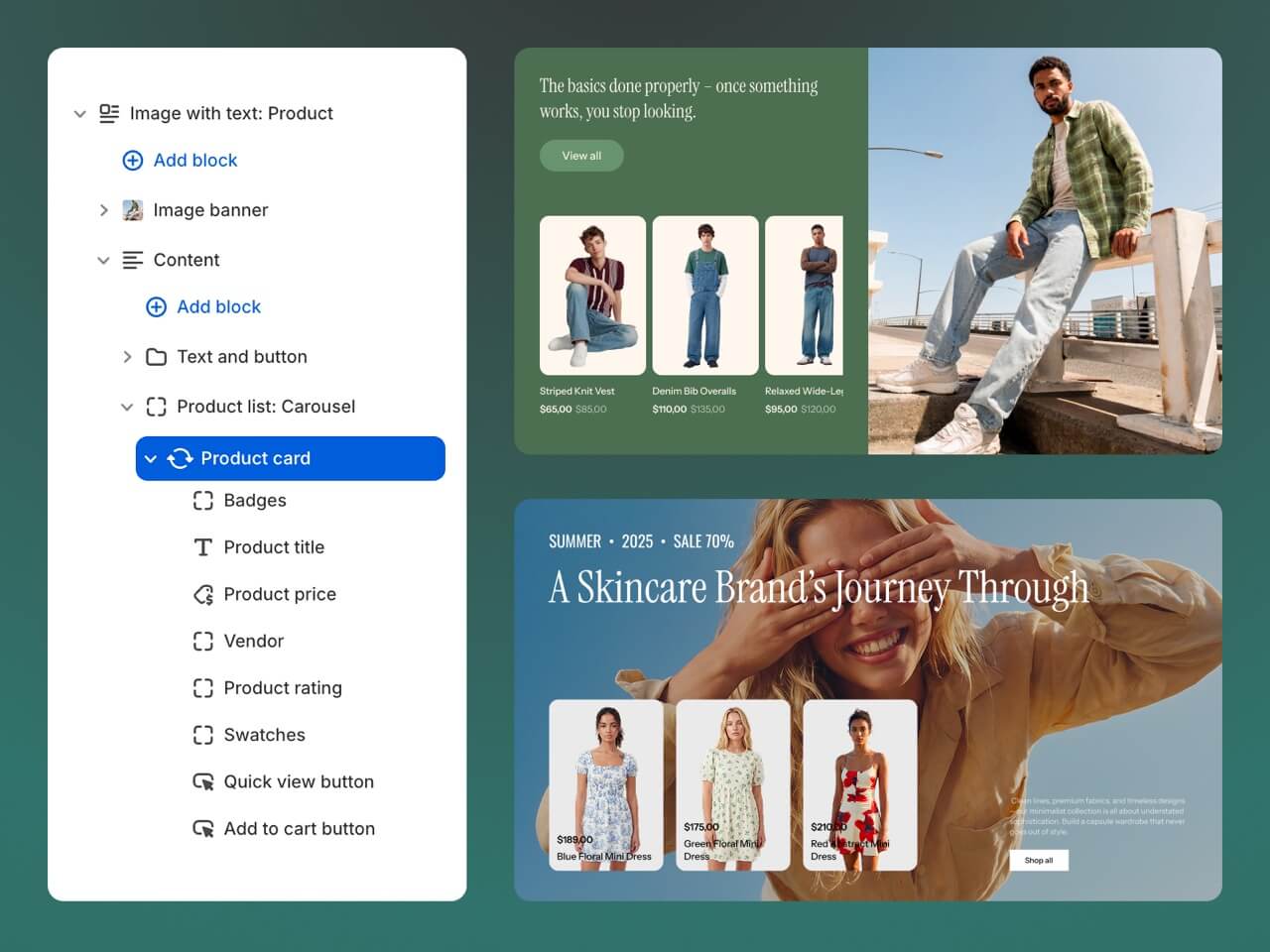
Bricks is built on Shopify’s latest theme blocks architecture, a new approach that breaks sections down into their smallest building blocks. Each section is assembled from individual content and layout elements, including headings, text, images, buttons, products, and more.
You can decide which elements to include, arrange them in any order, choose whether to display them vertically or horizontally, and use nested blocks and groups to create more sophisticated layouts.
Instead of adapting your content to a predefined template, you build each section around your content and your goals. As your catalog grows, your campaigns change, or your brand evolves, you can redesign individual sections without rebuilding the entire page from scratch.
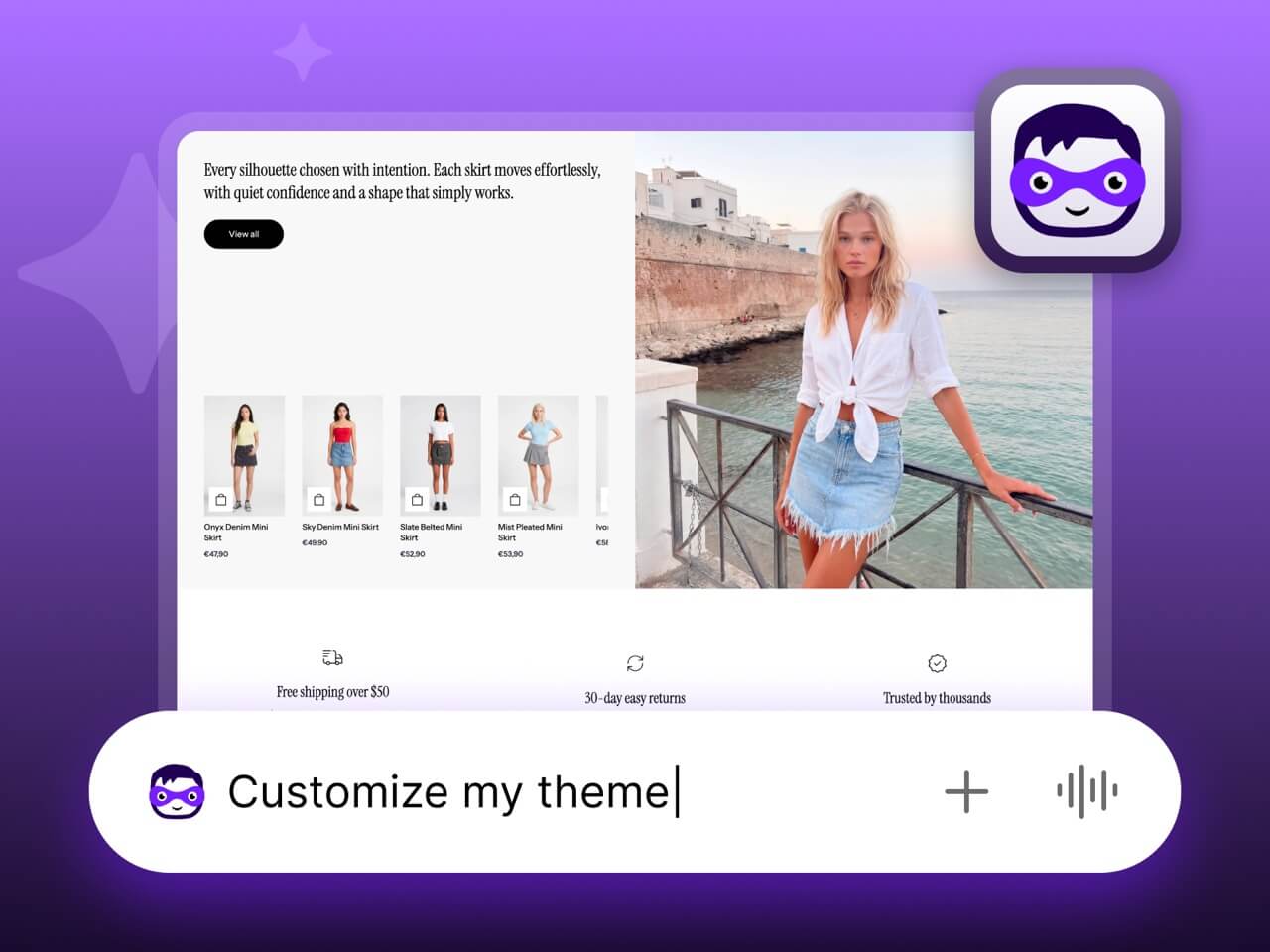
Bricks is built with Shopify Sidekick in mind, making it easier to use Shopify’s AI commerce assistant when customizing your storefront. You can use natural language to give the Sidekick instructions to customize sections and blocks or refine parts of your storefront, making design tasks faster and more intuitive.
Instead of manually navigating settings to find the right setup for your purpose, Sidekick can help you get there quickly, while Bricks provides the flexible foundation needed to bring your ideas to life.
Beyond its modular foundation, Bricks includes a wide range of built-in features to customize your storefront, help customers discover products, tell your brand story, and create a smoother path to purchase.
These features influence the overall appearance of your store: the header and menu, which are often the first areas customers interact with, and the colors and animations that define your store’s feel.
Bricks offers multiple header presets, allowing you to achieve different looks and functionalities. Every preset features both sticky and transparent settings, with the option to enable transparency only on specific pages.
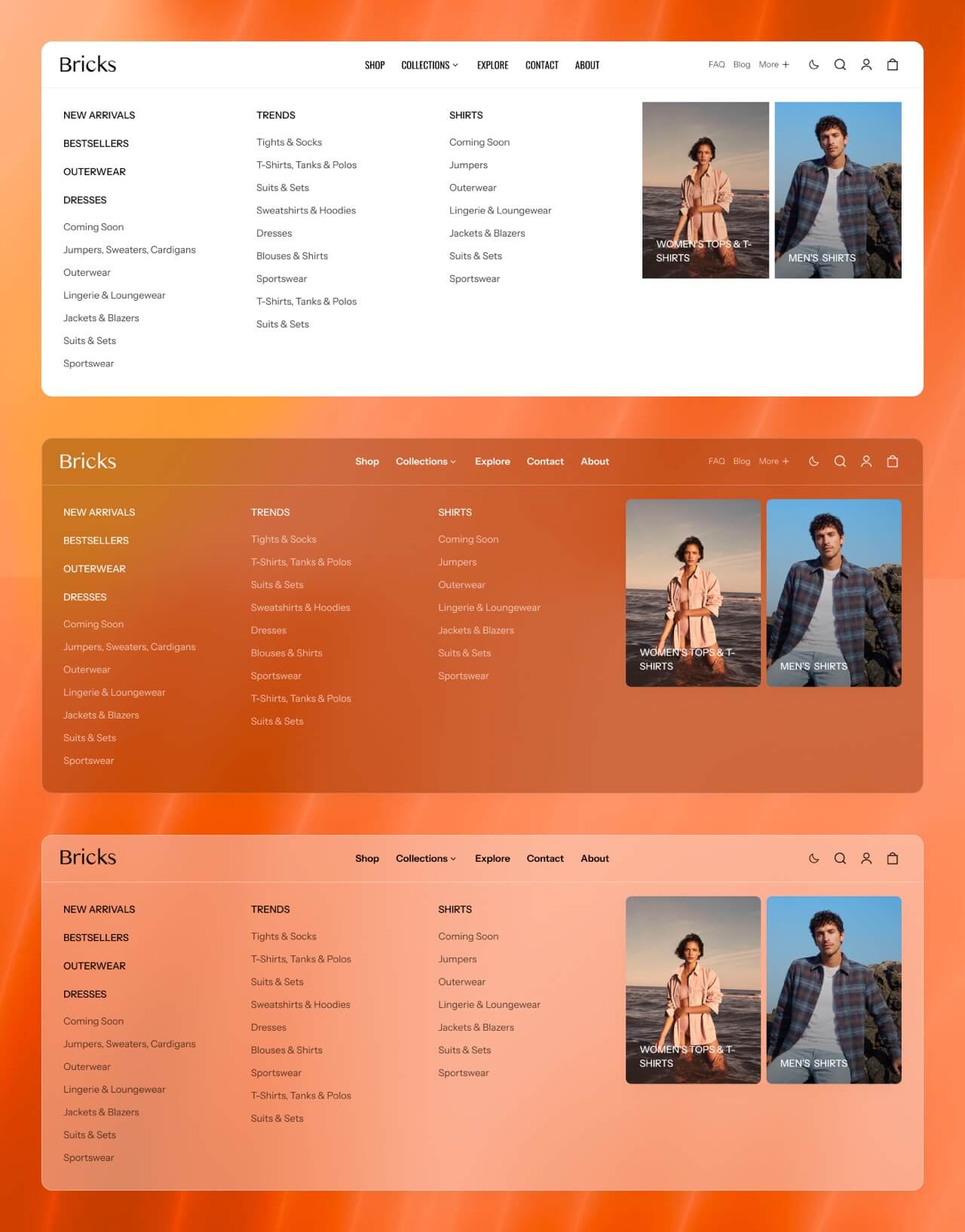
Whether your catalog is small and focused or spans hundreds of products, navigation should feel effortless. Bricks offers both dropdown and drawer menus, each with multiple sub-styles to choose from, including a mega menu for stores with larger catalogs.
Bricks is built around Shopify’s new color palettes, allowing you to define your brand colors once and reuse them throughout your storefront. You can set both solid colors and gradients, and as you customize sections and blocks, you can decide which color each element uses. This gives you great design flexibility while preserving a consistent visual identity.
Bricks includes optional animations throughout the theme that make elements appear naturally rather than abruptly popping into view, giving your storefront a smoother, more polished feel. Choose from multiple presets or create your own custom animations.
The easier it is for customers to find the products they’re looking for, the more likely they are to make a purchase. Bricks includes several features that help shoppers navigate your catalog more efficiently.
Bricks supports predictive search, showing relevant products and categories as customers type. Instead of browsing through multiple pages or collections, shoppers can jump directly to what they’re looking for.
Help customers narrow down large collections or search results using filters for size, color, brand, availability, and more. Bricks supports both Shopify’s built-in swatch filters and custom swatch filters, making visual filters especially useful for products with multiple colors or patterns.
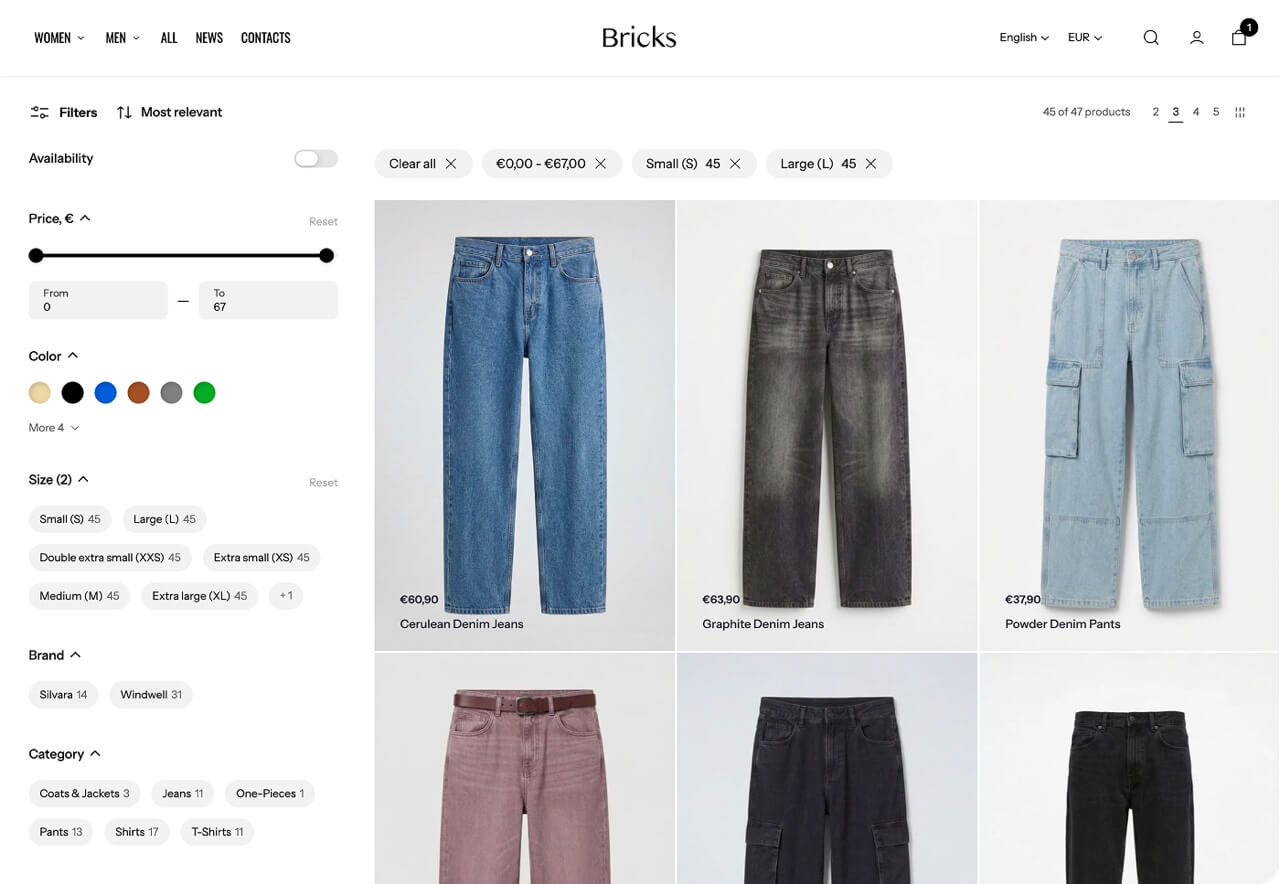
For larger collections, Bricks can automatically load additional products as customers scroll, removing the need for pagination. This creates a more seamless browsing experience and encourages shoppers to explore more of your catalog.
Once shoppers find a product they like, visual swatches make it easier to explore the available options. Bricks supports both Shopify’s native color swatches and custom swatches, which you can use to represent specific shades and patterns accurately. You can also customize the appearance of the swatches themselves to match the design of your storefront.
A storefront is more than a collection of products. It’s your opportunity to introduce your brand, communicate what it stands for, and create a memorable experience for customers. Bricks includes versatile content sections that make visual storytelling easy.
Unlike traditional image grids, Bricks’ collage section isn’t limited to images. Each collage item can contain any type of block, making the section equally suitable for product showcases, promotional content, landing pages, and much more.
Choose from multiple slideshow layouts, including classic image banners, split-image designs, and video banners. Thanks to Bricks’ modular building blocks, you’re not limited to predefined slide content either. Choose which elements to display on each slide and arrange them in the order and orientation that best fits your content, adapting your hero section to different campaigns, collections, and brand messages.
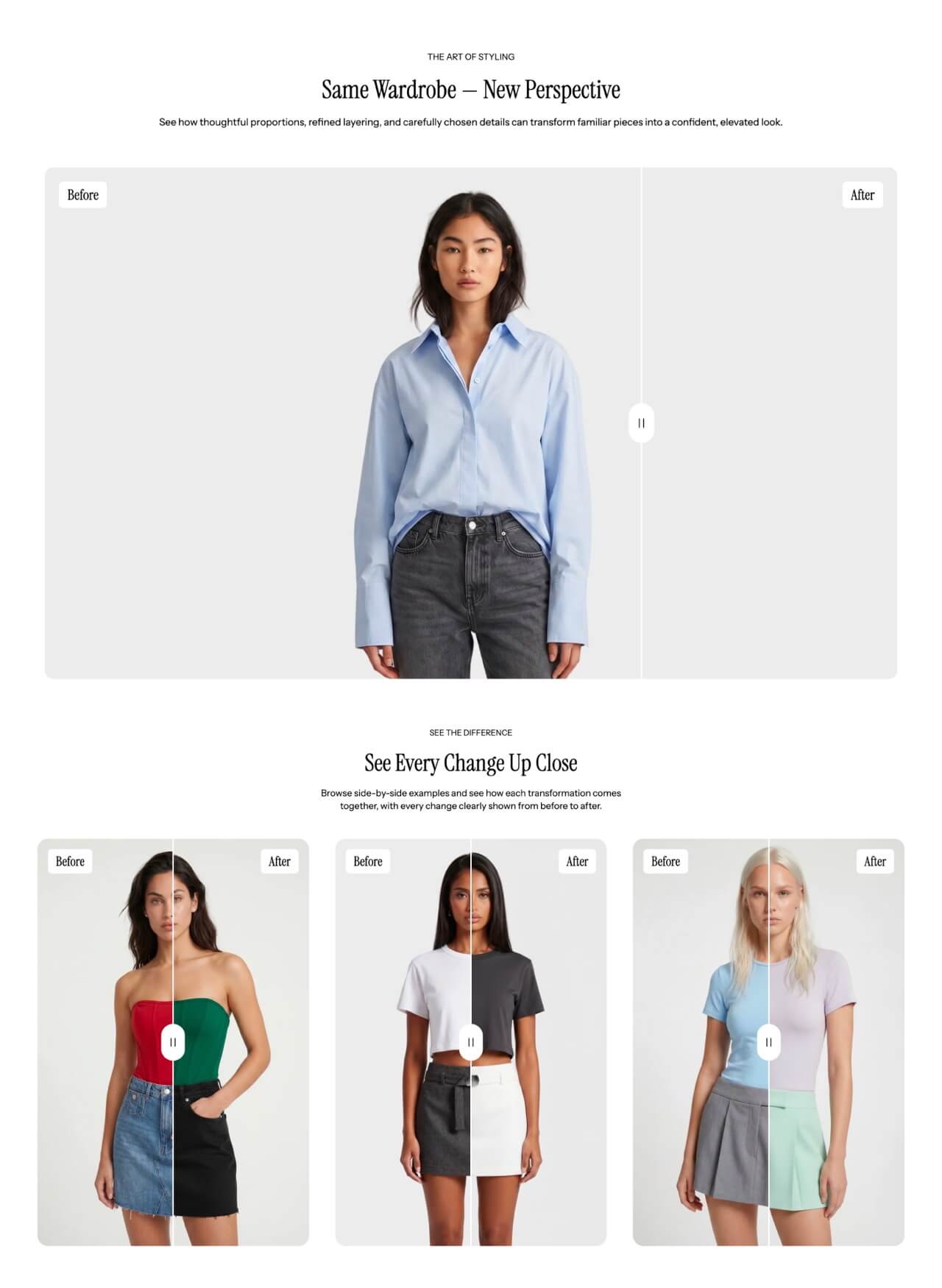
Some products are best showcased by highlighting the difference they make. Bricks’ Before/after block lets customers compare two images using a draggable slider, making transformations immediately visible. It’s a natural fit for beauty transformations, home improvement, cleaning, restoration, and other products where results speak for themselves.
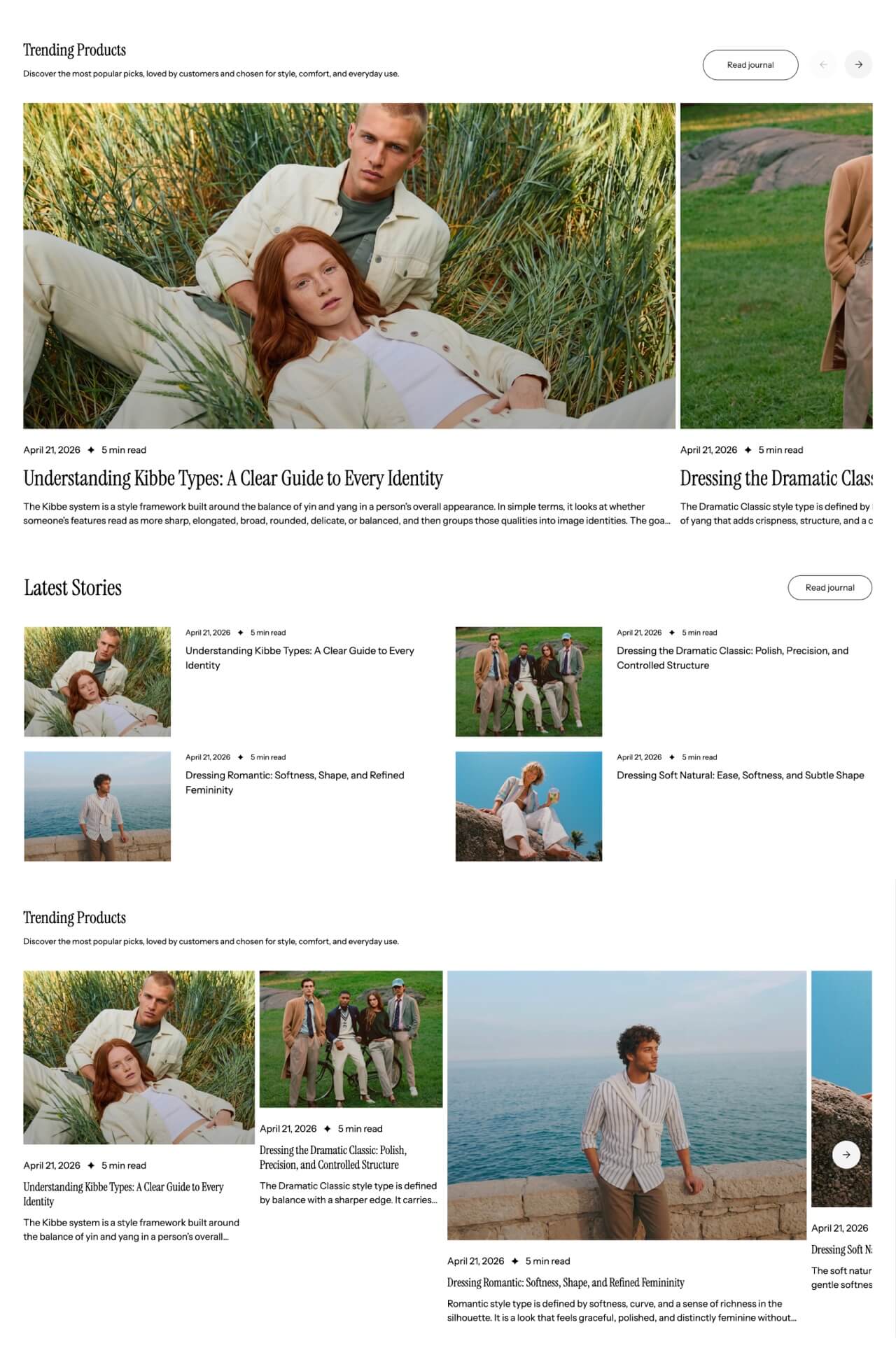
Bricks gives blogging more than basic support. Customize your blog cards to match the rest of your storefront, encourage discussion with reader comments, and feature blog posts directly on product and collection pages. Together, these features make it easy to weave content into your storefront and make storytelling part of the shopping experience.
Once customers have found the right product and connected with your brand, the next step is making it as easy as possible to complete a purchase. Bricks includes features that help you highlight key offers, reduce friction during browsing, and encourage faster purchase decisions.
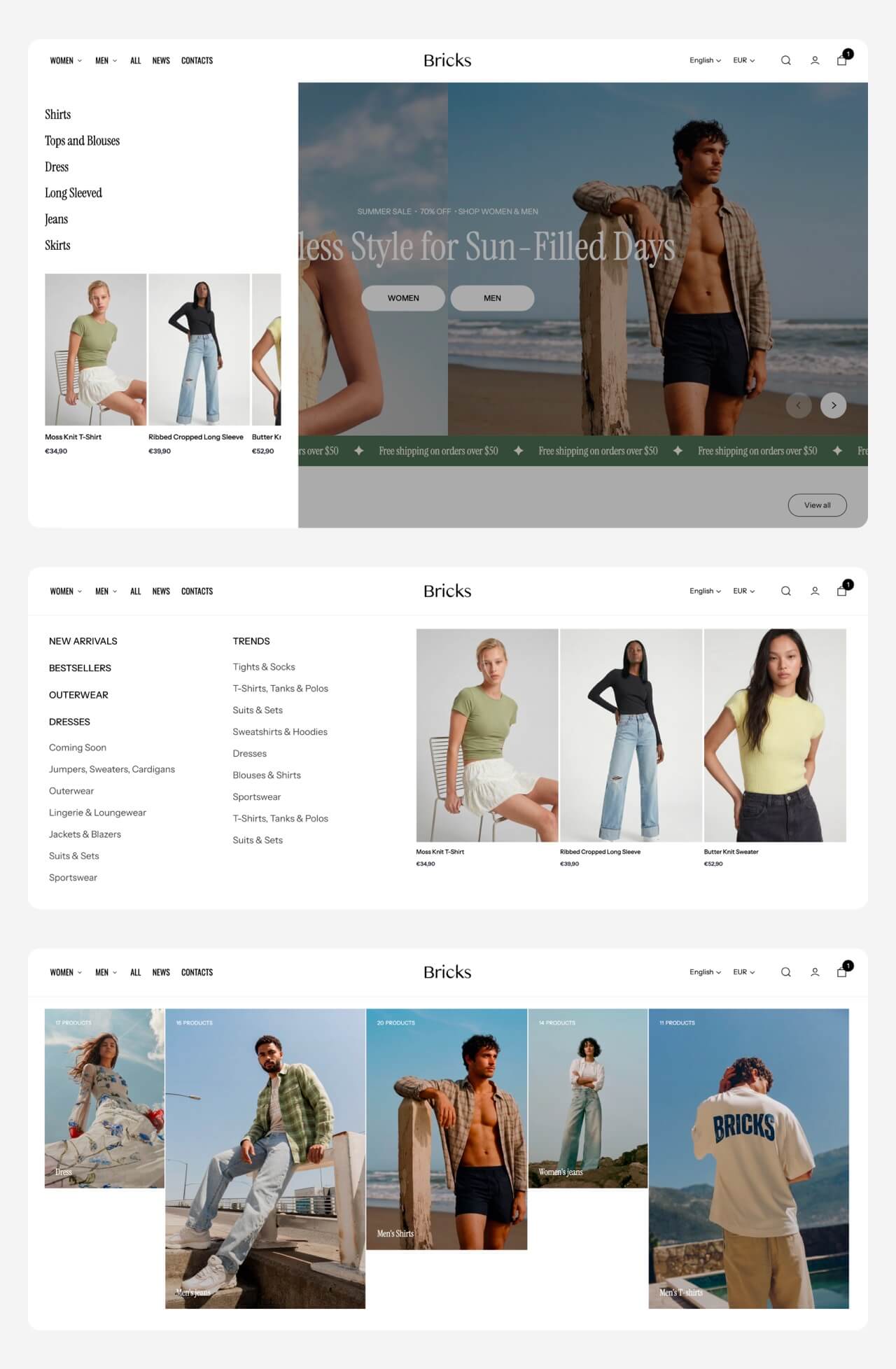
Your header navigation can do more than organize links. While visitors may scroll past a banner or never reach a particular section, they’re far more likely to open your navigation menu, making it one of the most reliable places to promote key content. Bricks lets you place any promotional content blocks within the menu, ensuring customers see featured products, seasonal campaigns, new arrivals, or important announcements.
Bricks lets you add countdown timers anywhere, so you’re not limited to displaying them in a dedicated announcement bar or banner. Add one alongside a promotion, product launch, seasonal campaign, or other time-sensitive content to make the deadline immediately clear and create a sense of urgency.
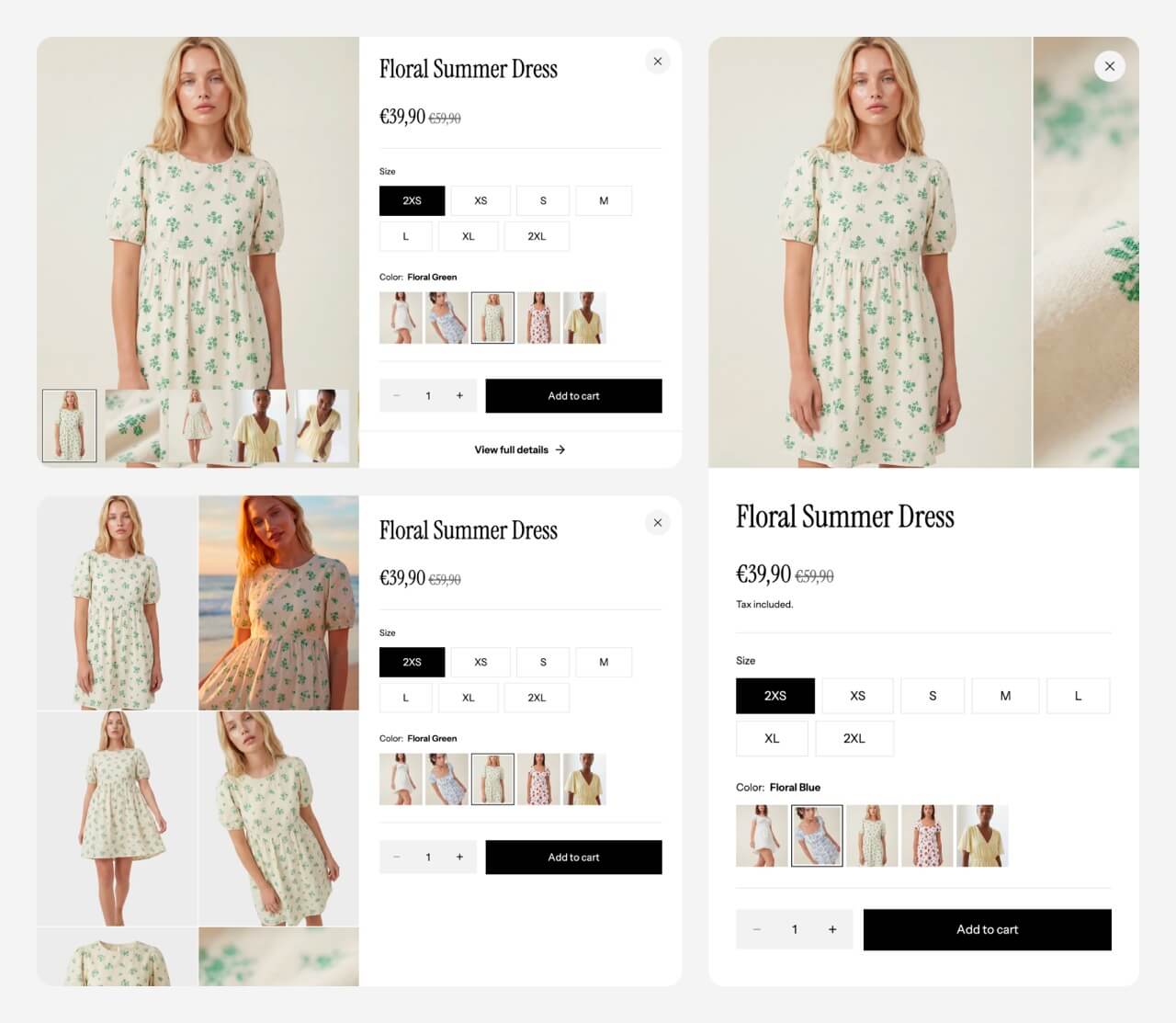
When comparing several products, repeatedly opening and closing product pages can become frustrating. With Quick view, shoppers can access product details directly from product cards across your storefront, and compare multiple options without constantly navigating back and forth. The Quick view window itself is highly customizable: choose between a modal or drawer, select and rearrange the product information you want to display, and choose from multiple product media layouts, including carousels and grids.
| Goal | Bricks features |
|---|---|
| Build the storefront you envision | Nested building blocks, Shopify Sidekick compatibility |
| Customize its overall appearance | Header presets, menu styles, color palettes, animations |
| Help shoppers find products | Predictive search, swatch filters, infinite scroll, custom swatches |
| Tell your brand story | Collages, slideshows, blogs |
| Increase conversions | In-menu promos, countdown timers, Quick view & Quick buy |
Bricks was designed around a simple idea: merchants shouldn’t have to choose between creative freedom and ease of use. It combines Shopify’s latest theme blocks architecture with features designed to customize your storefront, showcase your products, and simplify the buying journey. The result is a storefront that’s uniquely yours today and remains easy to refine tomorrow.
Whether you’re launching your first store or giving an established brand a fresh look, Bricks gives you the tools to keep improving your storefront without having to work around the limitations of your theme. Explore the live demo, experiment with nested building blocks, and discover what you can create with Bricks.
Shopify’s new theme blocks architecture breaks sections down into individual building blocks instead of relying on fixed layouts. This lets you assemble sections using headings, images, products, buttons, and other elements in whatever combination best suits your storefront.
Yes. Bricks is compatible with Sidekick, Shopify’s built-in AI assistant. You can use non-technical language to instruct the AI assistant to customize sections for you and enhance the overall appearance of your storefront.
Yes. Bricks includes a range of features designed to support customers throughout the buying journey. Predictive search, advanced filtering, and infinite scroll make products easier to discover; custom swatches and Quick view help shoppers explore and compare their options; while in-menu promos and countdown timers draw attention to offers and encourage faster purchase decisions.
Yes. Bricks includes features such as predictive search, advanced filtering, mega menus, infinite scroll, Quick view and Quick buy specifically to help customers browse large catalogs more efficiently.
Giorgia is a Technical and Marketing Writer at Getsitecontrol. She speaks five languages and enjoys turning complex technical topics into practical, easy-to-follow guides.
You’re reading Getsitecontrol blog where marketing experts share proven tactics to grow your online business. This article is a part of Theme updates section.
Try Bricks theme for free
Create the storefront you envision with Bricks’ nested building blocks.
Install now Nov 13, 2025
—
2 min read
Nov 13, 2025
—
2 min read Aurora 5.0 has arrived.
With the latest version, Aurora adapts to the evolving Shopify theme ecosystem by introducing new color schemes, conditional settings, and refined editing logic.
While the list of updates is long, here are the key highlights of this release.
Jul 30, 2025
—
2 min read Aurora 4.0 has arrived.
The release comes in sync with Shopify’s major Theme Store redesign that has made theme discovery and setup easier than before.
Let’s take a closer look at what’s new and what’s coming next.
May 30, 2025
—
2 min read Aurora 3.6 is now live in the Shopify Theme Store.
This update introduces a new theme preset for beauty and skincare brands, along with other enhancements, including a shipping calculator, revamped quick view, and consent checkbox in the shopping cart.
Let’s dive right in!
Subscribe to get updates
Get beginner-friendly tips for growing your online business.