Build your Cyber Monday emails
Choose an email template, add your offer and products, and select your audience. Preview your campaign before scheduling.

By Cyber Monday, some customers have already bought from you, some are still comparing products, and others are seeing your sale for the first time. Sending all three groups another version of Friday’s announcement misses those differences.
These Cyber Monday marketing ideas focus on what changes after the weekend: available stock, previous purchases, the reason to send another message, and the final offer deadline. Use the editable email and website templates to build the ideas that fit your store. If you are still planning the entire event, start with our Black Friday marketing guide, then use this page to plan Monday’s campaign.
Table of contents
Your Monday campaign can introduce a new offer or communicate the final day of an existing one. Both are reasonable, but the wording should distinguish them. If the discount has been available since Friday, “last day of our weekend sale” is more accurate than “a new deal just for you.”
Choose the offer based on the stock and margins you actually have. A focused promotion on an available collection may be more useful than advertising a deeper sitewide discount while the most attractive products are sold out. If you add a gift or shipping benefit, explain its conditions alongside the main offer.
| Situation after the weekend | Possible Monday offer | Message to communicate |
|---|---|---|
| The original promotion is still relevant | Continue it until the published deadline | The sale ends today; the terms are unchanged |
| A particular collection still has good availability | A selected-collection discount | These products qualify; other collections may not |
| You have complementary products or a useful set | A bundle or gift with a qualifying order | What is included and how the offer is applied |
| Shipping cost is the main obstacle | A shipping offer you can afford to fulfill | Eligible locations and any minimum spend |
The coupon template below gives you a simple starting point for a code-based offer. Change the default branding, copy, and coupon settings, then make the button lead to the eligible selection. A prominently displayed code is helpful only when shoppers can tell what it applies to.
In Getsitecontrol’s email editor, the Coupon object can display your configured offer. Shopify stores can also use supported unique-code settings. The object’s appearance does not replace the store’s discount configuration: check eligibility, expiry, and whether it combines with other promotions before sending.
Someone who bought on Saturday does not need to be told to start shopping as though the purchase never happened. Decide whether Monday offers that person anything useful: an accessory, a different collection, or simply no additional promotion. Excluding recent buyers can be the right choice when the message only repeats the offer they used.
For Shopify stores, Getsitecontrol’s broadcast audience conditions include purchase-related data. Combine the relevant purchase window with email-interaction conditions where it helps, and inspect the resulting audience. A click alone does not prove that someone placed an order, and a lack of clicks does not prove that they missed the offer.
| Audience | Useful next message | Avoid assuming |
|---|---|---|
| Bought during the weekend | A relevant complementary offer, or no further sale message | Every buyer needs another discount immediately |
| Clicked a particular collection | A focused selection or answer about that collection | The click proves a purchase or current stock availability |
| Joined the sale list recently | A clear explanation of the live offer | They received all earlier campaign messages |
| Started an eligible Shopify checkout | A separate checkout-recovery message | A generic broadcast has the abandoned checkout’s contents |
If you need a follow-up to a specific email link, Getsitecontrol’s Email link click trigger can start an automation with click-related filters. This is different from tracking arbitrary website browsing. See the email click follow-up guide for the exact distinction and repeated-click considerations.
A Cyber Monday campaign should reflect what people can still buy. Review the collection after the weekend, including sizes and variants rather than just the number of product listings. A collection full of products with only one unavailable-looking variant can be frustrating even when the store technically reports stock.
Keep the selection focused enough to explain. You might feature the remaining seasonal colors, a set of replenishable products, or a category with reliable delivery availability. Update the destination first, then choose the products shown in the email so the two views agree.
This Black Friday template includes an On sale product feed, a countdown, and a slideshow. It can be adapted for Cyber Monday by changing the seasonal wording, offer, deadline, and selected products.
For Shopify stores, the On sale feed uses products with a compare-at price. That is not the same as “eligible for this coupon.” A product can qualify for a code without a compare-at price, or have a compare-at price and still be excluded from the code. Use a specific collection when it provides a more accurate selection, and check the preview against your store’s rules.
A product feed helps populate an email; it does not reserve inventory or guarantee availability when a reader clicks later. Keep the destination useful when a featured variant sells out, and avoid unsupported stock claims in the surrounding copy.
Plan messages around decisions, rather than assuming every subscriber should receive a launch, midday reminder, and final warning. An announcement explains Monday’s offer. A product-led follow-up helps readers find something relevant. A closing message gives the actual deadline. The appropriate number depends on your audience, previous sends, and whether you have anything useful to add.
In this historical Milk Makeup example, the discount and code are prominent, but the message also gives the offer a product focus: makeup sticks presented as gifts. That is a more specific browsing route than sending readers another generic sale graphic.
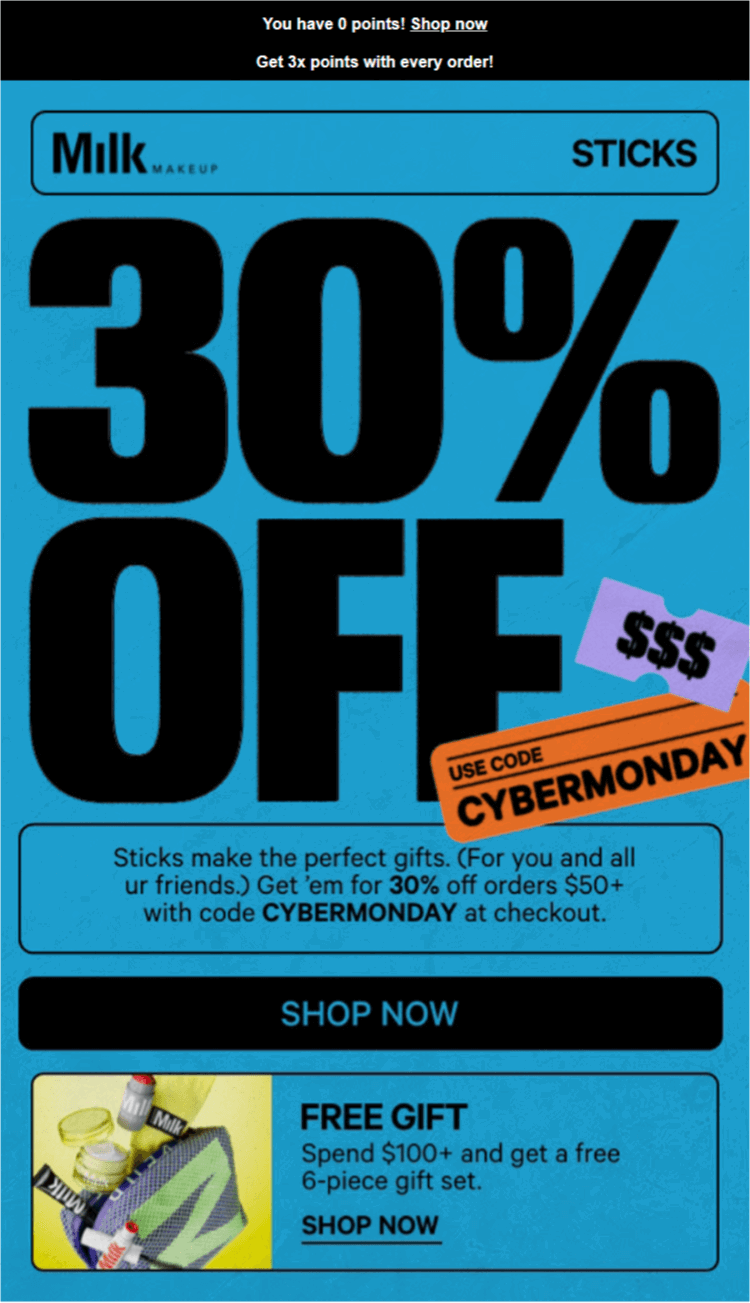
Adapt the principle rather than copying every promotion in the example. The email combines a discount, an order threshold, points, and a gift; a smaller store may be better served by a single offer. Make the main condition readable without requiring the customer to infer it from the design.
Useful subject lines name the actual message. “Cyber Monday: 20% off the winter collection” introduces a defined offer. “A few gift ideas from the sale” introduces a selection. “Our sale ends tonight at 11:59 p.m. ET” communicates a deadline. Use the percentage and time only when they match your campaign.
For more layouts and copy examples, use our Black Friday and Cyber Monday email templates. If a particular recipient is already in a welcome or checkout sequence, review that overlap before adding another broadcast.
Replace outdated Black Friday wording when the offer changes, and remove expired signup promises. Someone arriving from a Cyber Monday email should see the same discount and collection on the website. If the Friday offer continues unchanged, say so consistently instead of presenting two apparently different promotions.
A bottom announcement bar keeps the offer visible while leaving the store’s header clear. The black bar below starts with a “Black Friday extended” message. For Cyber Monday, update the headline and terms to match your promotion, then link the button to the relevant collection. Describe the sale as extended only if the original offer is continuing; use a Cyber Monday headline for a new deal.
Use targeting conditions to choose the pages where the message belongs. Check the combined effect of the bar, other popups, and your mobile navigation. An additional promotion should not make it harder to choose a size or reach checkout.
If a signup popup remains active during the sale, give new subscribers something you can still deliver. An expired early-access invitation is no longer useful. A clear invitation to receive future product news may be more honest than promising another discount simply to keep the form running.
A countdown should clarify a deadline, not manufacture one. Use the same end time and time zone in the email, website announcement, and store discount settings. If the offer ends for everyone together, configure a fixed deadline rather than a duration that starts separately for each person.
The final-day template below combines an announcement, a banner, and a countdown. Replace the default offer and set the timer for your actual sale. Check what remains visible after expiry and where a late click leads.
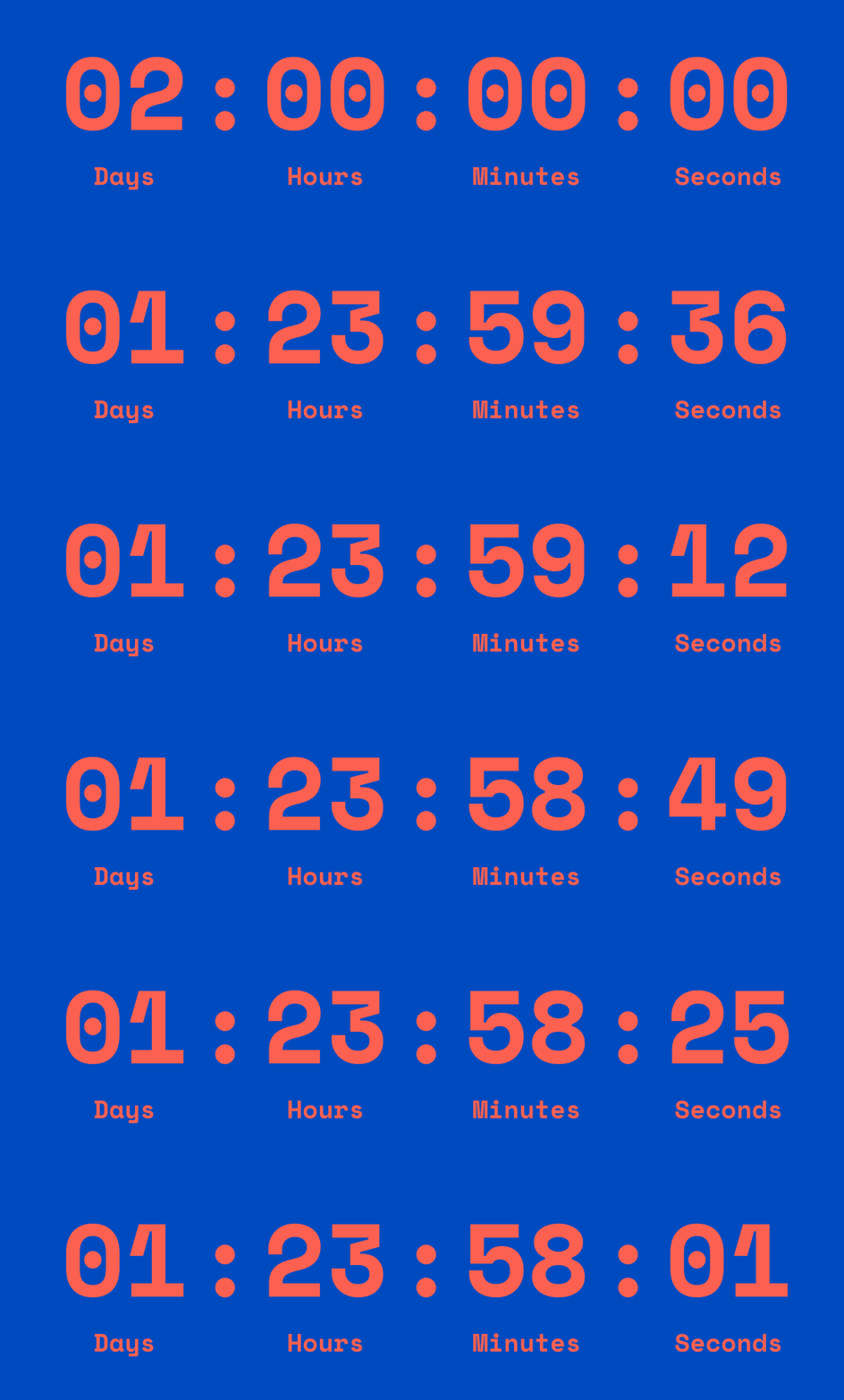
If you are creating a separate animated closing-sale graphic, TweenFrame’s countdown GIF generator gives you control over the clock’s appearance. Use its duration guide when planning the animation. A downloaded GIF plays a fixed sequence, so keep it distinct from the live deadline and leave the actual closing time readable in the message.
For a bold “Cyber Monday ends tonight” banner, an animated text generator can add a short reveal to the headline. Leave the exact closing time and offer terms as normal text, and check that the headline is understandable when only one frame displays.
Use the Countdown object in the email editor for the actual Cyber Monday deadline. Keep the closing date, time, and time zone in text too, and check where the campaign links lead once the sale ends.
Do not use “only three left” unless you have an accurate way to support the statement when it is shown. A published closing time is already a concrete reason to make a decision; it does not need an invented stock warning beside it.
Cyber Monday shoppers may be buying for someone else, so product specifications alone may not answer their questions. Organize a small selection by budget or use: a starter kit, a practical desk gift, or a set for someone who enjoys cooking. Use categories that make sense for the actual assortment rather than filling a generic holiday taxonomy.
Build the collection around available variants and realistic delivery information. A “gifts under $50” link should lead to products within that budget, and any shipping threshold should be explained separately. Do not suggest arrival before a holiday unless the fulfillment conditions support it.
For the email, use a product template with a curated collection rather than assuming bestsellers are automatically good gifts. Our gift guide email examples cover recipient-led and budget-led structures. Keep the same labels in the email and on the collection page so customers can continue the shopping task after clicking.
A person who started checkout has a different task from someone browsing the promotion. The reminder should make it easy to return to the selected items and understand whether the original offer remains valid. A broad “shop our sale” link loses that context.
For Shopify stores, Getsitecontrol’s Checkout abandonment trigger supports a workflow with abandoned-item objects. Use a compatible template inside that workflow rather than inserting checkout-specific objects into a general broadcast. The trigger requires the relevant checkout and contact context; an anonymous cart addition is not enough.
Review the delay against the promotion’s closing time. If the message can arrive after the sale, either write it without an expired discount promise or configure an explicitly valid recovery offer. Test the checkout destination and eligibility conditions, including what happens after a purchase, using the abandoned cart email setup guide.
Test a checkout abandoned shortly before the sale ends. This catches a common mismatch: the reminder is scheduled correctly, but its copy still promises a discount that has already expired. A working automation does not make that offer accurate.
By Monday, support messages and social replies may reveal why people hesitate. They might be unsure about sizing, returns, delivery, or whether two items work together. Answer the recurring question on the product or sale page, then use a follow-up email only when the answer is useful to its audience.
A customer photograph or review can help explain fit or real-world use, but choose it for the question it answers. Keep the reviewer’s meaning intact and obtain the appropriate permission for customer images. A vague testimonial about loving the brand adds less than a relevant explanation beside the product.
If you already use SMS, coordinate it with the email plan instead of repeating every reminder in both channels. A genuinely useful final alert may have a place; several simultaneous “last chance” messages can be unnecessary. Use the sending service and subscriber permissions appropriate to that channel rather than treating an email signup as permission to text.
A campaign needs an ending as well as a launch. Remove or replace expired bars, update the sale destination, and stop sending messages that promise an unavailable offer. Keep the destination helpful for customers opening an older email: show the current selection or explain that the event has ended instead of leaving a broken path.
Do not announce a final deadline with a planned extension hidden behind it. If circumstances genuinely change, explain the change plainly. Sending the extension only to a different segment does not resolve a misleading claim about when the promotion would end.
New buyers need useful post-purchase emails, such as setup guidance or product care. A review request should allow time for the customer to receive and try the product; the fact that the promotional event has ended is not enough. Plan that handoff before the sale so the next message has a purpose beyond asking for another order.
Review Monday’s campaign against the current store rather than Friday’s plan. Stock, buyers, and even the main offer may have changed. A short check before the next send can prevent a polished email from promoting the wrong selection or an expired code.
| Check | Question to answer |
|---|---|
| Offer | Is this a new promotion or the final day of the existing one? |
| Audience | Who has already purchased, and who will also receive an automation? |
| Products | Are the advertised variants available and eligible? |
| Deadline | Do the timer, copy, time zone, and store settings agree? |
| Destination | Does every main link lead to the selection or checkout it promises? |
| After the sale | What will late readers and new buyers see next? |
Afterward, compare the campaign’s orders and discounted revenue with its costs, and review unsubscribes alongside engagement. Look at which selection and audience produced useful results instead of judging the event solely by the number of emails sent or the size of the headline discount.
Start with an accurate sale collection, a clear offer, a relevant email audience, and a website announcement linking to that collection. Add a closing reminder or checkout-recovery workflow only when it has a distinct purpose and the offer remains valid.
Not necessarily. You can continue the existing promotion, feature a different collection, or offer a useful bundle or shipping benefit. Explain what changes and check the economics instead of automatically increasing the discount.
There is no universal number. Consider your recent sending cadence, the recipient’s purchase and interaction history, and whether each message adds useful information. Review broadcasts and automated emails together to avoid unnecessary overlap.
Yes. Update the branding, offer wording, product selection, coupon, links, and deadline. Review product-feed eligibility and any Shopify-specific objects rather than treating the layout as ready to send.
Do not present a planned extension as a surprise after claiming a final deadline. If circumstances genuinely change, explain the new terms honestly. Otherwise end the promotion as advertised and move to relevant post-purchase or product content.
Daniel Brooks writes about ecommerce, marketing, and customer experience. His work covers how businesses reach customers, sell online, and keep people coming back. For the Getsitecontrol blog, he turns these topics into practical guides, with examples that readers can adapt to their own stores.
You’re reading Getsitecontrol blog where marketing experts share proven tactics to grow your online business. This article is a part of Ecommerce marketing section.
Try email marketing, free
Grow your list with free popups, send 2,000 emails for free.
Get started →Subscribe to get updates
Get beginner-friendly tips for growing your online business.