Build your Black Friday emails
Start with editable templates, add products and coupons, and choose the audience for each campaign. Preview your emails before sending.

Black Friday marketing starts with an offer your store can deliver: a useful bundle, a discount on a defined collection, or access to products customers have been waiting for. Emails, ads, and popups should all make that offer easier to find and understand.
These ten Black Friday marketing ideas cover the complete campaign, from collecting interested subscribers to helping shoppers finish checkout. You’ll find editable Getsitecontrol templates alongside practical decisions about eligibility, product selection, timing, and measurement. Choose the ideas that solve a real problem in your store; running all ten is not a requirement.
Table of contents
Decide what the promotion needs to achieve before choosing a percentage. Clearing a particular collection, introducing a starter set, and rewarding existing customers are different goals. A sitewide discount may be simple to explain, but it also discounts products people might have bought at full price.
For a small ecommerce store, one main offer is often easier to run than several overlapping rules. Work out the cost of the discount, shipping, packaging, and any free item, then test whether the offer still makes sense on a small order as well as a large one. These illustrative Black Friday promotion ideas give you different starting points.
| Offer | Useful when | What to make explicit |
|---|---|---|
| A discount on a selected collection | You want to move specific stock without reducing every price | Which products qualify and whether a code is required |
| A product bundle | Several items solve one problem together | Included variants, bundle price, and actual savings |
| A gift above an order threshold | The gift is relevant and its cost fits the order economics | Minimum spend, gift availability, and how it is added |
| Free shipping above a threshold | Delivery cost is a meaningful part of the purchase | Eligible destinations, minimum spend, and exclusions |
| Subscriber early access | You can offer a genuine head start | Access time, availability, and when the public sale starts |
Write the complete offer in one working brief: eligible products, dates, time zone, code, exclusions, and destination. Use that brief for every channel. It prevents an email promising “everything” while the store excludes half the catalog.
Give visitors a specific reason to join your list before Black Friday. “Get the sale link when early access opens” tells someone what to expect. “Subscribe for updates” gives them little reason to act now. Promote the same invitation through your existing social audience or a relevant partner, with a link to a signup page or a page carrying your form.
This current gallery template provides a seasonal signup form. Its default offer is a discount, so change the copy and confirmation together if you use it for early access instead. A subscriber should not be promised a code in the popup and receive only a general welcome email.
In Getsitecontrol, use widget targeting to choose where the invitation appears. A campaign landing page gives the form a clearer context than showing it immediately on every visit. Keep the fields limited to what you will use, and test the confirmation step as carefully as the form itself.
If you collect phone numbers too, treat SMS as a separate channel with its own signup expectations and sending setup. Getsitecontrol can collect the number; that does not turn the widget into an SMS campaign sender. Avoid asking for both email and phone simply because the fields are available.
Early access works as a campaign idea when something is actually available earlier: the sale collection, a limited bundle, or a reserved allocation. Define the audience before building the message. Existing customers and people who signed up specifically for the event may need different explanations, even when they receive the same link.
Decide whether the early-access offer becomes public unchanged or whether Monday brings a different offer. You do not need a deeper discount at every stage. A clear schedule is easier to trust than a sequence of “biggest ever” promotions that keep superseding each other.
A hidden link is not access control. If an offer is genuinely restricted to a customer group, configure that restriction in the store’s discount or access settings. The popup and email communicate the rule; they do not enforce it.
Before launch, check that the intended customer can use the offer and that an ineligible customer cannot. Also check what happens if someone forwards the email. This is a more useful test of a VIP campaign than whether its subject line includes the word “exclusive.”
An ad for discounted winter layers should open the winter-layer selection, not a homepage where the customer must find the sale again. Carry the offer wording, featured products, and eligibility rules through to the destination. If a product is shown prominently in the ad, make it easy to find after the click.
You can use one sale page with clear category links instead of building a page for every creative. For a larger assortment, separate destinations by shopping task: gifts under a budget, a starter kit, or a particular product category. Keep sold-out products from dominating the first screen during the event.
When working with creators or partner brands, agree on those destinations and terms before they publish. Use campaign tracking parameters consistently so you can distinguish a partner’s traffic from your own email or paid campaign. Evaluate completed orders and order quality alongside clicks; attention alone does not tell you whether an offer worked.
A useful Black Friday gift guide reduces the number of choices a shopper must make. “Gifts under $50” answers a budget question; “a starter set for a first apartment” answers a use question. Choose categories your assortment can support, then link each one to an actual collection rather than a long list of unrelated products.
Bundles are a related but different offer. A collection helps someone browse, while a bundle makes the selection for them. Explain what is included, show the combined price, and make sure the required variants remain available. Do not label a collection a bundle if customers still have to assemble it themselves without a bundle price.
This announcement template can promote a bundle and link directly to its product page. Replace the default products and offer with a combination your store actually sells, then use the button for that destination.
For an email version, the Black Friday bestsellers template combines product cards, a coupon, and a slideshow. On Shopify, a Bestsellers feed selects products by sales volume; it does not decide which items form a coherent gift set. Use a specific collection when you need a curated selection, and verify that every displayed product qualifies for the coupon.
For more ways to organize the selection, see our gift guide email examples. Keep the same category labels on the website and in the email so readers do not have to interpret a new structure after clicking.
A launch can add interest to Black Friday without making the entire campaign about a larger discount. This works when the collection has a clear point of difference: a new material, a seasonal use, an additional size range, or a limited collaboration. Explain that difference before asking the reader to browse.
Decide whether the new collection participates in the sale. If it does not, say so near the offer instead of leaving the exclusion in small print. If it does, check the feed and the store’s discount rules together. “New” and “on sale” are independent properties.
Choose the Shopify collection you want to feature, then check the products, branding, and discount code in the email preview. Our new arrival email guide covers the design and copy choices in more detail.
A Black Friday email campaign needs a reason for each send, not an arbitrary minimum number of messages. An opening announcement explains the offer. A later product-focused message can help someone choose. A final reminder communicates a genuine closing time. If the second message adds nothing to the first, a shorter sequence may be more useful.
Start with audiences you can identify reliably. In Getsitecontrol, broadcast conditions can use contact information and previous email interactions. Shopify adds purchase-related conditions, which can help you avoid sending the same acquisition offer to someone who has already bought during the event. Review the actual audience before scheduling.
Plan broadcasts and automations on the same calendar. A subscriber may qualify for a welcome email, a checkout reminder, and a sale broadcast. Decide which messages should still be relevant together, and configure the corresponding eligibility rules rather than assuming the systems coordinate automatically.
Use the dedicated Black Friday email templates and examples guide for subject lines, editable emails, and copy examples. Keep this campaign plan focused on the offer, audience, and destination so every channel follows the same decisions.
A Black Friday website does not need a popup at every step. Use a persistent announcement bar for a simple sitewide message, and reserve a larger popup for something that needs an action, such as joining the early-access list or opening a particular bundle. Avoid making visitors dismiss the same offer repeatedly while comparing products.
The black announcement bar below pairs a Black Friday message with a countdown and a button linking to your deals. Add your offer, link to the relevant sale collection, and set the timer to the actual closing time. If a code is necessary, show it clearly; if the discount is automatic, say so.
Check the mobile page with the bar, cookie notice, and any other floating elements visible. Navigation, product choices, and the checkout button should remain usable. Use the announcement bar guide for setup, then test the result in the pages where it will actually appear.
A countdown is useful when it answers “how long is this offer available?” The answer must match the discount’s end time, the message on the landing page, and the time zone stated in the campaign. The timer itself does not disable a coupon or end a store promotion.
For an event that ends for everyone at the same moment, use a fixed deadline. A duration counted separately for each recipient describes a different offer and should not be presented as a universal Black Friday closing time. Preview the expired state too, including what the button leads to after the sale.
Keep the countdown design consistent across campaign assets. TweenFrame’s countdown GIF generator lets you prepare an animated clock with your campaign’s colors and type for a launch teaser or visual preview. Its countdown duration guide helps choose the sequence length. The downloaded GIF does not update its starting value when someone opens an email; use a live timer for a deadline that must remain accurate.
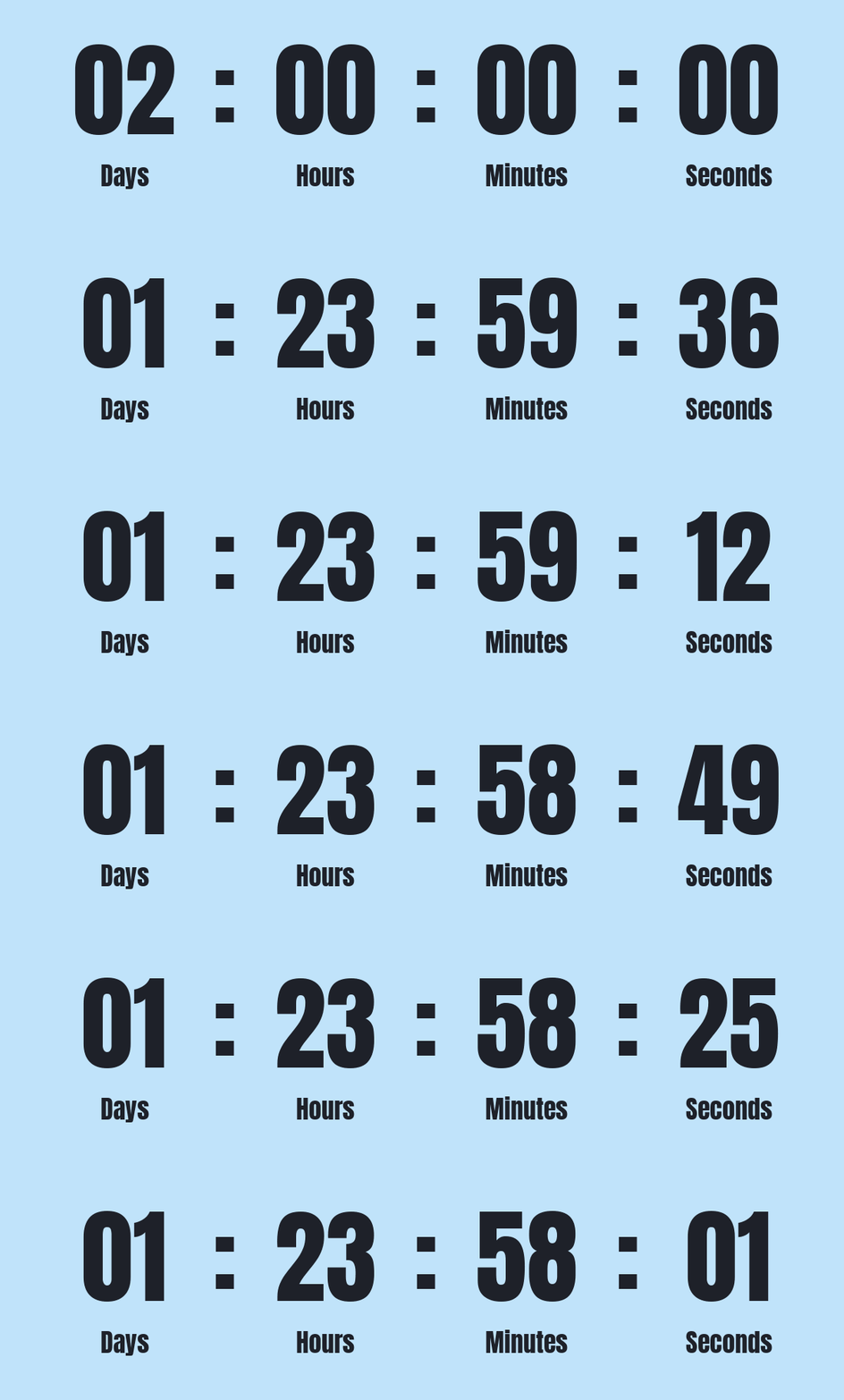
Getsitecontrol’s email editor includes a Countdown object. Set it to the actual offer deadline and keep the date and time readable in the email, including the applicable time zone.
A checkout reminder should help someone return to the items they selected. It should not promise that a Black Friday code still works after the promotion ends. Plan the delay and the message together, especially if a checkout can be abandoned shortly before closing time.
On Shopify, Getsitecontrol’s Checkout abandonment automation provides the relevant context for an abandoned-items email. Adding something to a cart anonymously is not the same event. Use a template intended for this workflow so product objects and the checkout destination are connected to the right context.
Review the template’s default urgency language rather than accepting it as a fact about your store. Set conditions to avoid inappropriate reminders after purchase, test an actual eligible checkout, and check the destination on mobile. Our abandoned cart email guide explains the Shopify trigger, product objects, and follow-up decisions.
Before launch, walk through the promotion as a customer: arrive from the email or ad, find the advertised products, apply the offer, and complete a test checkout. Repeat the path on mobile and check the signup confirmation if the offer involves joining a list.
Record the practical details in one place so the person scheduling an email uses the same rules as the person updating the store.
| Area | Check |
|---|---|
| Offer | Eligible products, minimum spend, code, exclusions, and margin |
| Timing | Start and end time, time zone, early access, and expired state |
| Audience | Signup expectations, purchase exclusions, and automation overlap |
| Products | Stock, variants, collection membership, and correct feed selection |
| Destination | Working links, matching terms, and a usable mobile checkout |
| Measurement | Orders, revenue after discounts, unsubscribes, and campaign tracking |
Plan the transition to Cyber Monday before Friday begins. Decide what continues, what changes, and how you will communicate the difference to customers who have already purchased. That keeps the next campaign from becoming an improvised repetition of this one.
Start with one clearly defined offer, one sale destination, an email to a relevant audience, and a website announcement. Add a signup invitation or a bundle when it solves a specific problem. You do not need every promotional channel to run a coherent campaign.
No. A selected-collection promotion, a useful bundle, a gift above a threshold, or genuine early access may fit your store better. Check the cost and eligibility rules before deciding what to advertise.
Work backward from the launch date, allowing time to set up the offer, prepare products and creative, collect interested subscribers, and test checkout. The lead time depends on the changes your store needs; there is no universal email schedule.
The campaign includes the offer, audience, website, ads or social promotion, emails, and measurement. Email is one part of that plan. Keep its offer and destination consistent with the rest of the campaign.
Jack Hayes covers onsite marketing, email campaigns, and ecommerce growth at Getsitecontrol. His guides connect popups, personalization, and automated emails into practical strategies for turning visitors into subscribers and customers into repeat buyers.
You’re reading Getsitecontrol blog where marketing experts share proven tactics to grow your online business. This article is a part of Ecommerce marketing section.
Create popups for free
Email forms, promos, coupons, surveys, bounce-stoppers.
Get started, it’s free →Subscribe to get updates
Get beginner-friendly tips for growing your online business.