Create your Black Friday email
Build your campaign with editable email templates, product cards, coupons, and countdowns. Preview the result before sending.

A Black Friday email should make the offer easy to understand: what is discounted, how to claim it, and when it ends. The right template depends on what the reader needs next. A sale announcement needs a clear offer; a product email needs a useful selection; a checkout reminder needs the items that particular shopper left behind.
This guide includes six editable Getsitecontrol templates, an example from reMarkable, subject lines, and copy you can adapt. Several templates include Shopify product feeds, so you can build a campaign around bestsellers, discounted products, or new arrivals without assembling every product card individually.
Start with the offer and its destination, then choose the layout. A sitewide discount can work with one campaign image and a button. A sale covering selected products needs more explanation: show eligible items, state the exclusions, and send readers to the sale collection rather than the homepage.
| Your message | Template to start with | What to configure |
|---|---|---|
| The sale is open | Banner and animated text | Offer, banner message, and sale destination |
| Here are familiar favorites | Bestsellers, coupon, and slideshow | Product selection and discount eligibility |
| These products are reduced | Items on sale, countdown, and slideshow | Sale prices, product feed, and deadline |
| New pieces are part of the offer | New items, slider, and coupon | Which new products qualify |
| The offer ends soon | Banner and countdown | End time, time zone, and coupon expiry |
| You left a checkout unfinished | Abandoned items and related products | Checkout automation and recovery destination |
Add your branding, offer, and shopping links to the template you choose. Templates that pull products or abandoned-checkout items from Shopify require a connected store; checkout-recovery emails also need a checkout-triggered automation. For other websites, use your own product images and links.
This text-led template pairs a clear opening offer with a colored promotional banner and animated text, without making the reader navigate a catalog first. Use the headline for the actual offer, put the qualifying details beside it, and link the main button to the discounted range. “25% off winter layers” gives someone more to work with than “Our biggest event is here.” Only call an offer sitewide if the exclusions genuinely allow that description.
Use the animated text to reinforce a short message, such as the sale opening, while keeping the discount, code, and closing date in ordinary text. The colored banner can introduce a secondary detail without competing with the headline. Keep both shopping buttons pointed at the relevant sale destination, and avoid repeating the same paragraph in both sections.
For a separate campaign headline graphic, use an animated text generator to give “Black Friday is here” a restrained reveal or shine effect. Match the type and colors to your email, and keep the full offer readable in the first frame or nearby text. One animated headline is enough when the product section already moves.
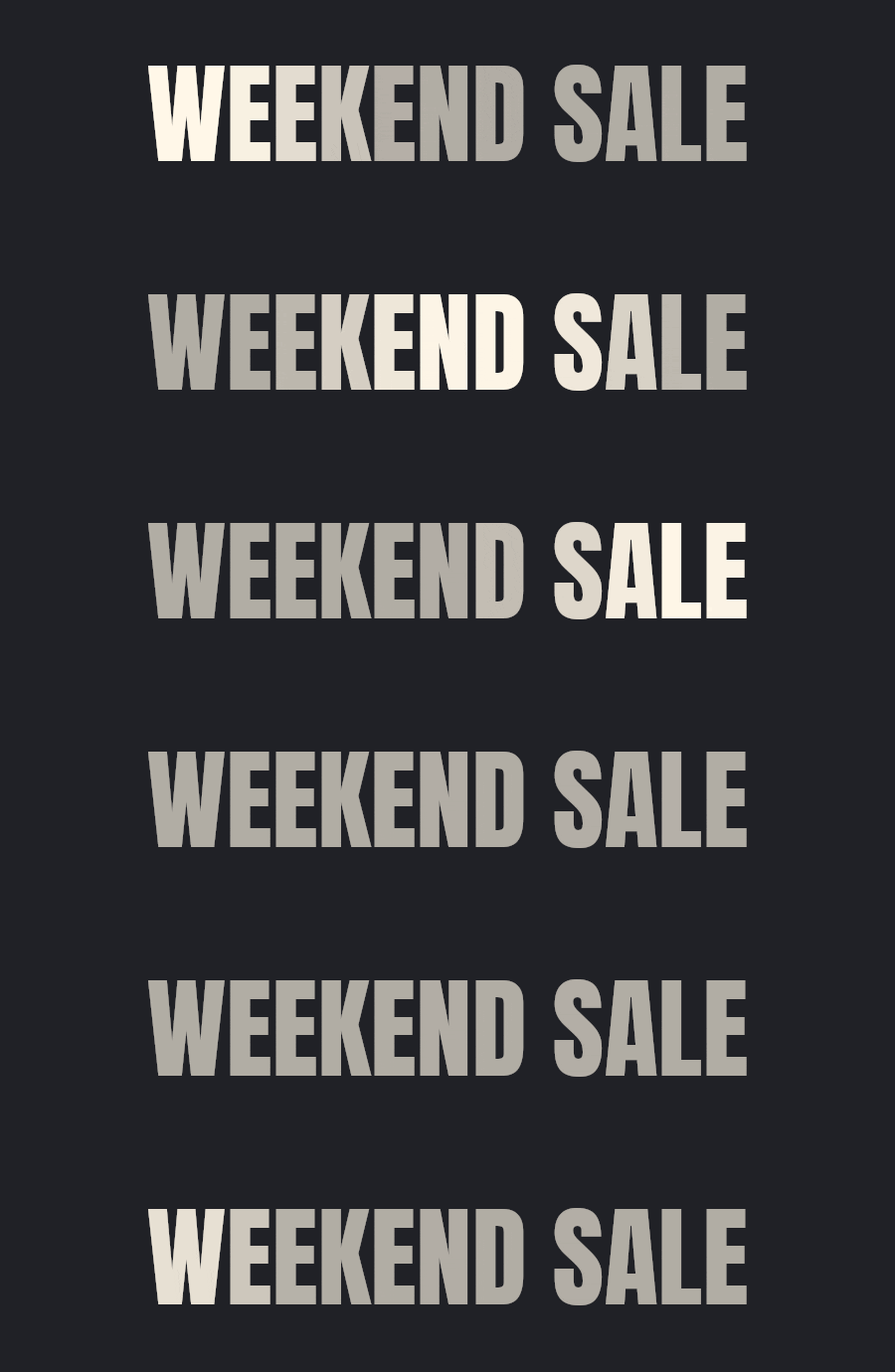
You can also adapt this layout for early access. Replace the public sale announcement with the access time and explain who can shop. Make sure the linked page actually provides that access; the words “VIP exclusive” do not create a restricted offer by themselves.
A Black Friday discount does not answer the question “What should I buy?” A short bestseller selection gives undecided subscribers a starting point. This template combines a slideshow, product cards, and a coupon, allowing the campaign image to set the mood while the cards provide names, prices, and direct routes to products.
For Shopify stores, the Bestsellers product feed draws on sales volume. That makes it useful for a familiar-product campaign, but it does not establish that every item is discounted. Check the selection against the offer before sending. If the coupon excludes your best-selling product, change the selection or explain the exclusion clearly instead of placing an apparently storewide promise above it.
Keep the number of products deliberate. A handful of recognizable options with readable photographs is more useful than a dense grid of nearly identical items. Link the individual cards to their products and use the broader button for the eligible collection.
A relevant selection is more useful than a personalized greeting alone. Match the products and the offer to the audience, and check that every featured item qualifies. A bestseller feed is not the same thing as a sale feed.
Use the Items on sale template when the prices themselves are the reason to click. Its product selection, slideshow, and countdown suit a promotion across several reduced items. The email can show what is available rather than asking the subscriber to open the store just to discover whether anything interests them.
In Getsitecontrol’s Shopify product-feed options, On sale selects products with a compare-at price. Review the resulting cards and the corresponding product pages: this feed does not mean “every product eligible for my Black Friday coupon.” A coupon-only promotion and a sale implemented through product prices need different checks.
If you combine reduced prices with a code, state whether the code applies on top of those prices. Readers should not have to attempt checkout to discover that the two offers cannot be combined. Use the countdown only when these prices or the additional offer have a real closing time.
A new-items email gives returning subscribers another reason to look at a promotion they have already seen. This template pairs a new-product feed with an animated banner and coupon. It works when fresh inventory is genuinely part of the offer, especially if the initial announcement focused on older or familiar products.
The Newest feed refers to products recently added to the store, not products a particular subscriber has never seen. Check that the selection matches your story. A restocked item, a newly imported product, and a new collection are different announcements; avoid calling all of them an exclusive launch.
Explain what makes the selection worth revisiting: a new color, a seasonal material, or pieces that complete an existing range. If your new arrivals are excluded from Black Friday discounts, give them a separate campaign instead. Our new arrival email examples cover layouts for introducing products when a discount is not the main message.
A last-chance email should add a decision point, not simply repeat the launch in louder language. Restate the offer, provide the closing time and time zone, and send readers directly to the eligible range. This countdown template is a useful starting point when everyone receives the same Black Friday deadline.
Set a fixed deadline for a campaign that ends at one shared time. An evergreen timer, which gives each recipient a relative window, tells a different story and should not stand in for a storewide midnight cutoff. Also check the coupon’s actual expiry: the countdown communicates the deadline but does not enforce the store’s pricing rules.
For a custom countdown graphic that matches your campaign typography, use TweenFrame’s countdown timer GIF generator. Adjust the digits, labels, and colors, then preview the image at email width. Its countdown duration guide helps distinguish short reveal animations from longer countdown designs. An exported GIF plays a fixed sequence; use the email editor’s live countdown for the actual sale deadline, and keep the closing time in text.
The historical reMarkable email below uses a restrained version of this approach. The closing-sale headline, product image, and offer all support one action rather than competing with a grid of secondary deals. It is a useful reference for a campaign built around one main product.
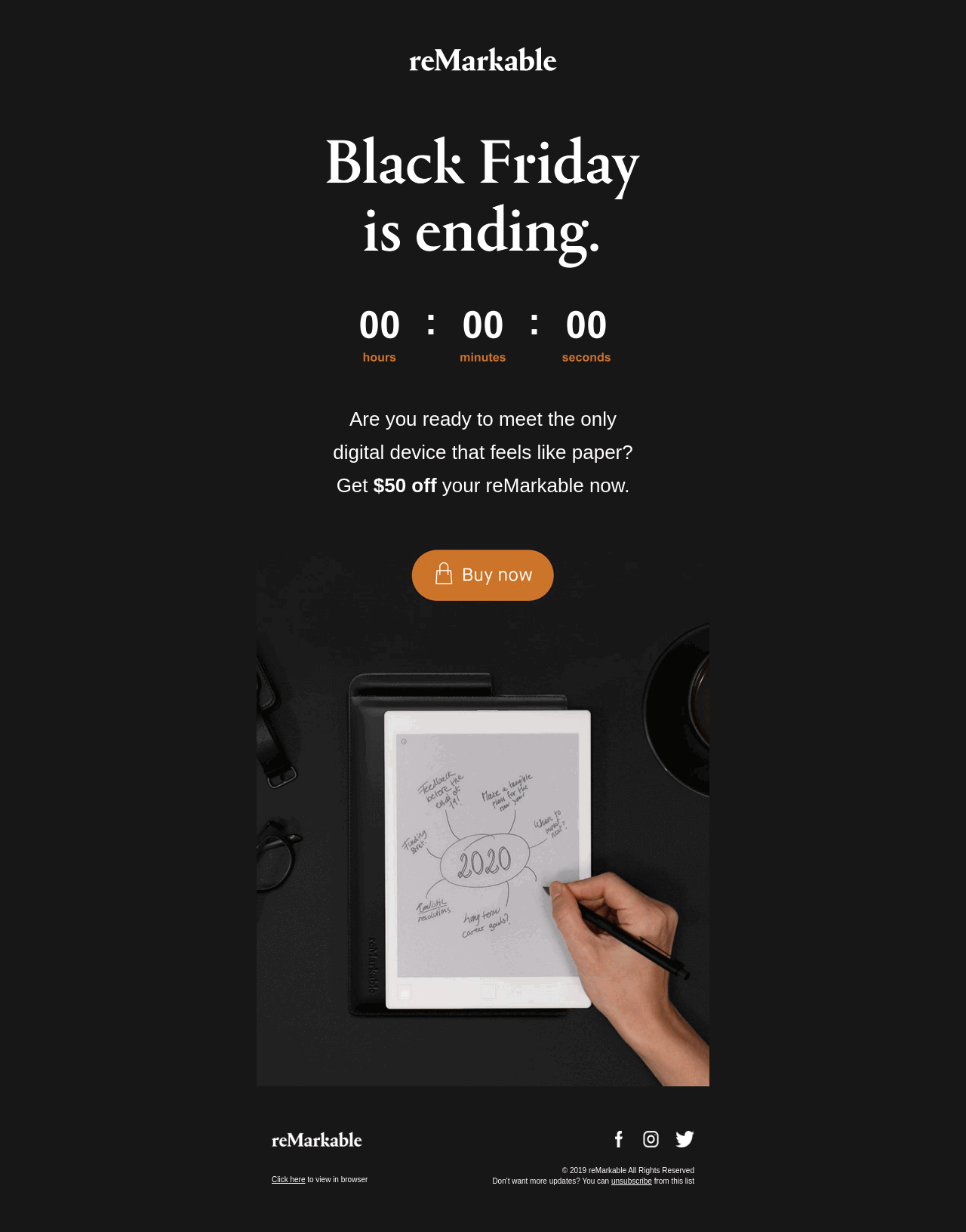
This is a static screenshot of a past campaign, so its timer is not a live deadline. Borrow the hierarchy, not the old price or countdown value. For more reminder formats, see our last-chance email templates.
A recovery email belongs in an automation, separate from your scheduled Black Friday broadcasts. The template below combines abandoned items with related products and a slideshow. Its starting point is the shopper’s unfinished checkout, so the main action should return them to it rather than open a general sale page.
Use this template in a Shopify Checkout abandonment automation. Adding products to a cart is not the same as reaching an identifiable checkout, and a general broadcast does not provide the abandoned-item context. The product placeholders in the editor are therefore not a substitute for checking the automation with an appropriate checkout example.
Keep the abandoned items and the return-to-checkout action ahead of alternative products. Related recommendations can provide another option, but they should not obscure the order the shopper was already considering. Before activating the sequence, review its handling of completed checkouts and make sure a delayed message cannot promise an expired Black Friday price.
Replace sample scarcity wording with facts you can support; an unfinished checkout does not establish that its products will sell out tomorrow. You do not need to introduce an extra discount automatically. Start by making the return path clear and answering a practical question, such as delivery or returns. The abandoned checkout email guide covers the trigger, delays, and recovery content in more detail.
Your sequence should follow changes in the offer, not a target number of sends. Early access, the public launch, and the final deadline are distinct reasons to contact someone. Sending all three to every subscriber is not automatically useful, particularly when they also receive an existing welcome or checkout sequence.
The plan below is an example to adapt, not a benchmark. You can run a shorter campaign with a launch and a relevant final reminder. A longer sale may warrant a product-led follow-up if it adds something the first announcement did not cover.
| Campaign moment | Reason to send | Audience check |
|---|---|---|
| Before public access | Explain when selected subscribers can shop | Do these recipients actually qualify for early access? |
| The offer goes live | Announce the discount, terms, and destination | Who is eligible to receive this promotion? |
| During the sale | Introduce a useful selection or new information | Would the same message still help recent purchasers? |
| Before the real deadline | Give remaining shoppers a specific closing time | Could this overlap with another scheduled reminder? |
| After checkout abandonment | Provide a route back to the unfinished checkout | Is the checkout still incomplete and the offer still valid? |
Do not treat Cyber Monday as an automatic extension of a supposedly final deadline. If it has a different offer, say what changed. If the same promotion runs through Monday, give that closing date from the start. Keep broader promotion planning in your Black Friday marketing plan and use the email sequence to communicate it accurately.
Write the subject after deciding what the email actually offers. A concrete discount or access time usually communicates more than a string of urgency words. The amounts and times below are illustrative; replace them with your real terms, and use “sitewide,” “exclusive,” or “final” only when those claims are accurate.
Avoid assuming the subject is the only thing that affects opens or sales. Test a meaningful difference—an offer-led line against a product-led line, for example—while keeping the underlying campaign comparable. For a small audience, treat the result as limited evidence rather than declaring one phrasing a universal winner.
These examples provide a starting structure for the message around your design. Replace the illustrative offer, code, and deadline everywhere they appear, including the button destination. The preview text should add useful information instead of repeating the subject word for word.
Black Friday is here: 25% off winter layers
PreviewKnitwear, jackets, and everyday layers. Your code is inside.
Stay warm for less this winter
The pieces you will reach for all winter are now 25% off.
Use the code below on eligible knitwear, jackets, and layers through Monday at 11:59 PM ET. The sale collection shows everything included, so you can start with the pieces that suit you.
If you need help choosing a size, reply to this email and we will help.
Shop the winter sale Thanks for shopping with us,
Your store’s customer care team
A few favorites from the Black Friday sale
PreviewAn edited selection, with the same 25% offer.
Our winter favorites, edited for you
Still deciding where to start? We have brought together a few winter favorites, from everyday knits to an extra layer for colder days.
Each item below is included in the Black Friday offer. Use the code below at checkout for 25% off through Monday at 11:59 PM ET.
Choose an item to see its available sizes and colors, or explore the full sale collection.
Explore the sale selection We hope you find something you will keep reaching for,
Your store’s team
Last day for 25% off winter layers
PreviewThe offer closes tonight at 11:59 PM ET.
Your last chance to save on winter layers
A reminder before the winter sale closes: the code below takes 25% off eligible knitwear, jackets, and layers until 11:59 PM ET tonight.
If something caught your eye, you can check its current sizes and colors in the sale collection. The code will no longer apply after the deadline.
Questions before you order? Reply to this email and we will help you choose.
Return to the sale Thank you for being here,
Your store’s customer care team
Open a template in the email editor and work through its content from top to bottom. Replace campaign imagery, check every link, and configure each dynamic object for your store. Choose the product collection, discount code, and closing time that match your promotion.
| Object | What to check before sending |
|---|---|
| Coupon | Use the intended code and verify eligibility, expiry, and any minimum spend. For Shopify, check whether you need a shared code or a unique single-use code. |
| Countdown | Choose a fixed end time and time zone for a shared sale deadline. Match it to the offer’s actual expiry. |
| Product feed | Check the source, visible products, prices, images, and links. Bestsellers, On sale, and Newest answer different selection questions. |
| Slideshow | Check the first frame and the link destination. Keep essential offer details readable outside the animation. |
| Abandoned items | Use the appropriate checkout automation context. Check the products and return-to-checkout action rather than relying on editor placeholders. |
The email editor guide explains these objects and their settings. For a product feed, inspect more than the layout: an attractive preview containing an excluded item is still the wrong campaign.
Use a broadcast for a scheduled announcement and an automation for a message triggered by a customer event. Review the audience conditions against the purpose of each email. An early-access invitation should go to eligible subscribers; a checkout reminder needs the relevant checkout event; a general sale announcement does not need abandoned-item content.
Look at the other emails a recipient could receive that day. A shopper might qualify for a campaign, a welcome sequence, and a checkout reminder. Decide which messages remain useful together and adjust the relevant audiences or automation settings. Do not assume that creating a separate Black Friday campaign resolves those overlaps automatically.
Check the campaign as a shopper: follow the main button, open a product, apply the code, and compare the final offer with the email. Then repeat the check for an excluded product. This catches misleading promises that a visual preview alone cannot reveal.
Send a test and inspect the email on a phone as well as a larger screen. Check product names, prices, button labels, image loading, and the reading order. The headline and offer should still make sense when images are unavailable. For an animated block, make sure its first frame carries a useful image rather than a blank transition.
Finally, verify the sender details, reply address, unsubscribe link, audience, and schedule. Recheck deadlines after duplicating an older campaign: a copied date or stale coupon can survive a complete visual redesign. Once the sale starts, judge the campaign against its purpose, including clicks and purchases where tracked, rather than treating opens alone as proof that the offer worked.
State the offer, eligible products, how to claim it, and the closing time with its time zone. Add a direct route to the sale or featured product. Include a code only if one is required, and explain material exclusions near the offer.
There is no single number that suits every store. Start with the messages your offer needs, such as a launch and a final reminder. Add early access or a product selection when it gives the recipient new, useful information, and review overlap with existing automations.
Schedule the announcement when the offer actually becomes available. An early-access email should arrive while its recipients can use that access, and a final reminder should leave time to act before the real deadline. Choose timing around your audience and offer rather than a universal send-time rule.
You can adapt campaign layouts with your own images, text, and links. The Shopify product feeds and abandoned-checkout objects need a connected Shopify store; abandoned-item content also needs the appropriate automation context.
No. Use a countdown when a specific deadline helps the reader decide. A fixed timer suits a shared sale cutoff, but it does not enforce coupon expiry or change product prices. Keep the deadline in readable text as well.
You can reuse the layout, but review the offer, dates, product selection, code, and every link. If the same promotion continues through Monday, communicate that deadline honestly instead of presenting Friday as the final opportunity.
Daniel Brooks writes about ecommerce, marketing, and customer experience. His work covers how businesses reach customers, sell online, and keep people coming back. For the Getsitecontrol blog, he turns these topics into practical guides, with examples that readers can adapt to their own stores.
You’re reading Getsitecontrol blog where marketing experts share proven tactics to grow your online business. This article is a part of Email marketing section.
Try email marketing, free
Grow your list with free popups, send 2,000 emails for free.
Get started →Subscribe to get updates
Get beginner-friendly tips for growing your online business.