Create your jewelry campaign
Adapt a jewelry email design, add your gift selection and offer, and schedule the campaign for your audience.

Choosing jewelry for someone else raises specific questions. Will the necklace sit at the right length? Does she wear gold or silver? Can the piece be engraved, and will it arrive in time? A useful Mother’s Day jewelry campaign answers those questions while giving the gift an emotional reason to exist.
This guide brings together seven email ideas, editable jewelry designs, subject lines, and copy you can adapt. Build the sequence around your collection and ordering deadlines. A gift guide, a closer look at the pieces, and an accurate delivery reminder can do more than a string of nearly identical sale announcements.
For broader offers, website campaigns, and gift-with-purchase ideas, use our Mother’s Day marketing guide. Here, the focus is what a jewelry customer needs to see in the inbox.
Start early enough for shoppers to choose and for your team to fulfill the order. Separate the timeline for engraved, resized, or made-to-order pieces from the timeline for stocked items. Use the Mother’s Day date in the market you serve; a campaign sent across countries may need different schedules.
Introduce personalized pieces before their production cutoff, then move to ready-to-ship gifts as that window closes. Publish the applicable dates on the collection and product pages too. This creates a natural sequence without inventing a sale deadline for every email.
There is no useful universal target. Give each message a purpose, and choose recipients accordingly. Someone who bought a gift after the first email may appreciate care advice or a thank-you rather than another prompt to buy the same piece.
| Message | Question it answers | When it belongs |
|---|---|---|
| Gift edit | Which pieces suit the person I’m buying for? | While shoppers have time to compare |
| Offer or product detail | What makes this a good choice? | When there is a relevant benefit or buying question |
| Personalization deadline | Can I still order an engraved piece? | Before your production cutoff |
| Shipping reminder | Which gifts can still arrive? | Before the applicable service cutoff |
| Gift card or personal note | What can I send now, or what do you want to say? | When it fits the audience and remaining options |
A sale deadline, an engraving deadline, and a shipping deadline are different. Label the one that matters in each email, and take readers to products that still qualify.
Organize the selection by a decision the buyer can make: everyday studs, a pendant with an initial, a bracelet with an adjustable fit, or gifts within a stated budget. Add a useful reason for each recommendation. A photograph showing scale on a person can answer a question that an isolated product image cannot.
The VRAI design builds its message around earrings, using close-up photography and a focused selection rather than a full catalog. It also provides a route to personal guidance. Adapt the structure with your own pieces, product details, and help option.
For an animated introduction to a new pendant or gift set, design a short “Gift reveal” clock with TweenFrame’s countdown GIF generator. Match its font and colors to the jewelry photography; the duration guide helps choose the sequence length. Keep the product visible elsewhere in the email so readers do not have to wait through an animation to see it. This fixed GIF is a creative reveal, not a live offer deadline.
Show the metal, dimensions, fastening, and available variations on the destination page. If you recommend a ring, make the sizing help easy to find. For a necklace, show the chain length and how it sits. These details make the gift edit useful without turning the email into a specification sheet.
A small selection also gives the photography more room. Keep similarly sized product images aligned, and use a consistent background so readers compare the pieces rather than the layout. Our gift guide email examples explore other ways to organize a selection.
An offer can be a saving on a defined collection, complimentary engraving, or gift wrapping. State the benefit and the eligible range early, then use the rest of the email to make the pieces desirable. Explain any minimum spend or important exclusions near the action.
The 77 Diamonds design pairs a large portrait with a concise offer and a jewelry selection. The portrait gives the pieces scale and context; the product rows provide options. Replace the sample sale with your Mother’s Day benefit and use your own campaign imagery.
A line such as “Complimentary engraving on selected pendants through [date]” tells the reader more than “Make her day unforgettable.” If you use a discount code, give it a distinct block and separate it from the shopping button with a short explanation. The copy templates below show that arrangement.
A final reminder can answer one remaining question: what engraving looks like, which pieces come in a gift box, or how two chain lengths compare. Pair that information with the real offer deadline. It gives an interested reader something more useful than the launch email with a louder headline.
A coupon-and-countdown template keeps the closing offer easy to find. Configure its sample code and deadline, and link to the eligible range. It does not require a Shopify product feed.
Keep the date, time, and time zone in the copy even when you include a timer. Configure the countdown in the template for the actual closing time, and check its expired state. After the offer closes, the destination should explain what shoppers can still buy.
Jewelry fulfillment often has more than one clock. Engraving, resizing, stone selection, and made-to-order production can close before ordinary shipping. Send the relevant reminder while the customer can still act, then change the selection to ready-to-ship pieces.
Include the applicable destination, shipping service, and product range. If the arrival date is an estimate, describe it that way. Link directly to the eligible collection and delivery details; do not make readers inspect every product page to learn whether the headline applies.
On your website, use an announcement beside the same collection or product pages. The announcement-bar guide shows ways to keep that information visible. When a service closes, update the notice and any scheduled reminder that still mentions it.
Jewelry is personal: the recipient may want to choose the metal, stone, or style. A gift card can respect that choice while still feeling like a present. Show the card design, the available amounts, how it is delivered, and how the recipient uses it.
If buyers can add a message or choose a delivery time, show those options. State whether the card goes to the buyer or the recipient, and give the actual delivery timeframe. The email should make the process easy to understand before the purchase.
After physical delivery closes, replace the main campaign destination with the gift-card page rather than continuing to advertise unavailable arrival dates. Pair the email with a matching website announcement so the last-minute route is easy to find.
A founder or maker can share a small, specific story: a piece inspired by a family object, a design detail learned from a parent, or a customer’s account shared with permission. Keep the connection true to the brand. A sincere note does not need a discount at the end.
The David Yurman design is a welcome email, but its layout offers a useful model: a personal introduction, a signature, and a section about the people behind the brand. Adapt those elements into your own note and replace the account-registration prompts and sample service benefits.
For a signed founder’s note, a signature generator lets the author draw their own signature or style their name, then export it as a transparent image. Place it below the message and keep the author’s name and role as ordinary text too.
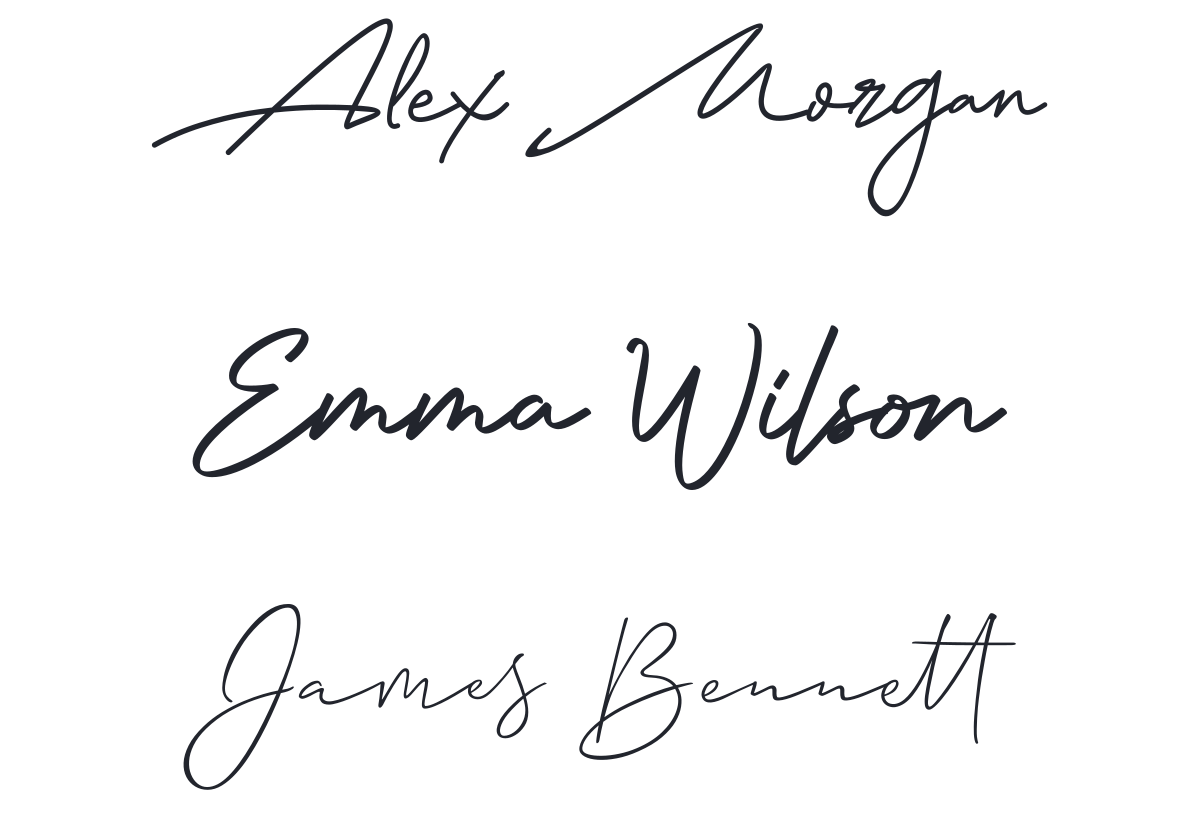
For a short heading such as “A note from our founder,” a calligraphy text generator offers a decorative lettering option. Choose either that accent or a prominent signature so they do not compete. Keep the story itself as readable text.
A close-up of the piece answers only part of the gift buyer’s question. Build one follow-up around the complete presentation: the box open and closed, the pouch or care card, and the optional message. Explain what comes with the order and what costs extra. This is especially useful for someone sending a gift directly to the recipient.
Use two or three photographs of the same gift, with consistent lighting and framing. A short product slideshow can move from the jewelry being worn to its detail and then the packaging. Keep the piece at a consistent scale between similar views, and leave the price and shopping button outside the animation.
If you already have a video of the box being opened or the clasp being fastened, use a video-to-GIF converter to extract that one useful moment. Crop tightly enough to see the detail, and preview the file at its final email size.
Answer the practical questions below the image: whether the parcel contains a price, where the buyer adds the note, and how an exchange works. Link to the relevant store information. This email can follow the gift edit without requiring another discount or a new template: adapt the VRAI layout above with your packaging photography and a focused action.
If your jewelry catalog is in Shopify, a dynamic product template can save you from rebuilding the gift selection card by card. Create a Mother’s Day collection in the store, then choose that collection as the product source in the email. It gives you a defined range to promote while using product information from your catalog.
This Shopify template starts with bestsellers and a slideshow. For a holiday gift edit, set the product cards and slideshow to the intended collection, choose the number of items, and review the selection. A general bestseller list may include pieces with the wrong production timeline for this campaign.
Use the product feed to present the pieces and the surrounding text to explain the gift: packaging, engraving options, and the applicable ordering window. Before the personalization cutoff, feature pieces that can still be engraved; afterward, switch the campaign to a ready-to-ship collection. Check the store-connected preview and a test email, including product variations and destinations.
The coupon object can use a Shopify discount code, including a unique single-use code when configured. That is useful for a subscriber benefit you do not want passed around as a shared code. Keep the benefit and eligible collection clear, and set the discount’s expiry to match the campaign.
A shared Mother’s Day launch belongs in a broadcast. Follow-ups tied to an individual checkout or order belong in an automation with the relevant trigger. For example, a checkout reminder can show the abandoned items, while a post-purchase message can focus on care for the purchased piece. Keep seasonal preferences in the audience rules for promotional follow-ups, and do not assume a gift purchase identifies the buyer’s own jewelry taste.
Match the subject to the message inside. Product details, a useful benefit, or a specific ordering window give readers a reason to open. Replace bracketed details before sending, and use preview text to add information rather than repeat the subject.
Adapt these original examples to your products and fulfillment process. Replace bracketed details, connect each action to the correct page or preference flow, and keep the offer consistent with your store.
Your Mother’s Day email preference
PreviewChoose whether you would like these updates this year.
Prefer to skip Mother’s Day emails?
We will soon be sharing our Mother’s Day collection. If you would prefer to skip those emails, you can let us know below.
We will pause Mother’s Day messages for [this year’s campaign] and continue sending the other updates you have subscribed to. You do not need to tell us why.
You can also unsubscribe from all marketing using the usual link at the bottom of our emails.
Skip Mother’s Day emailsThe [Store] team
A few pieces chosen with her in mind
PreviewExplore [number] gift ideas, with details to help you choose.
Gift ideas she will wear every day
For someone who wears the same favorite pieces every day, a new addition should feel like it belongs.
Our Mother’s Day edit includes [earrings] for [specific style or use], [pendant] with [personalization option], and [bracelet] with [fit detail]. Each product page shows the dimensions, finishes, and gift-packaging options.
Explore the selection, or reply with a question and we will help you narrow it down.
Explore the gift edit Here to help you choose,
[Name] at [Store]
[Offer] on our Mother’s Day selection
PreviewUse your code on [eligible range] through [date].
A Mother’s Day gift, for less
Our Mother’s Day offer is open: [benefit] on [eligible pieces] through [date] at [time and time zone].
Enter the code below at checkout. [State any minimum spend or important exclusions.]
The collection includes [two relevant examples]. Open it to compare the pieces, check availability, and see the gift-packaging options.
Shop the selection With thanks,
The [Store] team
Order engraved gifts by [date]
PreviewThe production window for [eligible pieces] closes at [time].
Make it personal with engraving
A small inscription can make a familiar piece feel entirely hers. Our engraving window for Mother’s Day orders closes on [date] at [time and time zone].
This applies to [pieces] delivered to [region] using [service]. Check the available lettering, character limit, and delivery details on the product page before placing your order.
After that deadline, you can still explore our [ready-to-ship collection or gift cards].
Choose an engraved piece[Name] and the [Store] team
Let her choose the piece she loves
PreviewA [Store] gift card, with room for your own message.
Give her the choice
If she knows exactly what she likes, give her the pleasure of choosing it.
Our gift cards are available in [amounts] and delivered to [buyer or recipient] by [method] within [timeframe]. [Explain any personal-message or scheduled-delivery option.]
The gift-card page explains how to redeem the card and where it can be used.
Choose a gift card With warm wishes,
[Store]
Start with an email template and add your jewelry photos, copy, and links. Check product dimensions, prices, personalization options, and stock before sending.
Use a campaign photograph that shows scale and a close-up that shows the detail. For animated images, check the first frame and the exported size on a phone. Keep the product name and shopping action readable outside the image.
Build your recipient selection in contact management, including the seasonal preference. Schedule shared launch and cutoff dates as broadcasts; reserve automations for actions such as delivering a promised guide after signup. Review clicks and orders alongside unsubscribes and delivery issues when choosing the next message.
Test the whole journey with one gift: open the email on a phone, choose a finish or size, add personalization, check the delivery option, and apply the offer. The campaign is ready when those steps agree with what the email promises.
Include a focused gift selection, useful details about fit and personalization, the applicable ordering deadlines, and a clear shopping route. Add an offer if it suits the collection. A seasonal preference lets subscribers choose whether to receive these messages.
Work backward from production time and the delivery service for each market. Engraving or resizing may need an earlier cutoff than stocked pieces. Introduce the collection while customers still have time to compare and order.
No. A gift guide, a closer look at craftsmanship, help choosing a size, or a founder’s note can stand on its own. Use a discount or added benefit when it serves the campaign rather than repeating it in every message.
Yes. You can add your own photos, text, and links to the email templates. The dynamic product template in the Shopify section requires a connected Shopify store.
Promote digital gift cards or eligible pickup options if you offer them, with clear delivery or collection details. A personal note can also be appropriate. Remove expired delivery claims from the campaign.
Daniel Brooks writes about ecommerce, marketing, and customer experience. His work covers how businesses reach customers, sell online, and keep people coming back. For the Getsitecontrol blog, he turns these topics into practical guides, with examples that readers can adapt to their own stores.
You’re reading Getsitecontrol blog where marketing experts share proven tactics to grow your online business. This article is a part of Email marketing section.
Try email marketing, free
Grow your list with free popups, send 2,000 emails for free.
Get started →Subscribe to get updates
Get beginner-friendly tips for growing your online business.