How to authenticate a domain with Shopify
In this guide, you’ll learn how to add DNS records in Shopify to verify your domain in Getsitecontrol. Once verified, you’ll be able to send email campaigns and automated emails from your own domain instead of the default shared address.
Open your DNS settings
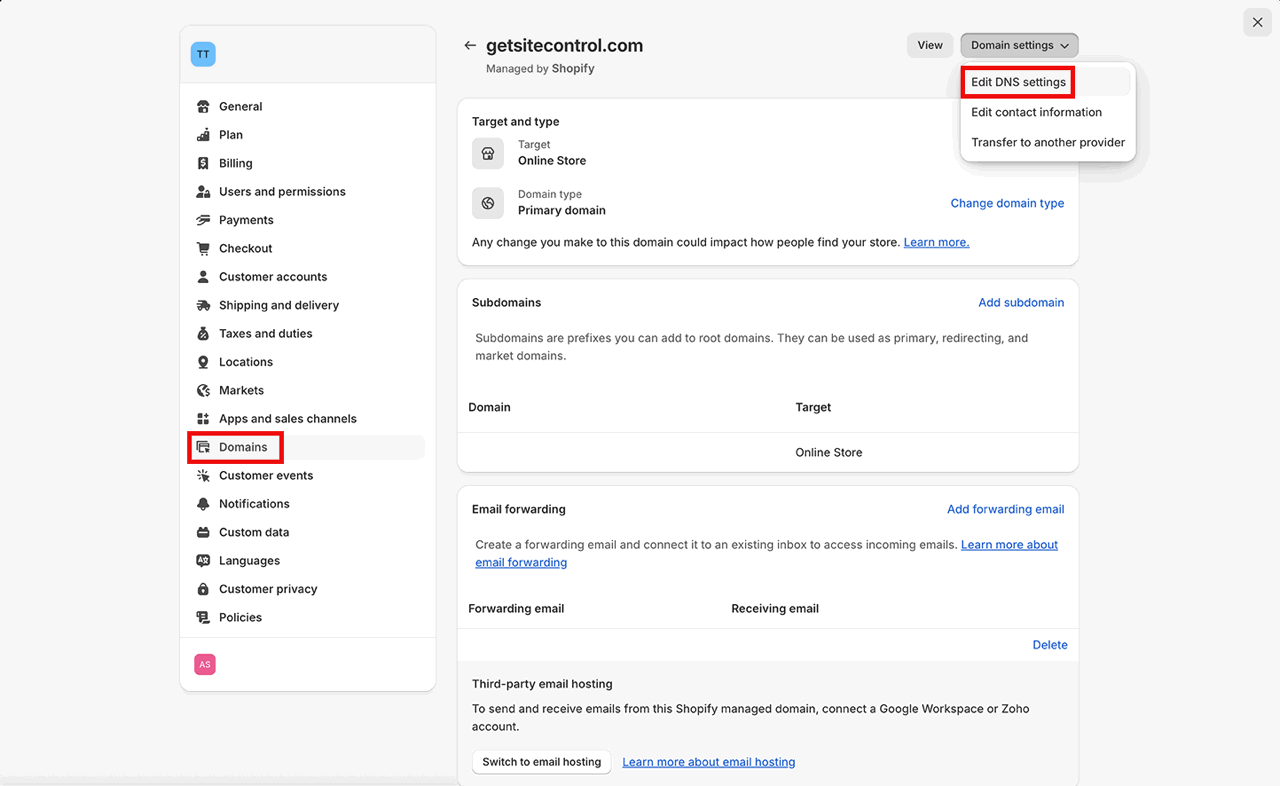
For starters, log in to your Shopify account. Open the settings, switch to Domains from the panel on the left, and select your domain. Click Domain settings in the top right corner and select Edit DNS settings from the dropdown.
Add three CNAME records for DKIM setup
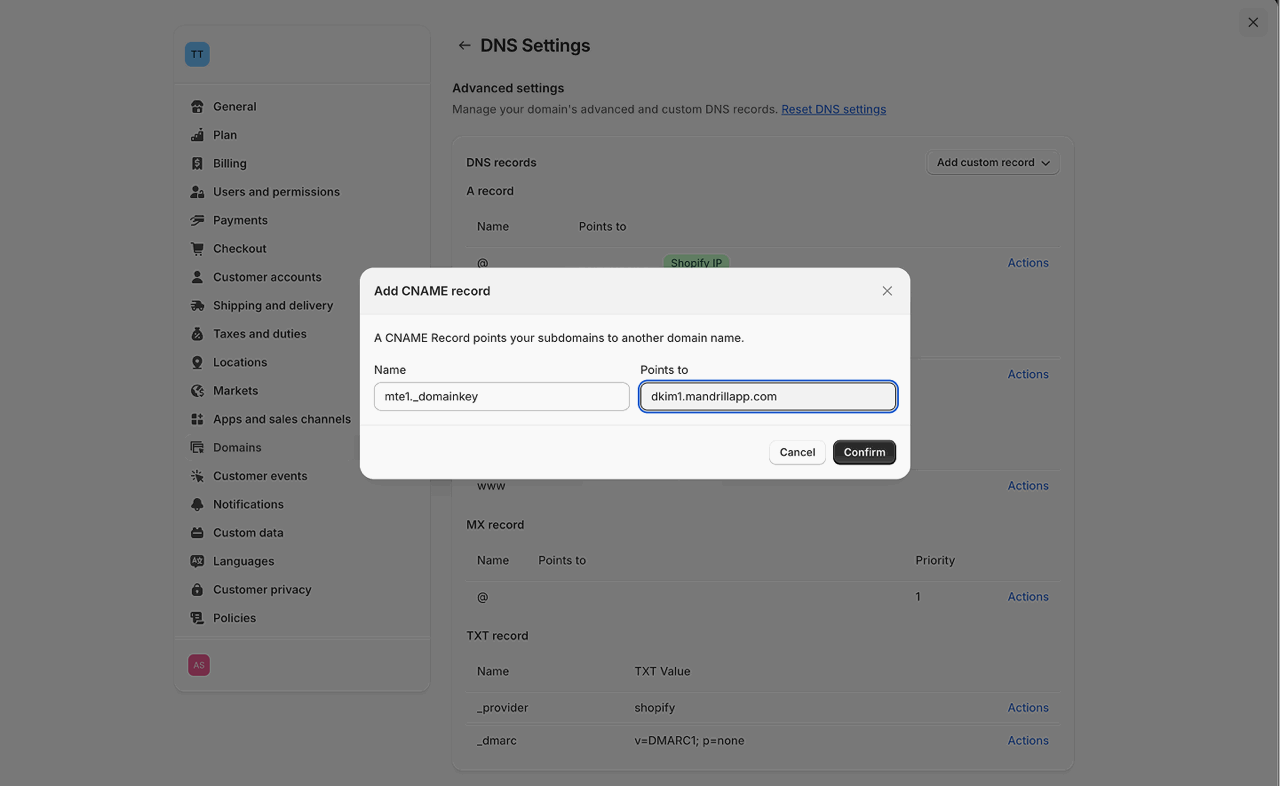
Click Add custom record in the top-right and select CNAME record. Copy the first entry under Name from the DKIM section in your Getsitecontrol DNS settings and paste it into the Name field.
Next, copy the corresponding entry under Value from Getsitecontrol and paste it into the Points to field in Shopify. Proceed to Confirm. Then, repeat the process for the second and third CNAME records.
Add a TXT record for SPF setup
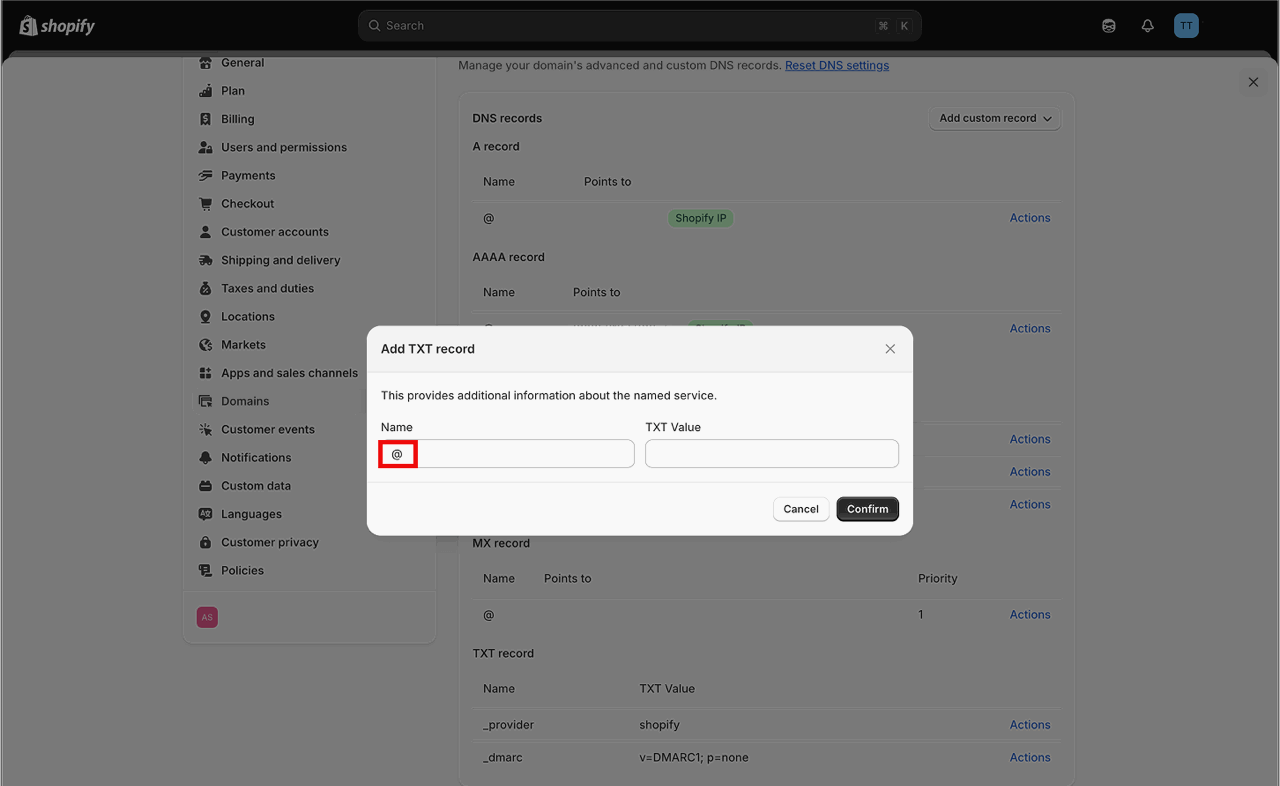
Click Add custom record and select TXT record. Copy the entry under Name from the SPF section in your Getsitecontrol DNS settings and paste it into the Name field in Shopify.
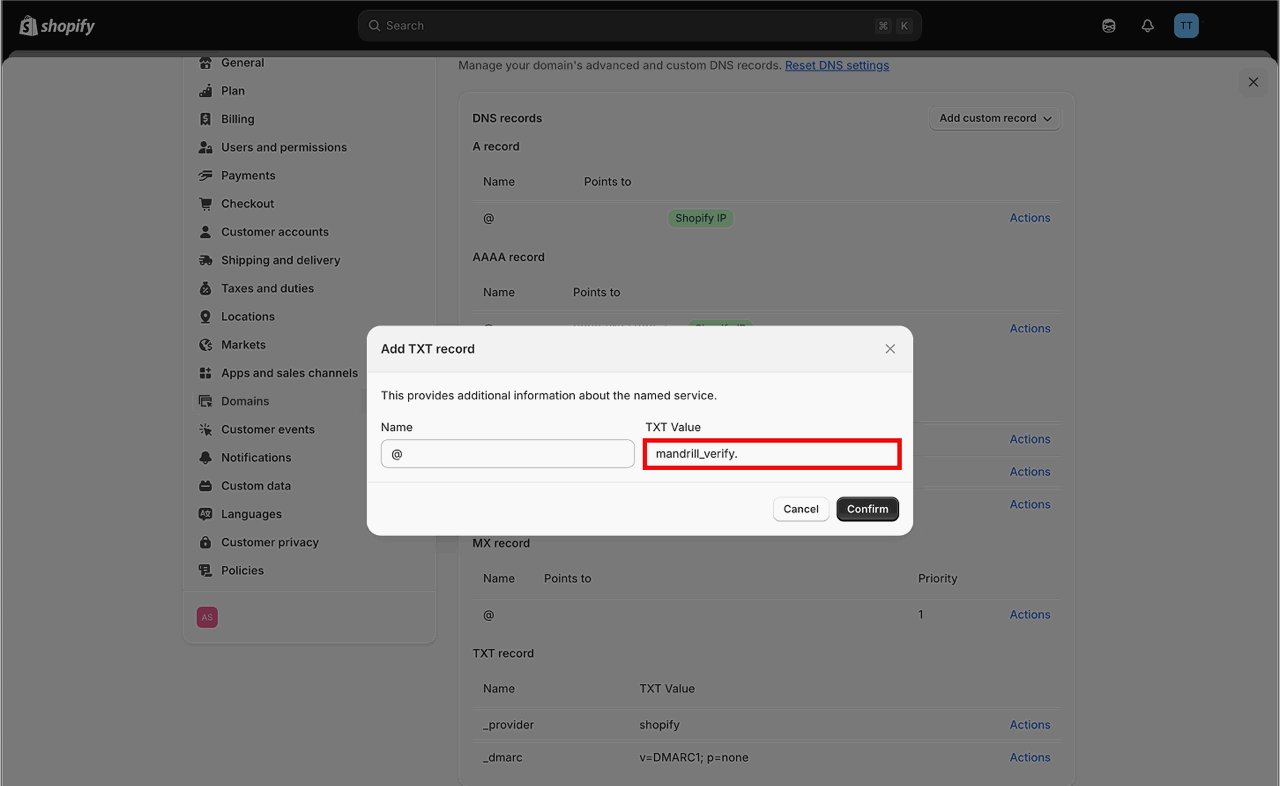
Next, copy the corresponding entry under Value from Getsitecontrol and paste it into the TXT Value field in Shopify. Click Confirm.
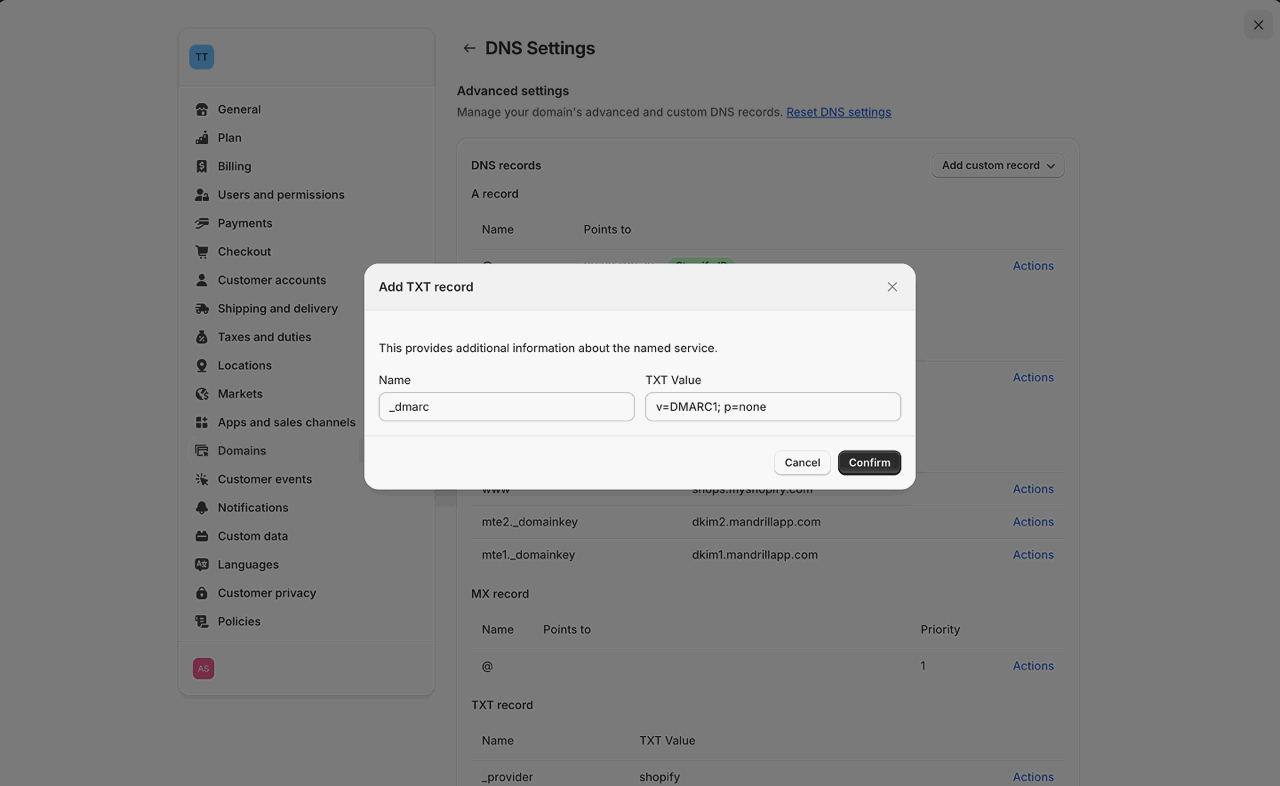
Add a TXT record for DMARC setup
Click Add custom record and select TXT record. Enter _dmarc in the Name field. Copy the entry under Value from the DMARC section in your Getsitecontrol DNS settings, and paste it into the TXT Value field. Click Confirm.
Verify the records
Allow a few minutes for the changes to take effect. Then, go back to the DNS records window in Getsitecontrol and click Verify records. The verification process can take up to 48 hours. Read the main guide on custom domain settings to learn how to send emails from your verified domain.