Create popup message for free
Pick a template and add a popup to your website.
 8 min read
Of all website engagement tools, popup messages remain one of the most efficient ways to ensure visitors see your offer, announcement, or update. Unlike banners or inline announcements that can be missed, a well-timed popup puts the message directly in front of the visitor — at the right moment.
The numbers back this up: popups engage over 10% of mobile visitors and 7% of desktop visitors, on average — significantly higher than embedded banners and forms. That means roughly 1 in 10 mobile visitors will interact with your popup by clicking through or taking action.
You can add a popup message to your website using Getsitecontrol — email marketing tool with customizable popup templates. Getsitecontrol offers a free plan and requires no coding — so you can publish a popup message quickly and at no cost. It works for capturing email signups, recovering abandoned carts, promoting sales, and notifying visitors about important updates.
Email capture popups help you grow your list, typically offering a discount, free shipping, or exclusive access to limited-time deals in return for a subscription. These messages work because they focus on a low-commitment action: instead of asking visitors to buy immediately, they incentivize them to join the email list and stay in touch.
Show this popup after visitors have spent 5-10 seconds on the website or scrolled 25-30% of the page. This timing indicates engagement without interrupting their first impression. On product and cart pages where visitors have shown purchase intent, exit-intent timing works well, offering one last incentive before they leave. The best approach for this popup is to display it once per visitor, then suppress it for at least 3 days.
Promotional popup messages help highlight ongoing sales, announce new collections, and offer discounts. They can guide visitors toward the sale page or deliver a coupon code visitors can copy to the clipboard. Most websites use promotional popups to drive awareness of time-sensitive offers and help visitors discover relevant products.
Optimal timing for promo popups depends on the message type. For limited-time offers, welcome promos, or ongoing sales, show the popup within 3-7 seconds of arrival. Popups promoting specific products or collections work better on related category or product pages. To prevent shopping cart abandonment, display the offer on the cart page using an exit-intent popup. Display this popup once per visit during the promotion period — for ongoing promotions, limit to once every 2 days.
Informational popup messages notify visitors about service updates, shipping delays, policy changes, or other important details that affect their experience. Unlike promotional popups, these messages don’t sell anything — they help set expectations and reduce confusion.
Informational notices work best when shown immediately or with a minimal 2-3 second delay on the landing page. Visitors need this context before they start browsing, not after expectations have already formed. Use scheduling to display these popups while the update is relevant: during peak seasons, temporary disruptions, or policy changes. It’s also typical for informational messages to appear repeatedly for returning visitors because they provide utility rather than ask for action.
| Goal | Message type | Best timing |
|---|---|---|
| Grow email list | Email capture | After 5-10 seconds or on exit |
| Announce new arrivals | Promo announcement | After 3-5 seconds on website |
| Reduce abandonment | Last-minute coupon | Exit intent on cart page |
| Build urgency | Promo with a countdown | After 3-5 seconds on website |
| Inform about low stock | Scarcity notification | At once on relevant pages |
| Manage buyer expectations | Informational notice | After 2-3 seconds sitewide |
| Promote a product | Product-specific promo | After 5 seconds on collection page |
Clear numbers and concrete outcomes help visitors quickly understand the value. Compare “20% off” to “Save big,” or “Free shipping on orders over $50'” to “Great deals inside.” Specific thresholds tell visitors exactly what to expect.
Popup messages feel less intrusive when they read like helpful suggestions rather than marketing slogans. Writing CTAs in the visitor’s voice (“Yes, send me the deal”) often feels more natural than formal commands.
Easy message dismissal keeps visitors from feeling trapped— whether you’re inviting them to join your email list or visit a sale page. Neutral opt-out button options like “Maybe later” or “Not interested” maintain goodwill, while manipulative phrasing like “No, I hate saving money” may frustrate some visitors.
Images work when they clarify the offer without affecting visitor experience. For example, it’s a good idea to show the product on a sale promo popup or illustrate shipping delays on a map if it’s relevant. On mobile, clear text often performs just as well while loading faster and taking less screen space.
For email opt-in forms, ask for just an email address because additional fields are likely to decrease conversion rates. Collect details, such as name, via non-mandatory fields and prioritize gathering more helpful data, such as newsletter preferences, instead.
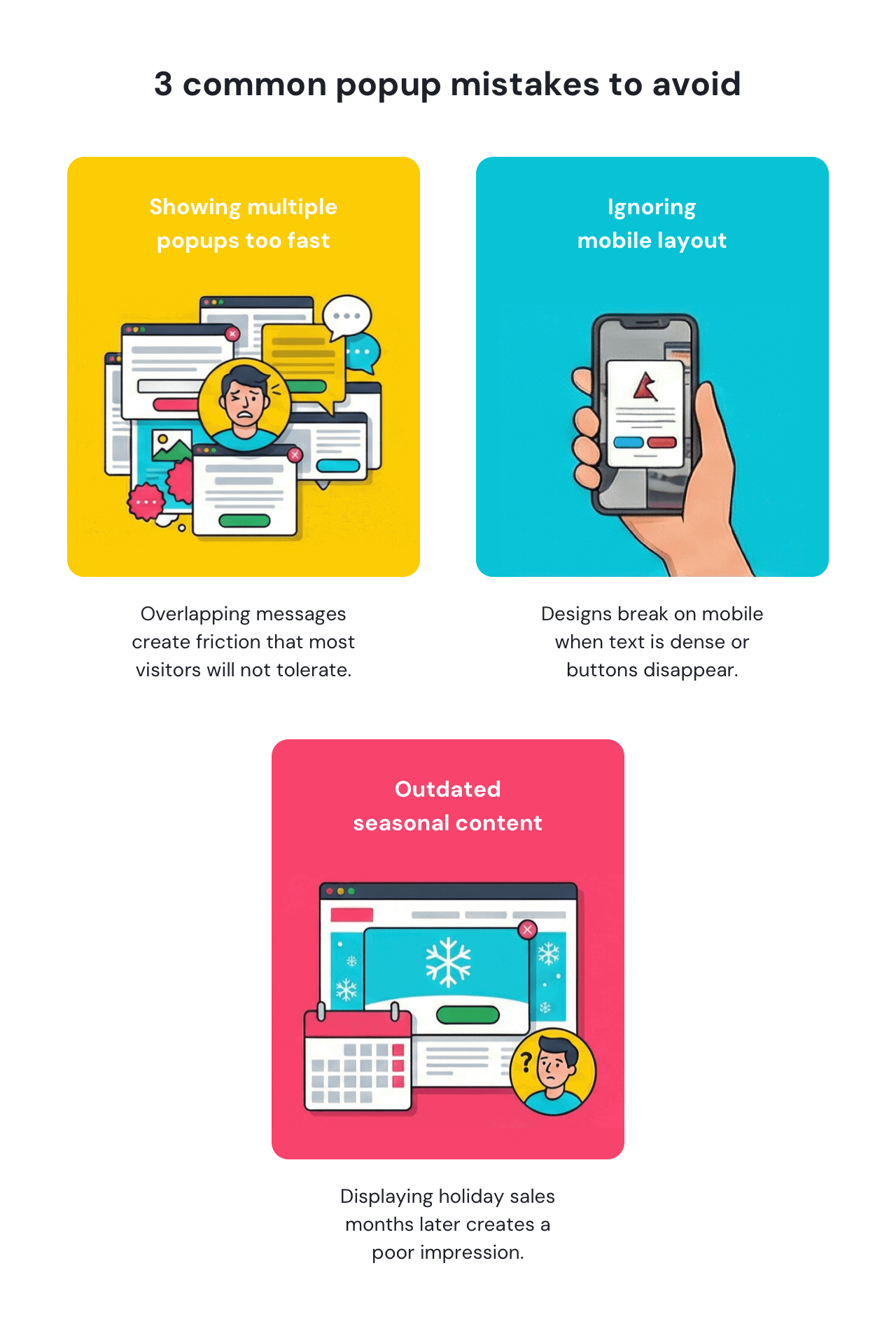
Overlapping popups on the same visit create friction that most visitors won't tolerate. If you're running email capture and promotional popups simultaneously, use targeting rules to ensure they appear with a sufficient time gap. Consider targeting first-time visitors and returning visitors with different offers and set priorities to prevent popup fatigue.
Popups designed for desktop often break on mobile when text becomes too dense, or buttons fall below the fold. With Getsitecontrol, you can preview every pop-up message on mobile device screens before publishing to ensure they look consistent. As an alternative solution, you can fine-tune your popups specifically for mobile, keeping shorter text and hiding the image.
Seeing a “Holiday Sale” popup in March can produce a wrong impression on your website visitors. Take advantage of the scheduling features and set end dates when creating time-sensitive campaigns, instead of relying on your memory and deactivating them manually. Review evergreen popups quarterly to keep offers fresh and relevant.
Popup messages can deliver excellent results when timing, message type, and visitor intent align. Getsitecontrol lets you create popup messages using ready-made templates designed for the use cases covered in this guide: email capture, promotions, announcements, and more. You can control when and where messages appear using behavior-based targeting, such as time on page, scroll depth, exit intent, and visitor type.
Getsitecontrol comes with a free plan that includes unlimited popups and up to 10,000 monthly views — enough to test different messages, refine your timing, and start seeing results. Create an account and test it on your website.
A popup message is an on-site message that appears over or alongside page content to communicate an offer, announcement, or update to visitors. Common types include email capture popups, promotional popups for sales or new arrivals, informational notices, exit-intent offers, and scarcity or urgency messages. Each type works best when matched to visitor intent and page context.
Popup messages are not inherently bad for user experience. When they lead with clear benefits, appear at the right moment, and are easy to dismiss, they can reduce friction by surfacing useful information. Poorly timed, poorly designed, or repetitive popups are what tend to create negative experiences.
Yes, popup messages perform well on mobile devices and consistently show high engagement rates. The key is to ensure that a popup adapts well to smaller screens. Mobile popups tend to perform better when they have simple designs with minimal text and easy-to-tap buttons.
Timing depends on the popup type and goal. Email capture popups tend to work best after 5-10 seconds or 25-30% scroll depth. Promotional popups can appear within 3-7 seconds on the homepage or landing page. Informational notices should appear immediately or within 2-3 seconds to set expectations early. Exit-intent popups, by definition, appear when visitor's mouse movements indicate an intent to leave the page.
Frequency depends on the popup type and value it provides. Email capture popups should appear once per visitor, then suppress for at least 7 days if they don't convert. Promotional popups can appear once per campaign or every 3-5 days for ongoing promos. Informational notices can appear more frequently, depending on the notice type, since they provide utility rather than ask for action.
Welcome popups are a type of email capture or promotional popup that typically introduces an incentive, such as a discount or early access, in exchange for subscribing or exploring further. Welcome popups are designed with the key objective of converting first-time visitors into subscribers or customers with a generous welcome offer.
Good popup message design prioritizes clarity and relevance. Lead with the benefit rather than the brand, use specific language over vague promises, keep the tone conversational, and make dismissal easy. Most effective popups focus on one clear message with minimal friction, that’s especially important on mobile devices where space is limited.
Popups that obscure entire pages make it hard for Google to understand your content, which can lead to poor search performance. Google specifically warns against intrusive interstitials — popups that cover the main page content immediately when users arrive from search results. However, popups that appear after user engagement (scrolling or time spent) don't obstruct Google's crawling. For best results, use smaller popups instead of full-page overlays, and delay their appearance.
No website benefits from multiple popup messages appearing one after another. Even when popups convert well, they interrupt browsing, and multiple interruptions can quickly frustrate visitors. Limit your website to 2-3 popups maximum, and ensure they appear with noticeable time gaps between each other. For example: an email capture popup a few seconds after arrival, a promotional popup only on specific product pages, and an informational notice only during peak seasons. Use targeting rules to prevent overlap: if someone has already interacted with a popup, suppress it for at least 24 hours.
Nina De la Cruz is a content strategist at Getsitecontrol. She is passionate about helping small and medium ecommerce brands achieve sustainable growth through email marketing.
You’re reading Getsitecontrol usecase collection where we talk about the best practices for using website popups. This usecase is a part of Show notifications section.
Create popups for free
Email forms, promos, coupons, surveys, bounce-stoppers.
Get started, it’s free → 5 min readYes or No popups have become a popular way to grow email lists without overwhelming visitors.
Instead of immediately asking for an email, this approach first presents a simple question — like whether they’d like to receive an incentive or join your list. Only those who click 'Yes' will see the signup form, ensuring a more engaged and high-intent audience.
6 min readMost visitors – especially new visitors – will leave your website without converting. That’s the reality.
Sometimes, it’s because your content doesn’t meet their expectations. Other times, it’s just how people surf the Internet.
Either way, having people leave in large numbers is pretty annoying, especially when you spend ad money to drive them to your website in the first place.
One tool you can try to reduce those numbers is website exit popups 👇
7 min readAs a website owner, you need a simple way to publish sitewide updates — and know visitors will actually see them. Announcement bars solve this problem by staying visible at the top or bottom of the page as people browse, without interrupting the experience.
Sticky bars help visitors immediately see discount codes, sale announcements, shipping thresholds, and service updates without searching or contacting support. This format works particularly well on mobile, where screen space is limited.
Subscribe to get updates
Get beginner-friendly tips for growing your online business.