Build your fall email campaign
Start with an editable email template, add your seasonal message and products, and prepare broadcasts or automated follow-ups.

A useful fall newsletter gives customers a reason to revisit your store: a collection for changing weather, a returning seasonal favorite, something for a Halloween gathering, or help choosing an early holiday gift. Autumn colors can support that message, but they cannot replace it.
Below are nine fall newsletter ideas for ecommerce, with real brand examples, editable Getsitecontrol templates, and subject lines you can adapt. The Halloween section covers both a product-led campaign and a coupon offer. Choose the occasions that fit your products and customers; you do not need a separate email for every date on the calendar.
Table of contents
Start with what changes in your store, then connect it to the season. A restock has a different message from a launch, and a useful Halloween product selection has a different destination from a general sale. Planning around those differences helps you avoid sending several versions of the same “fall is here” email.
The calendar below assumes a Northern Hemisphere autumn. Back-to-school timing and Thanksgiving vary by market, so use your customers’ location and local buying window rather than copying a single global schedule. If you sell internationally, a product-led message such as “new lightweight layers” may travel better than a weather assumption.
| Campaign window | Useful newsletter angle | Check before scheduling |
|---|---|---|
| Late summer and September | School routines, transitional products, new collections | Local school dates and when the products become available |
| September and October | Seasonal flavors, home updates, returning favorites | Availability and a genuine seasonal use |
| Before Halloween | Party supplies, themed products, costumes, or a relevant offer | The order deadline for delivery before the occasion |
| Your market’s Thanksgiving period | Customer appreciation, hosting ideas, or community stories | Whether the occasion is relevant to the recipient |
| Late fall | Gift selections and preparation for holiday promotions | Overlap with Black Friday and existing automated emails |
The ideas below are alternatives to choose from, not nine messages everyone should receive. Give each selected campaign a specific purpose and one main destination, then leave room to adjust when stock or delivery conditions change.
Quince’s example opens with a seasonal campaign photograph and follows it with a selection of clothing. The photograph establishes the look; the supporting products help the reader move from that look to something they might buy. This structure suits a collection with several categories because it gives both a broad introduction and more specific entry points.
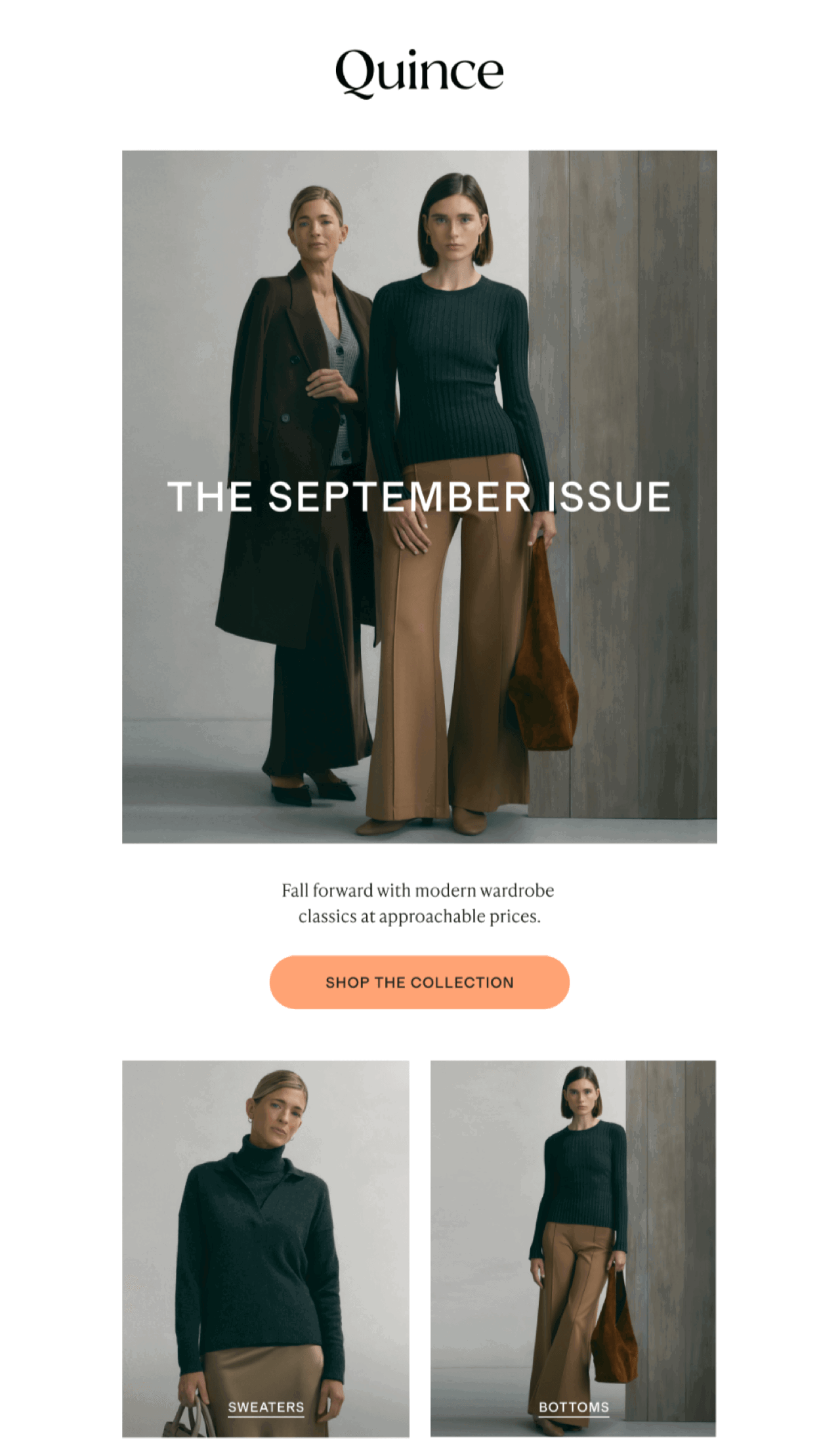
Choose one useful way to organize the collection: layers for changing temperatures, pieces for work, or outfits for weekends. Sending every image to the homepage makes readers repeat the browsing work. Link a category image to that category and keep the main button for the complete collection.
For Shopify stores, the template below provides a product-led starting point with a Newest feed. It can populate product cards from recently added inventory, but “recently added” is not automatically “part of the fall collection.” Check the resulting selection, and use a specific collection source when that is the more accurate match.
The public preview uses store and product placeholders. Configure the template with your connected store before evaluating its real selection. If you need a more editorial layout, our new arrival email examples explain how to combine campaign photography, product grids, and individual product details.
You do not need a new collection to write a useful autumn email. Start with a change in the customer’s routine: cooking more meals at home, dressing for a cooler commute, or preparing a room for guests. Then show how a product fits that moment. This gives familiar inventory a relevant story without pretending it has just launched.
Public Goods makes the connection through soup. Its email leads with the product and a simple seasonal message, rather than surrounding a general promotion with unrelated autumn decorations. The food photograph communicates the use immediately; the text can concentrate on the range and the next step.
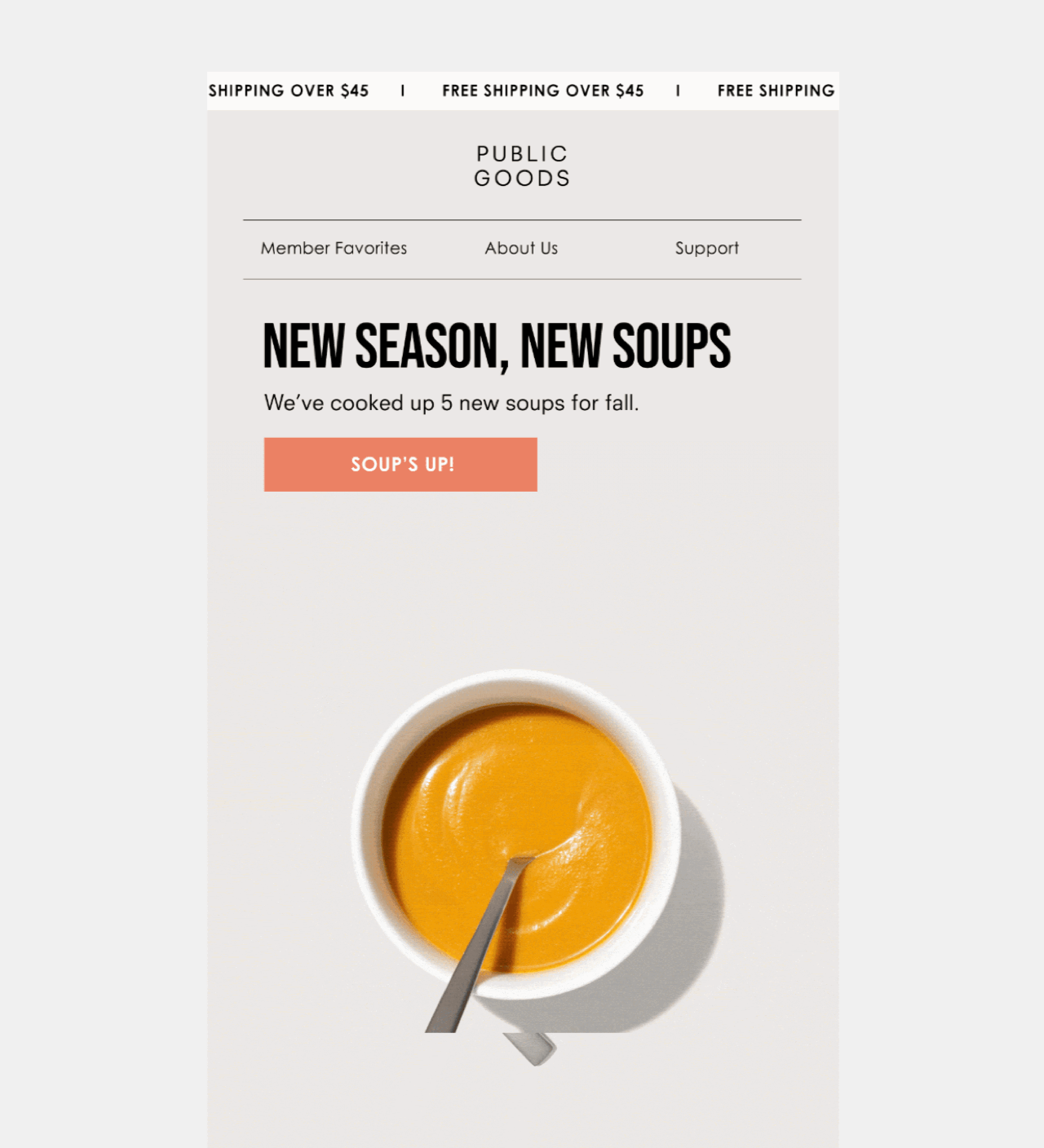
For home fragrance, explain the scent rather than relying on “cozy.” For clothing, name the material or layering use. For food, mention the flavor or serving occasion. A reader should understand why this selection belongs in a fall newsletter even if you remove the leaves, pumpkins, and brown background.
Seasonal styling and seasonal relevance are different things. Keep the product benefit specific enough that the email still makes sense without its autumn artwork.
A restock message works best when it identifies what has returned and helps the reader check the available options. Name the item, show a recognizable photograph, and link to its current sizes, colors, or quantities. Avoid calling a product a customer favorite solely because it appeared in last year’s collection.
The Back in stock template gives you a concise announcement layout with a separate banner. Adapt its headline to the returning item and use the banner for a helpful detail, such as a newly available size range or the collection it belongs to. That detail should support the restock rather than introduce an unrelated sale.
This is an editable message design, not proof that a restock notification is automatically triggered. Check how your recipient list and sending workflow are set up. Where you have an appropriate audience of people who requested an update, make the message specific to that request; otherwise present it as a broader seasonal announcement. See our back-in-stock email guide for more examples.
Back-to-school does not have to mean stationery, but it does need a credible connection to the reader. A footwear store might help a parent choose comfortable shoes for the school run. A food brand could assemble lunchbox snacks. A home store could focus on a small study area rather than label its entire catalog “school essentials.”
Keep the audience consistent within the email. A message for teachers, a parent’s checklist, and a student’s first-apartment selection answer different needs. If you have reliable audience information, use it to select the relevant message; if you do not, make the intended reader clear in the headline instead of implying that you know their household.
Use a compact product selection and a destination that preserves the idea, such as a school-day collection. Include price, size, or practical specifications when they help the decision. A seasonal headline alone does not explain why those products belong together.
Halloween email ideas are strongest when the holiday changes what the customer can do with your products. Nuts.com turns snacks into a party-board idea: the colorful assortment and pumpkin decoration show a use for the products, while the playful headline supports the same theme. The reader gets an occasion to shop rather than just a seasonal greeting.
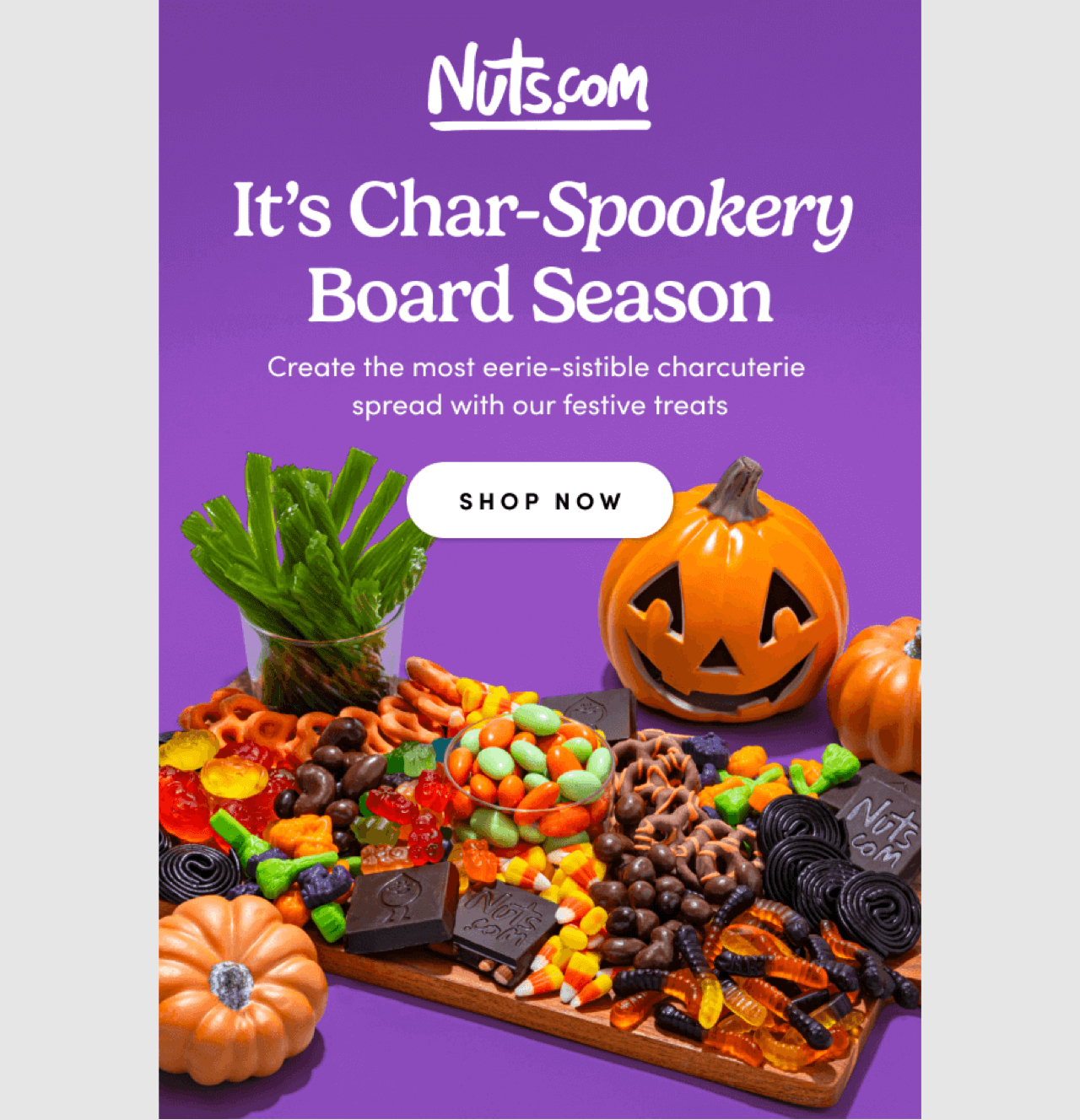
You can use this approach for party food, a makeup look, a table setting, or a costume assembled from separate pieces. Show the finished result, then make the relevant products easy to find. If the photograph contains props you do not sell, avoid making the button sound like the customer can buy the complete scene.
For a makeup look or party-table transformation, show the same subject before and after styling. A before-and-after GIF maker can reveal the two photographs in one frame. Match the angle and lighting, and label the change so readers can see what the featured products contribute.
Traeger takes another route: its hot sauces already provide a strong flavor-led product story, and the dark artwork and Halloween wording extend it. The products remain the subject of the email. That is the useful lesson for a brand whose everyday identity is less playful: introduce the holiday through a relevant product detail rather than redesigning the whole brand around it.
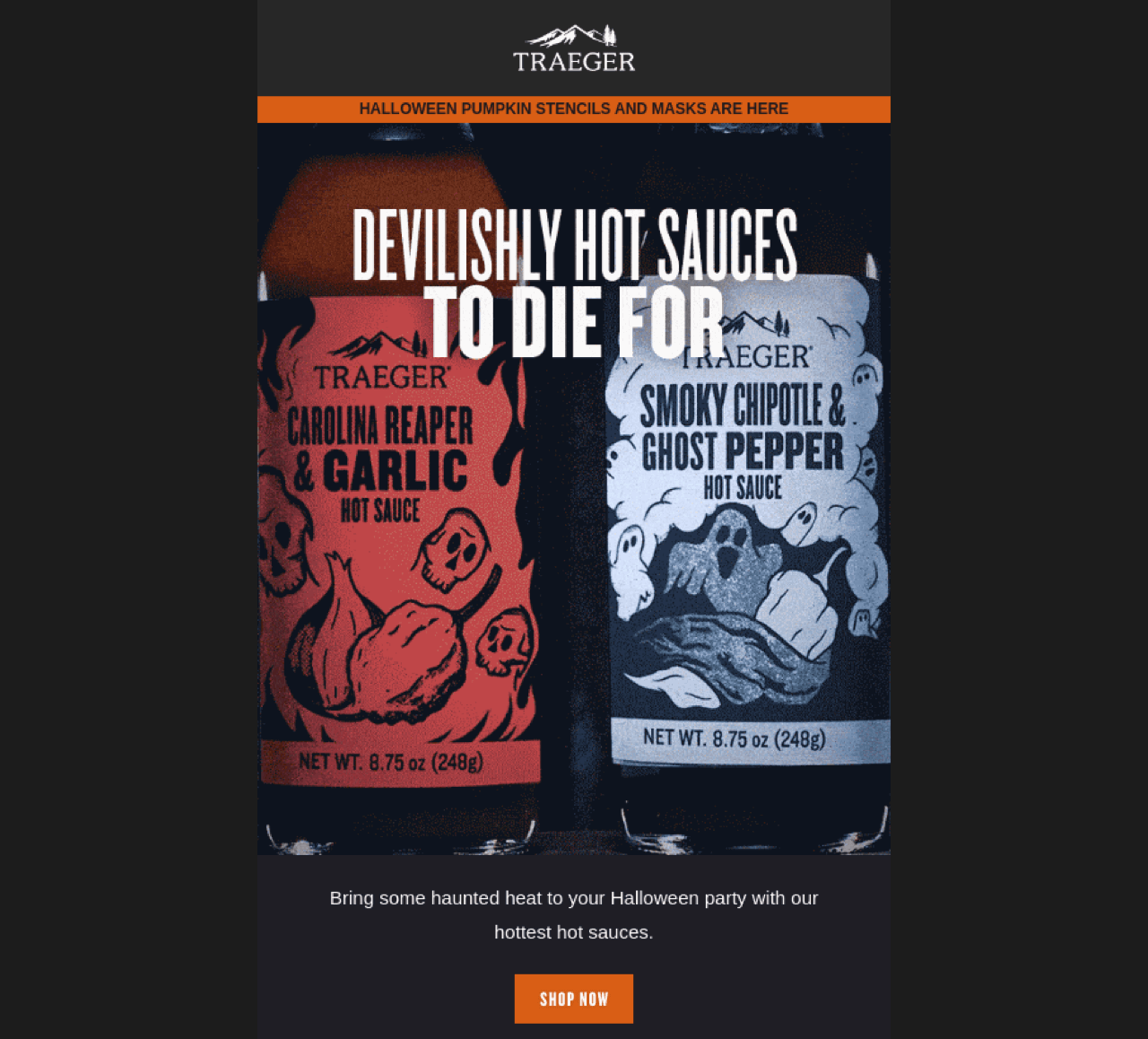
If you add animation, give it a job. A short sequence could show steps in a party setup or alternative looks using the same products. Use TweenFrame’s GIF slideshow maker to assemble consistent photographs, and keep the offer and main button outside the moving image. The first frame should still communicate the idea when animation is unavailable.
A costume or party supply ordered after its useful arrival date solves the wrong problem. Work backward from your actual delivery options and processing time, and make any regional restrictions clear. When delivery before the occasion is no longer realistic, change the message to a genuinely available alternative rather than continuing to promote the same deadline.
A coupon-led email suits a short, clearly defined Halloween offer. Put the eligible range and discount in the headline or opening paragraph, give the code its own space, and send readers to the right collection. The visual theme can be playful, but the conditions should remain easy to read.
The coupon-and-banner template below is a general-purpose layout you can adapt for Halloween. It separates the code from the surrounding message, which makes it a better starting point than placing the offer inside an image. Replace the sample copy and colors, set up the actual discount, and check the shopping destination.
In the editor, a Coupon object presents the code; it does not make an undefined promotion valid. For Shopify stores, choose the appropriate shared or single-use discount configuration and check eligible products, minimum spend, and expiry. For other stores, use the code you have configured in your commerce platform. Do not describe a discount as storewide if the linked Halloween collection is the only eligible range.
Keep playful Halloween wording in the headline and imagery. Use ordinary language for the discount, product exclusions, delivery conditions, and closing time so readers do not have to interpret a joke to understand the offer.
An autumn sale can help customers revisit a seasonal selection, but it should have a reason beyond filling the gap before Black Friday. You might be closing a specific offer or discounting a defined range. Tell readers what is ending, what remains available, and when the terms change.
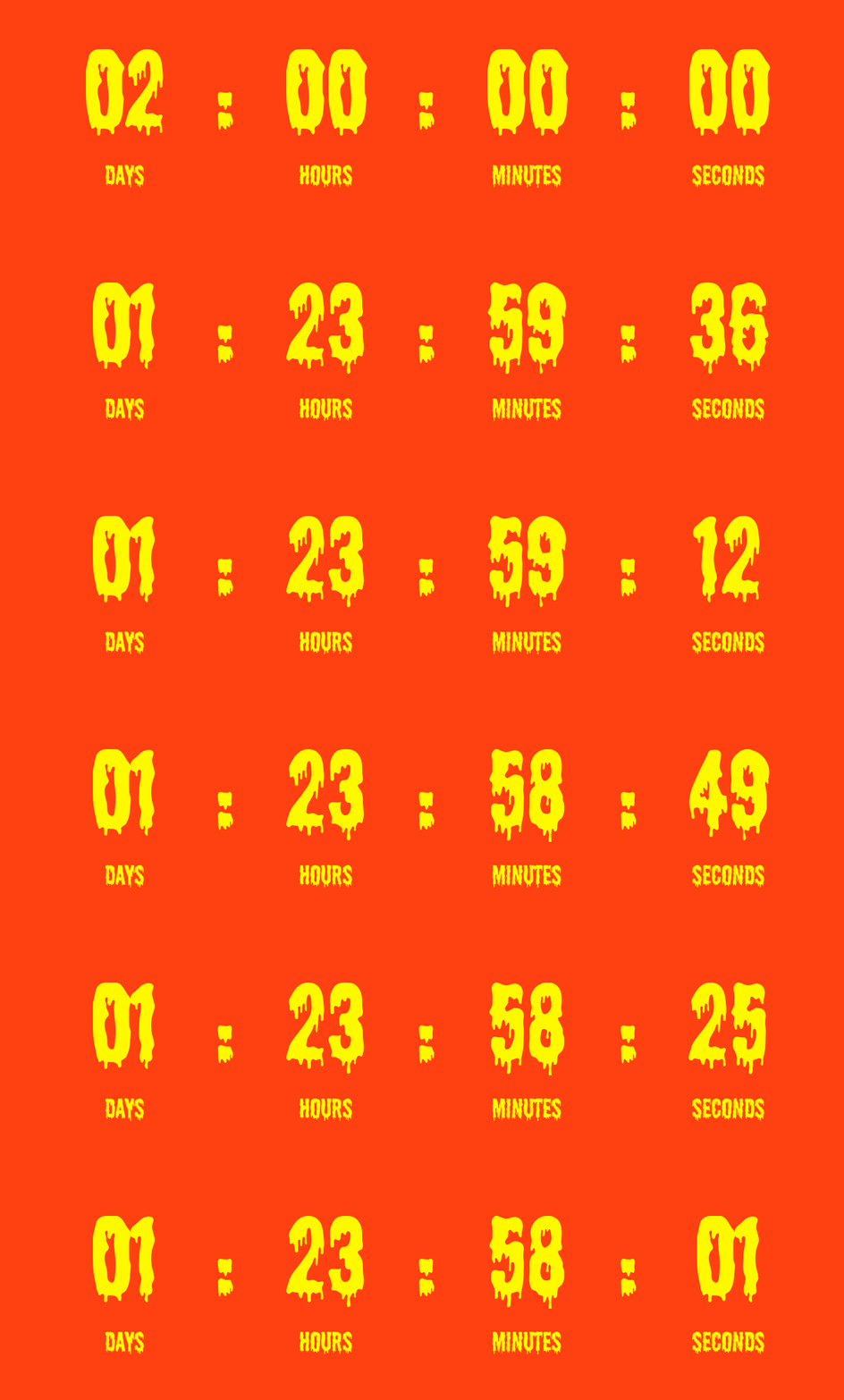
A final-day announcement with a countdown is useful when all recipients share the same cutoff. Keep the closing date and time zone in readable text, and match the countdown to the actual promotion. The timer communicates urgency; it does not enforce a coupon’s expiry or change product prices.
For a Halloween reveal or an animated sale teaser, you can design the clock with TweenFrame’s countdown GIF generator, matching the colors and lettering to the seasonal artwork. The duration guide covers choosing the animation’s length. Treat the exported GIF as a prepared visual sequence; the real closing time still needs a live countdown or explicit date in the email.
Keep Black Friday planning separate from this seasonal message. Our Black Friday email templates cover early access, launch, product selections, and closing reminders; there is no need to send all of those messages simply because the calendar reaches November.
A Thanksgiving newsletter can acknowledge customers without turning the greeting into a disguised discount pitch. Adùn’s example centers on its community and food, giving the appreciation a visible subject. Customer photographs make the message about shared experiences rather than a generic statement that the brand is grateful.
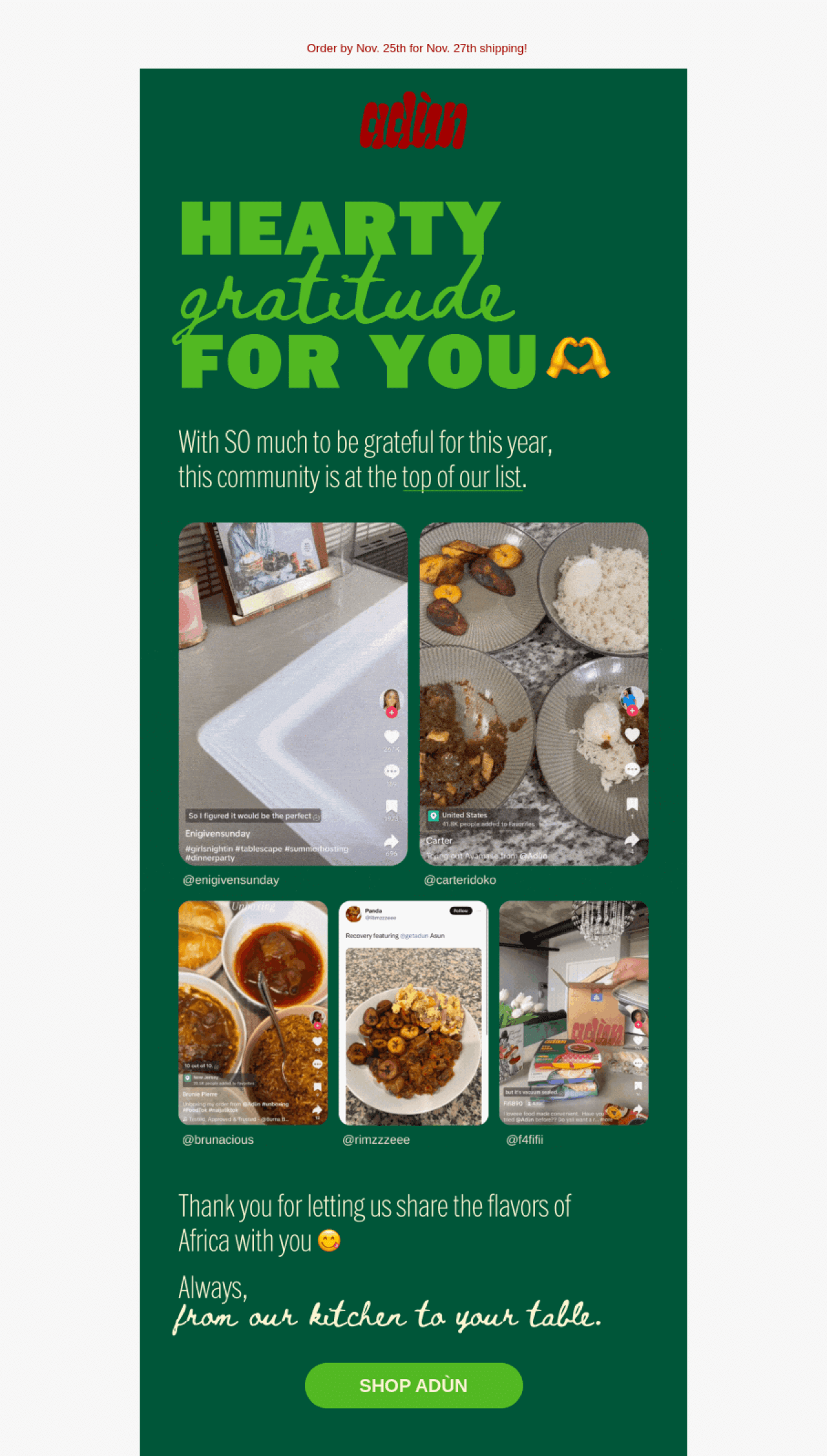
Choose something concrete to thank people for: supporting a new range, sharing how they use a product, or contributing feedback that led to a change. Use customer content with permission and explain the connection. A short, sincere account of what their support made possible can carry the email without a promotional timer.
Thanksgiving timing and familiarity differ by market. Match the message to the audience, and avoid presenting one country’s holiday as a universal occasion. If you also have a sale to announce, consider whether it deserves a separate message with a clear offer instead of competing with the thank-you.
Late fall is a useful point to introduce gift selections, especially for products that need consideration, personalization, or delivery time. Organize the guide around a decision the buyer can make: a recipient’s interests, a budget, or a specific routine. “Gifts for skincare enthusiasts” gives someone a clearer starting point than “something for everyone.”
Heyday uses skincare interests to organize its gift ideas. The product selection and recipient description work together, helping a buyer recognize a type of person rather than understand an entire product catalog first. You can apply the same principle to cooking, reading, travel, or another interest connected to your inventory.
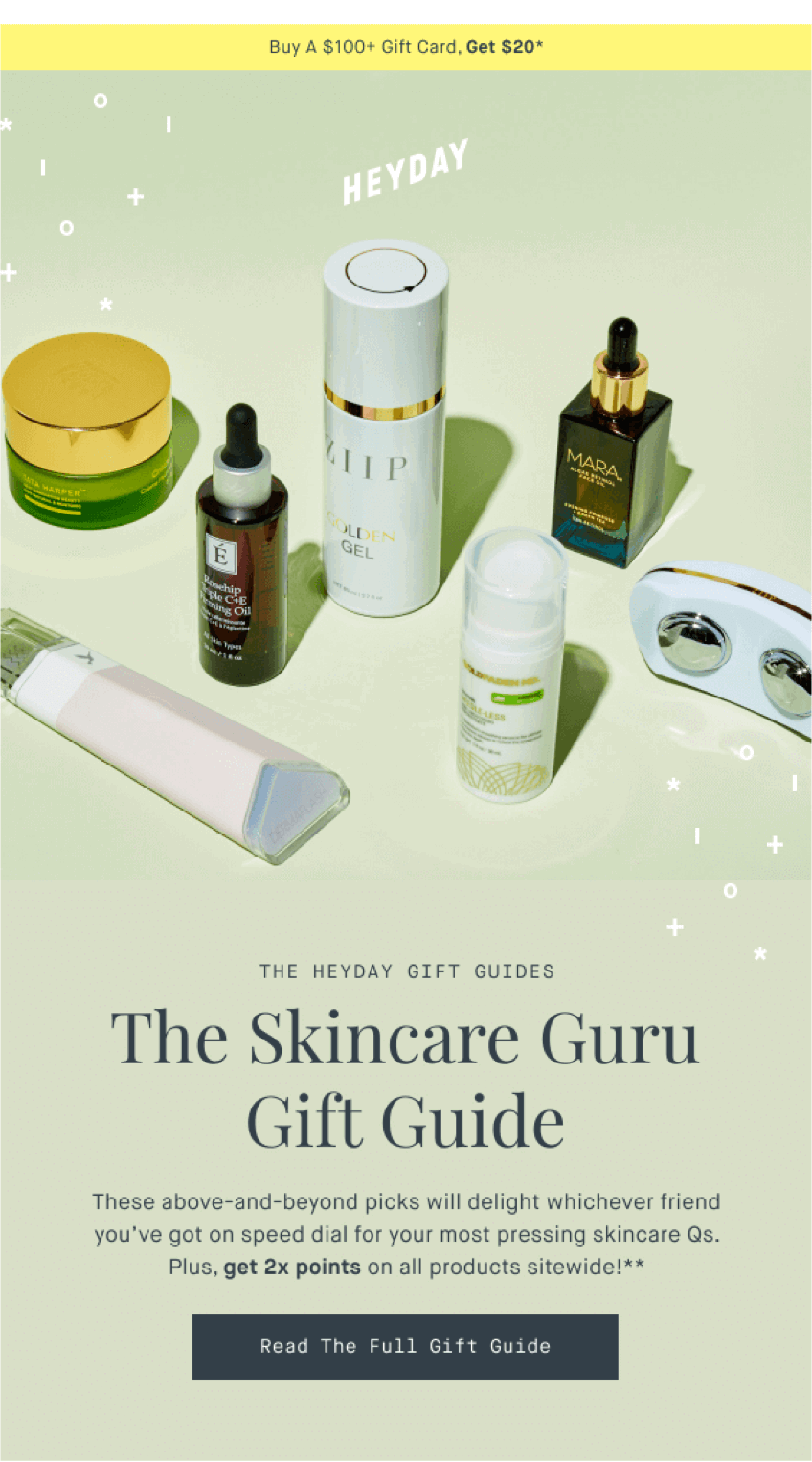
Link each selection to a useful destination and make any price bands accurate. If a guide says “under $50,” do not fill it with products that qualify only after an unexplained discount. Keep the fall email focused on the first useful choices; our gift guide email examples cover more detailed formats and follow-up ideas.
Name the change or occasion before adding seasonal wordplay. A product-led subject can work across the whole autumn; a Halloween line should lead to Halloween content. The examples below are starting points, so replace any discount or deadline with the terms your store actually offers.
These examples provide the text around your product photographs or selection. The offer and code are illustrative. Keep the copy, discount settings, and destination consistent when adapting them, and replace the sign-off with your own name or team.
New layers for cooler mornings
PreviewMeet the first pieces in our fall collection.
Our fall collection is here, starting with lightweight knits and easy layers for days when the temperature keeps changing.
Explore the new pieces by category, or choose a favorite to see its colors, sizes, and fabric details. We have kept the selection focused so you can find the right starting point.
Need help choosing a layer for your usual routine? Reply and tell us what you are looking for.
Explore the fall collection Here to help you find your next favorite,
Your store’s team
A little treat: 15% off our Halloween collection
PreviewA code for your party picks, through October 25.
Planning a Halloween gathering? Our party collection brings the decorations and table details together in one place.
Use the code below for 15% off eligible items through October 25 at 11:59 PM ET. Check the delivery estimate for your address before ordering for the occasion.
Choose your favorites from the collection, and reply if you need help matching the pieces.
Shop the Halloween collection Wishing you a good gathering,
Your store’s customer care team
Choose a template with a layout that fits your message. A new-items template can support a collection announcement; a back-in-stock banner can introduce a returning favorite; a coupon layout can carry a Halloween offer. The surrounding text and product source must still match the campaign you are sending.
For Shopify stores, distinguish the product feeds carefully. Newest means recently added inventory, Bestsellers refers to sales volume, and On sale uses products with a compare-at price. None of those automatically identifies your autumn assortment. Use a specific collection when the campaign depends on a curated seasonal range, and inspect the actual items before sending.
Use one strong photograph or a small, deliberate selection. Product cards need readable names and prices, and image proportions should suit the merchandise: wider views for footwear or table settings, portrait views for clothing where the full shape matters. A consistent layout should not force important details out of the crop.
Keep the main offer and button outside decorative artwork. Test the first frame of animations, and check the email on a phone. You can use the email editor guide to review product cards, slideshows, coupons, and countdown settings before building a more elaborate layout.
A seasonal newsletter is usually a planned broadcast; an event-driven message belongs in an appropriate automation. Selecting a seasonal design does not create a new trigger or identify people interested in the holiday. Use available contact data and audience conditions deliberately, and avoid treating every subscriber as a parent, Halloween shopper, or local Thanksgiving celebrant.
Review overlap with welcome emails, checkout recovery, and other campaigns before scheduling. Give each message new information and a clear purpose. When a campaign ends, check any delayed messages that might still refer to its offer. A lighter calendar with relevant selections is preferable to inventing reasons to email every few days.
Choose a relevant change or buying occasion: a seasonal collection, a returning product, a practical routine, Halloween preparation, customer appreciation, or early gift shopping. Explain the product connection and link to the selection or information the reader needs next.
Consider transitional products, the first fall collection, or back-to-school routines that fit your audience. Check local school timing and availability rather than assuming the same calendar applies to every subscriber.
Seasonal flavors, home updates, returning favorites, and Halloween preparations can all fit October. For products needed by Halloween, plan around realistic order and delivery deadlines rather than the holiday date alone.
Show a useful product application, such as a party snack board, makeup look, or table setting. Make the finished result clear and link to the relevant products. A helpful idea can provide the reason to shop without a coupon.
Choose among customer appreciation, gift selection, and relevant sale announcements. Keep detailed Black Friday promotions distinct from a general fall newsletter, and use the Thanksgiving calendar appropriate to the recipient’s market.
Base the schedule on meaningful updates, subscriber expectations, and the other messages recipients receive. There is no universal weekly count. Watch engagement, clicks, and unsubscribes, and remove repetitive campaigns rather than filling every seasonal date.
Jack Hayes covers onsite marketing, email campaigns, and ecommerce growth at Getsitecontrol. His guides connect popups, personalization, and automated emails into practical strategies for turning visitors into subscribers and customers into repeat buyers.
You’re reading Getsitecontrol blog where marketing experts share proven tactics to grow your online business. This article is a part of Email marketing section.
Try email marketing, free
Grow your list with free popups, send 2,000 emails for free.
Get started →Subscribe to get updates
Get beginner-friendly tips for growing your online business.