Create a discount popup for free
Pick a template, customize your offer,
 7 min read
Discount popups come in many forms — welcome coupons for new visitors, limited-time promotions, or exit offers that appear when a shopper is about to leave. Depending on how they’re used, they can help capture email subscribers, increase order value, or help recover abandoned carts.
The key is to display discount popups based on visitor behavior — for example, after someone browses a product page. When timed this way, popups typically generate click-through rates of 3–8%, meaning about 3 to 8 out of 100 visitors engage with the offer.
You can create a discount popup for free using Getsitecontrol, an email marketing platform with a popup builder. Choose a template, customize the design to match your brand, adjust the discount value, and control when the popup appears. No coding or technical skill required, and it works across all major website platforms.
Welcome discount popups typically offer 10–20% off a purchase or a free shipping coupon, often in exchange for an email signup. This common tactic helps convert first-time visitors into buyers or email subscribers. Most brands delay these popups 5-10 seconds after page load, giving shoppers time to look around before presenting the offer.
Seasonal promo popups highlight discounts tied to specific holidays or events. For example, Black Friday campaigns often emphasize urgency, while promotions around holidays like Valentine’s Day focus on gifting. Common examples are BOGO discounts, free shipping coupons, and collection sales. Most stores launch these popups 3–7 days before the event and schedule them to stop displaying as soon as the promotion ends.
Surprise coupon popups introduce a small element of curiosity or chance, making the offer feel more engaging than a standard discount message. Many stores use them to nudge hesitant visitors toward a purchase. Surprise discount code popups typically have a low barrier to action. For example, instead of presenting a form to complete, they use simple mechanics such as click-to-copy coupons, reveal the discount after a button click, or apply it directly to the cart.
Exit-intent discount popups appear when a visitor is about to leave a product page or shopping cart before checkout. They can be placed on selected pages and triggered when the cursor moves toward the close button. Because these popups target visitors who are about to abandon, stores often offer larger discounts — usually 15–25% — to encourage purchase completion. Exit-intent offers emphasize urgency and are shown only once per session and once per visitor to avoid coupon abuse.
I've tried various tools for popups, but my favorite is Getsitecontrol. What I like is the pre-made design templates that save me time. With a well-made popup, I achieve a CTR of over 45%, which for a marketing channel is more than an excellent result.
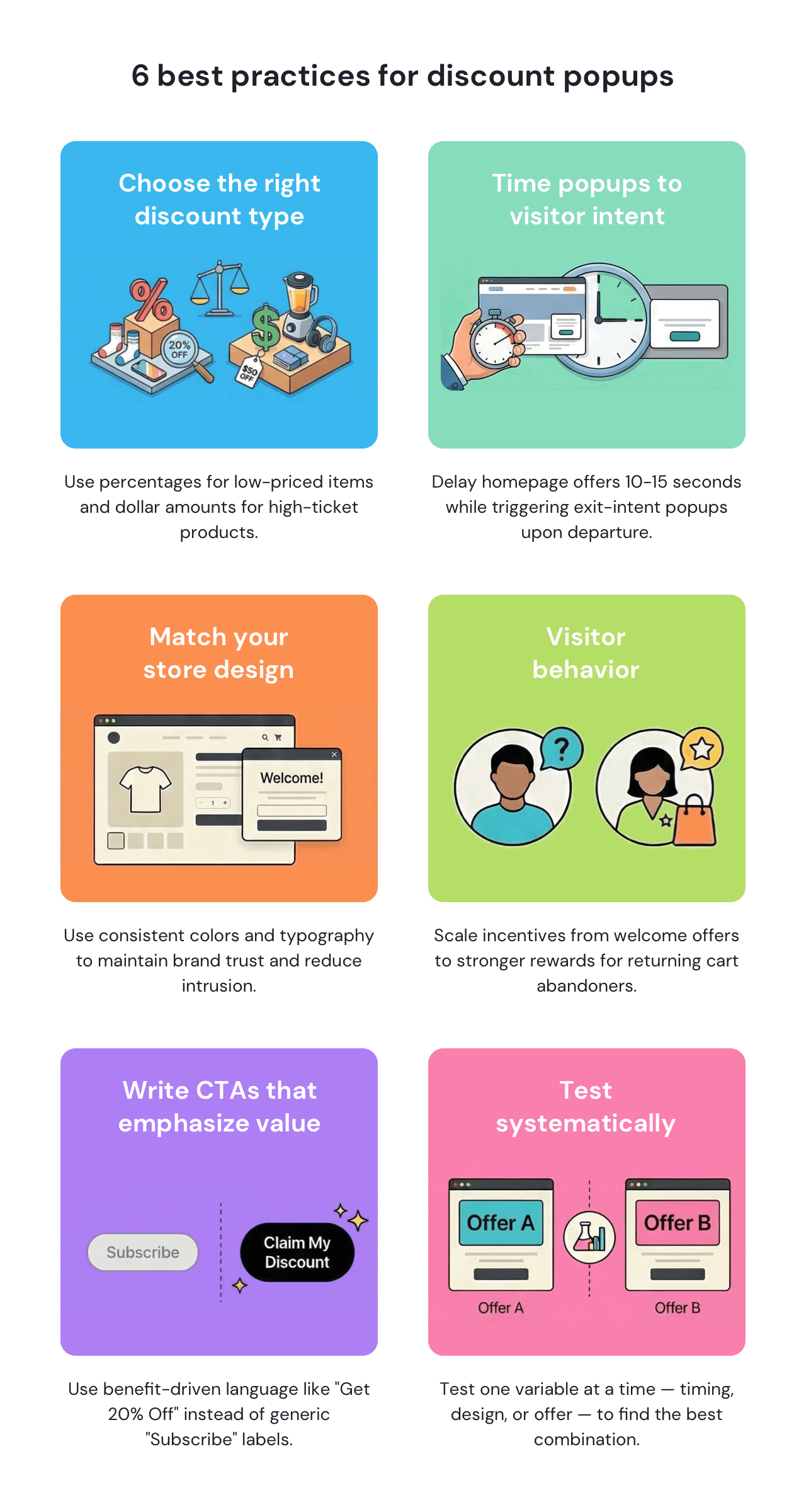
Sales and marketing managerPercentage discounts work best for lower-priced items where the value is immediately clear — for example, 20% off a $50 purchase feels substantial. Dollar discounts tend to perform better for higher-priced products, where percentages may seem too small or cut into margins too deeply. Most ecommerce stores offer 10–15% welcome discounts, reserving 20% or more for seasonal promos and exit-intent scenarios.
In general, pop-up messages perform best when they visually match the rest of the website. Using the same colors, typography, and visual style makes the popup feel like a natural part of the shopping experience rather than an intrusive overlay, which helps maintain trust. Stores that customize popup appearance to match their brand identity see better engagement than those using generic templates.
The most effective CTA buttons use benefit-driven language rather than generic labels. Tests show that specific wording converts better than vague action phrases. For example, “Get 20% Off” typically outperforms “Subscribe” because it clearly highlights what visitors gain.
| Popup type | Headline example | CTA button |
|---|---|---|
| Welcome discount | Get 15% Off Your First Order | Claim My Discount |
| Exit-intent offer | Wait! Don’t Miss 20% Off | Stay & Save |
| Free shipping offer | Use ‘SHIPFREE’ to Get Free Shipping | Copy Coupon |
| Seasonal sale | Black Friday: 30% Off Everything | Shop the Sale |
| Category promo | 20% Off Winter Collection, With Code ‘WIN’ | Browse Collection |
| Cart recovery | Complete Your Order & Save 15% | Apply Discount |
Homepage visitors typically need 7-10 seconds to browse before a popup feels helpful rather than intrusive. On product pages, popups can appear sooner because visitors already show stronger buying intent. Exit-intent popups appear when shoppers are about to leave the website or shopping cart, targeting potential abandoners at the moment of departure. With Getsitecontrol, you can configure these triggers based on timing, scroll depth, or exit intent.
Note that timing often runs longer on mobile. What counts as meaningful engagement on desktop may happen much faster on mobile, so many sites delay mobile popups by an additional 5-10 seconds.
Sites that tailor discount popups based on traffic source, cart value, or browsing behavior typically convert better than those showing the same offer to every visitor. For example, first-time visitors may see a 10% welcome pop-up discount, while returning shoppers leaving items in their cart may receive a stronger offer to encourage completion.
Most stores also limit how often discount popups appear. As a rule, you only want to display them once per session or once every 7–14 days — to avoid encouraging visitors to delay purchases while waiting for a promotion.
The variables that affect conversion rates most are offer size, timing, and design — not small copy changes. Sites that A/B test different discount types (percentage vs. fixed amounts) or timing triggers (immediate vs. delayed) often see larger improvements than those focusing only on headline variations.
Test one variable at a time: for example, comparing two offer sizes first, then testing timing with the winning offer. With Getsitecontrol, you can run A/B tests for popups without technical setup, making it easier to find the combination that performs best.
Across many ecommerce stores, typical conversion rates range from 3% to 8%, depending on the offer, timing, and device. According to our internal research, mobile traffic often converts better than desktop. For example, email capture popups offering discount codes convert about 4.7% of desktop visitors and 7.7% of mobile visitors.
When presenting a generous offer, exit-intent popups can convert up to 7% of abandoners into email subscribers and recover up to 13.5% of abandoned purchases. Top-performing popups, however, significantly exceed these averages.
Several design elements consistently improve performance. Popups with countdown timers for limited-time offers typically convert better than non-expiring offers. Including product images or lifestyle photos often boosts engagement compared to text-only designs. Format choice also matters: modal popups displayed in the center of the screen tend to outperform slide-ins.
Discount popups are one of the most effective tools in an online store owner’s arsenal. They encourage visitors to act by presenting a small incentive at the moment they’re most likely to respond. With Getsitecontrol, you can easily create discount popups that match your store design and appear at the right moment. Choose from ready-made templates, customize the offer and layout, and control when and to whom the popup appears.
Getsitecontrol works across major website platforms, including Shopify, WooCommerce, BigCommerce, Wix, and others. You can start with the free plan to publish discount popups on your website right away. No credit card or technical setup is required.
I use Getsitecontrol to display my current sales or holiday sales. It’s great for ease of use, especially the popups. Gets the job done. I also use it for email marketing campaigns. I enjoy the preloaded templates.
Fishing store owner capterraDiscount popups appear in several formats depending on the customer journey stage. Ecommerce stores commonly use welcome discounts for new visitors, seasonal promotion popups during campaigns, surprise coupon popups that reveal an offer after interaction, and exit-intent discounts that appear when a shopper is about to leave the site.
Most ecommerce sites trigger discount popups after 5-20 seconds of browsing or 20%+ scroll depth. Product pages can use shorter delays since visitors already show buying intent, while homepage popups typically wait longer. Exit-intent timing works well if visitors show high purchase intent, after a significant time spent on the website or in cart abandonment scenarios.
Keep the discount value as the largest, most visible element with minimal surrounding copy. Most high-converting designs use strong color contrast, a single clear CTA, and mobile-friendly layouts with large tap targets. The popup should match your site's branding rather than looking like a generic template.
Welcome discounts typically range from 10-20% for fashion and beauty, while higher-ticket categories use smaller percentages or fixed dollar amounts. Welcome popups perform best when triggered after visitors show engagement by browsing products, spending a few seconds on the website, or scrolling through content, rather than appearing immediately.
Most sites limit welcome and exit-intent discounts to once per session or once every 7-30 days to avoid training visitors to wait for offers. Longer purchase cycles support less frequent promotions, while fast-moving categories like fashion can sustain more regular deals.
Effective discount captions lead with the value (percentage or dollar amount) and keep the message to under 10 words. Most high-converting captions focus on the benefit rather than the features. For example, “Save 20% on Your First Order” outperforms “Get 20% Off When You Subscribe to Our Newsletter.”
Nina De la Cruz is a content strategist at Getsitecontrol. She is passionate about helping small and medium ecommerce brands achieve sustainable growth through email marketing.
You’re reading Getsitecontrol usecase collection where we talk about the best practices for using website popups. This usecase is a part of Show notifications section.
Create popups for free
Email forms, promos, coupons, surveys, bounce-stoppers.
Get started, it’s free → 8 min readIf you want to grow your email list, adding an email opt-in form to your website is the first step. When timed well and tied to a clear benefit, it converts casual visitors into subscribers you can reach again.
Depending on the format, timing, and incentive, opt-in forms convert between 1% to 8% of website visitors, on average. This translates into 1 to 8 new email subscribers for every 100 people who visit your site.
 6 min read
Are you looking for a way to improve the visitor experience on your website and collect feedback? Here's something to help you easily create eye-catching popup surveys and target them for specific pages or audiences.
7 min readAs a website owner, you need a simple way to publish sitewide updates — and know visitors will actually see them. Announcement bars solve this problem by staying visible at the top or bottom of the page as people browse, without interrupting the experience.
Sticky bars help visitors immediately see discount codes, sale announcements, shipping thresholds, and service updates without searching or contacting support. This format works particularly well on mobile, where screen space is limited.
Subscribe to get updates
Get beginner-friendly tips for growing your online business.