Create a discount popup for free
Pick a template, customize your offer,

Discount popups come in many forms — welcome coupons for new visitors, limited-time promotions, or exit offers that appear when a shopper is about to leave. Depending on how they’re used, they can help capture email subscribers, increase order value, or help recover abandoned carts.
Choose whether the offer is meant to generate a signup, a coupon redemption, or a purchase. Those are different outcomes: a click on a coupon button does not prove that an order was recovered. The examples below show where each offer fits and which conditions to check before publishing.
You can create a discount popup for free using Getsitecontrol, an email marketing platform with a popup builder. Choose a template, customize the design to match your brand, adjust the discount value, and control when the popup appears. No coding or technical skill required, and it works across all major website platforms.
Welcome discount popups typically offer 10–20% off a purchase or a free shipping coupon, often in exchange for an email signup. This common tactic helps convert first-time visitors into buyers or email subscribers. Most brands delay these popups 5-10 seconds after page load, giving shoppers time to look around before presenting the offer.
Countdown timer popups pair a discount code with a visible expiration timer to encourage faster purchase decisions. They’re commonly used for flash sales, abandoned-cart recovery, and short-term promotional offers. Because the remaining time is clearly displayed, shoppers are less likely to postpone the decision and leave the offer for later.
Seasonal promo popups highlight discounts tied to specific holidays or events. For example, Black Friday campaigns often emphasize urgency, while promotions around holidays like Valentine’s Day focus on gifting. Common examples are BOGO discounts, free shipping coupons, and collection sales. Most stores launch these popups 3–7 days before the event and schedule them to stop displaying as soon as the promotion ends.
Surprise coupon popups introduce a small element of curiosity or chance, making the offer feel more engaging than a standard discount message. Many stores use them to nudge hesitant visitors toward a purchase. Surprise discount code popups typically have a low barrier to action. For example, instead of presenting a form to complete, they use simple mechanics such as click-to-copy coupons, reveal the discount after a button click, or apply it directly to the cart.
Exit-intent discount popups respond to a leaving signal, such as the cursor moving toward the browser controls on desktop. Use them on relevant product or cart pages and make the offer consistent with other campaigns. A larger discount is not automatically justified by an exit signal; set frequency and suppression rules so the visitor is not repeatedly offered competing coupons.
I’ve tried various tools for popups, but my favorite is Getsitecontrol. What I like is the pre-made design templates that save me time. With a well-made popup, I achieve a CTR of over 45%, which for a marketing channel is more than an excellent result.
Compare the actual savings and margin, rather than assuming one discount format is always cheaper. On a $50 eligible order, 20% off and $10 off cost the same before other adjustments. A fixed amount changes its effective percentage as the basket grows, while a percentage scales with the eligible total. Choose the offer using your margins, exclusions, and minimum order value.
In general, pop-up messages perform best when they visually match the rest of the website. Using the same colors, typography, and visual style makes the popup feel like a natural part of the shopping experience rather than an intrusive overlay, which helps maintain trust. Stores that customize popup appearance to match their brand identity see better engagement than those using generic templates.
The most effective CTA buttons use benefit-driven language rather than generic labels. Tests show that specific wording converts better than vague action phrases. For example, “Get 20% Off” typically outperforms “Subscribe” because it clearly highlights what visitors gain.
| Popup type | Headline example | CTA button |
|---|---|---|
| Welcome discount | Get 15% Off Your First Order | Claim My Discount |
| Exit-intent offer | Wait! Don’t Miss 20% Off | Stay & Save |
| Free shipping offer | Use ‘SHIPFREE’ to Get Free Shipping | Copy Coupon |
| Seasonal sale | Black Friday: 30% Off Everything | Shop the Sale |
| Category promo | 20% Off Winter Collection, With Code ‘WIN’ | Browse Collection |
| Cart recovery | Complete Your Order & Save 15% | Apply Discount |
Homepage visitors typically need 7-10 seconds to browse before a popup feels helpful rather than intrusive. On product pages, popups can appear sooner because visitors already show stronger buying intent. Exit-intent popups appear when shoppers are about to leave the website or shopping cart, targeting potential abandoners at the moment of departure. With Getsitecontrol, you can configure these triggers based on timing, scroll depth, or exit intent.
Note that timing often runs longer on mobile. What counts as meaningful engagement on desktop may happen much faster on mobile, so many sites delay mobile popups by an additional 5-10 seconds.
Sites that tailor discount popups based on traffic source, cart value, or browsing behavior typically convert better than those showing the same offer to every visitor. For example, first-time visitors may see a 10% welcome pop-up discount, while returning shoppers leaving items in their cart may receive a stronger offer to encourage completion.
Most stores also limit how often discount popups appear. As a rule, you only want to display them once per session or once every 7–14 days — to avoid encouraging visitors to delay purchases while waiting for a promotion.
The variables that affect conversion rates most are offer size, timing, and design — not small copy changes. Sites that A/B test different discount types (percentage vs. fixed amounts) or timing triggers (immediate vs. delayed) often see larger improvements than those focusing only on headline variations.
Test one variable at a time: for example, comparing two offer sizes first, then testing timing with the winning offer. With Getsitecontrol, you can run A/B tests for popups without technical setup, making it easier to find the combination that performs best.
For an email-gated offer, measure completed signups relative to popup views. For a direct coupon, track copy-button interaction separately from redemption. A person who clicks but never checks out has interacted with the popup, not completed a purchase.
Compare order value and margin after the discount with an appropriate baseline. Check whether the coupon mainly reaches people who would already have bought, and whether repeat visitors learn to wait for a deeper offer. Popup statistics can suggest tests, but do not turn a click-through benchmark into a revenue or recovered-order claim.
Discount popups are one of the most effective tools in an online store owner’s arsenal. They encourage visitors to act by presenting a small incentive at the moment they’re most likely to respond. With Getsitecontrol, you can easily create discount popups that match your store design and appear at the right moment. Choose from ready-made templates, customize the offer and layout, and control when and to whom the popup appears.
Getsitecontrol works across major website platforms, including Shopify, WooCommerce, BigCommerce, Wix, and others. You can start with the free plan to publish discount popups on your website right away. No credit card or technical setup is required.
If you’d like to see discount popups in action on your website, without creating an account, Free Popup Builder by Getsitecontrol is a good start. It lets you create promotional popups and coupon offers that appear after a delay, page scroll, or on exit intent.
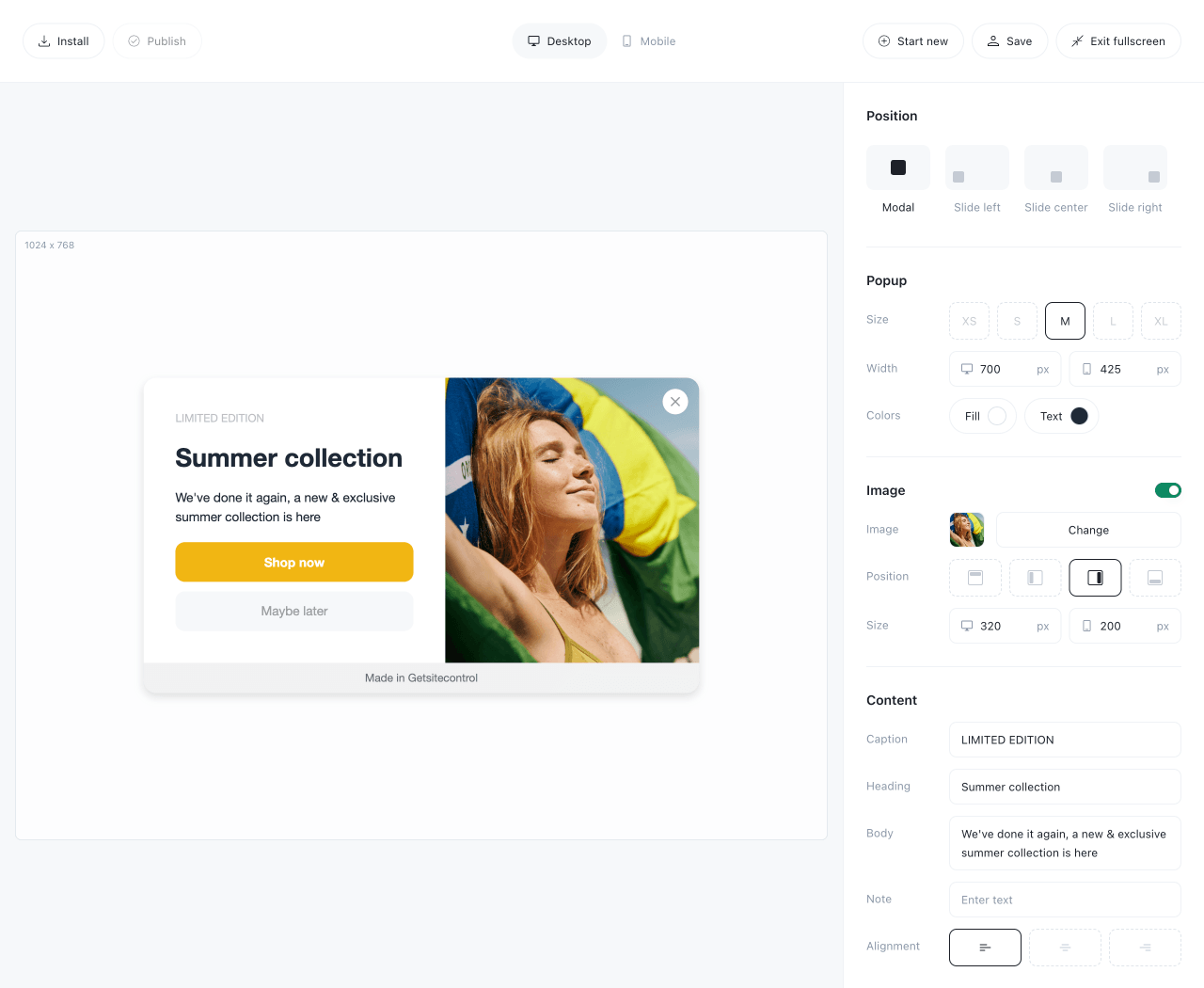
Choose the popup position on the screen, add your discount offer and images, adjust buttons, then publish the popup on your website using a simple code snippet — no sign-up required. It works well for welcome discounts, flash sales, and seasonal promotions.
I use Getsitecontrol to display my current sales or holiday sales. It’s great for ease of use, especially the popups. Gets the job done. I also use it for email marketing campaigns. I enjoy the preloaded templates.
Discount popups appear in several formats depending on the customer journey stage. Ecommerce stores commonly use welcome discounts for new visitors, seasonal promotion popups during campaigns, surprise coupon popups that reveal an offer after interaction, and exit-intent discounts that appear when a shopper is about to leave the site.
Most ecommerce sites trigger discount popups after 5-20 seconds of browsing or 20%+ scroll depth. Product pages can use shorter delays since visitors already show buying intent, while homepage popups typically wait longer. Exit-intent timing works well if visitors show high purchase intent, after a significant time spent on the website or in cart abandonment scenarios.
Keep the discount value as the largest, most visible element with minimal surrounding copy. Most high-converting designs use strong color contrast, a single clear CTA, and mobile-friendly layouts with large tap targets. The popup should match your site’s branding rather than looking like a generic template.
State the actual benefit and its conditions, use a clear action, and give new visitors time to understand the store. Choose the discount using your margins and test completed signups or redemptions rather than relying on a standard percentage.
Most sites limit welcome and exit-intent discounts to once per session or once every 7-30 days to avoid training visitors to wait for offers. Longer purchase cycles support less frequent promotions, while fast-moving categories like fashion can sustain more regular deals.
Lead with the saving, name any important eligibility condition, and use an action that describes what happens next. For example, “Save 20% on your first order” needs a matching first-order discount, while “Copy code” should actually copy the code.
Nina De la Cruz is a content strategist at Getsitecontrol. She is passionate about helping small and medium ecommerce brands achieve sustainable growth through email marketing.
Create popups for free
Email forms, promos, coupons, surveys, bounce-stoppers.
Get started, it’s free →Subscribe to get updates
Get beginner-friendly tips for growing your online business.